
How to Reduce Spam Signups in Autopilot
Reduce spam signups in Autopilot with real-time email verification, scheduled cleanup, and write-back actions for journey contacts. Start my free trial.


How can I reduce spam signups in Autopilot?
Reduce spam signups in Autopilot by verifying addresses where they enter, then checking new and older contacts on a schedule. mailfloss can catch invalid, disposable, and risky signups, fix safe typos, and write configured actions back to Autopilot. For custom forms and AI-agent workflows, use the first-class real-time mailfloss API before creating the contact.
Reduce spam signups in Autopilot by verifying addresses where they enter, then checking new and older contacts on a schedule. mailfloss can catch invalid, disposable, and risky signups, fix safe typos, and write configured actions back to Autopilot. For custom forms and AI-agent workflows, use the first-class real-time mailfloss API before creating the contact.
Spam signups become expensive when they stop being a form problem and start behaving like real Autopilot contacts. They can enter the main newsletter audience, move into journey campaigns, and leave your team exporting, checking, and re-importing records after the mess has already spread. The practical fix is a two-layer workflow: verify at the signup boundary, then keep scheduled cleanup running inside Autopilot.
That distinction matters. Email verification is the address-quality layer; it can identify invalid, disposable, and risky addresses and recover safe typo patterns. It does not prove that a human completed a form or replace every behavioral anti-abuse control. Pair the controls you already use at the form with verification at entry and recurring list hygiene after entry.
Connect Autopilot to mailfloss to apply that workflow without another CSV round-trip.
Where do spam signups create problems in Autopilot?
In Autopilot, the useful unit is not merely a form submission. It is the contact that reaches an audience and can participate in journey automation. A bad address that remains outside Autopilot is an annoyance; a bad address that becomes a journey contact can be selected for campaigns, consume operational attention, and require cleanup later.
The Autopilot integration shows this clearly through its main newsletter audience. Before verification, that audience can contain valid addresses beside typos, role addresses, disposable addresses, and decayed contacts. A list total alone does not tell you which records are safe to keep. The verification result supplies the missing decision signal.
Use this simple boundary map:
Autopilot stage | Email-quality risk | Best-fit control | Intended result |
|---|---|---|---|
A public signup source is about to create a contact | Invalid, disposable, risky, or typoed address enters Autopilot | Instafloss or the real-time API | Make an email-quality decision at entry |
A new contact has reached the main newsletter audience | The entry point was missed or an import bypassed it | Daily Autofloss | Check new Autopilot contacts and apply configured rules |
An older contact remains available to journeys | The address has become risky since it joined | Decay Protection | Re-verify older Autopilot contacts on a schedule |
A result needs an operational outcome | A flagged record remains usable by campaigns | Autopilot write-back action | Tag, archive, delete, suppress, update a field, or notify a workflow according to your rules |
This is the central decision framework for the page: protect the boundary, sweep what crossed it, and revisit what aged. A single check handles only one moment. Autopilot journey contacts need a continuing policy.
How should you configure signup verification for Autopilot?

The safest Autopilot setup separates the connection, the verification timing, and the action taken after a result. That keeps the workflow understandable and lets you choose a conservative review process before enabling automatic cleanup.
1. Connect the Autopilot account

Authorize Autopilot from mailfloss and choose the Autopilot connection you want watched. The first sync can then establish the current contact baseline. If an existing audience has never been checked, review the verify an existing email list workflow before treating every historical record the same as a new signup.
2. Turn on Typo Fixer

Typo Fixer recognizes common typo patterns such as gmial.com. A safe correction can recover a real subscriber who made a small mistake instead of treating that person like spam. This is important in an Autopilot journey: deleting every typoed contact can throw away legitimate intent along with the bad data.
3. Add Instafloss where signups enter
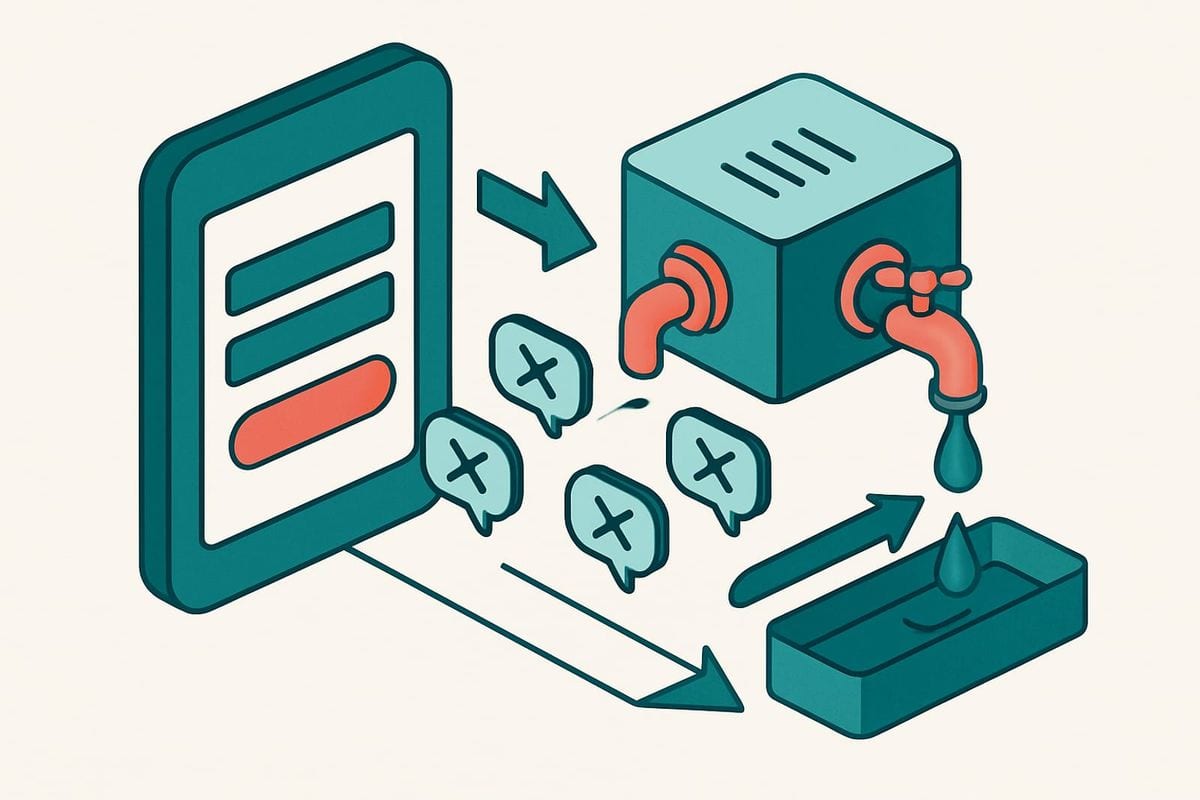
Instafloss is the entry layer for new signups. Use it where a signup source feeds contacts into your marketing system so invalid, disposable, and risky addresses can be caught early. The goal is to make the email-quality decision before the contact has a chance to circulate through the main audience and journey campaigns.
4. Choose the Autopilot action

Decide what should happen after verification. The connected workflow can support review-first or automatic outcomes, including tagging, archiving, deleting, suppressing, updating fields, or notifying another workflow. Start with the least destructive option that gives your team enough visibility. A tag or review queue is often the sensible opening move when you are still tuning the policy.
Custom Keep & Remove Rules add precision. Protect known VIPs, block selected domains, and tune removal behavior for this Autopilot connection. The important phrase is “for this connection”: a rule should reflect how the Autopilot audience and journeys are actually used, not a generic idea of list cleanliness.
5. Run Autofloss daily

Autofloss checks new Autopilot contacts every day and applies the configured cleanup rules without another export. This is the safety net for imports, missed entry points, and any process that created a contact before real-time verification could run.
Most teams can begin with Typo Fixer plus daily cleanup, then add real-time protection at the signup boundary. That sequence makes the first rollout observable without leaving the audience dependent on a one-time check.
Which Autopilot action should you use for a flagged signup?
The right action depends on the verification result and the cost of a false positive. “Delete everything suspicious” is not a policy; it is a shortcut with sharp edges. Autopilot teams should map each result to a reversible or reviewable outcome before using destructive actions.
Situation | Conservative Autopilot action | When to tighten the rule |
|---|---|---|
A safe typo pattern is recognized | Correct through Typo Fixer and retain the contact | After confirming the correction behavior fits your audience |
A disposable or clearly invalid address is found | Tag or suppress, then review the early results | When the rule has produced consistent outcomes for this connection |
A risky address needs context | Update a field or notify another workflow | When another system or owner can make the final decision |
A protected customer or VIP is involved | Keep through an explicit rule | Keep the exception documented and narrow |
A blocked domain repeatedly enters the audience | Add a domain-specific remove rule | After confirming it is not used by legitimate contacts |
This matrix is intentionally operational. The objective is not to chase a perfect “spam score.” It is to stop low-quality addresses from moving through Autopilot journeys while preserving real people who made fixable mistakes.
Review-first is especially useful during setup. Once the team understands which results appear in the main newsletter audience, it can move selected categories to automatic handling. mailfloss then applies the chosen action inside Autopilot, removing the recurring export, verification, and re-import loop.
Why do you need scheduled cleanup after real-time verification?

Real-time verification protects a moment: the instant a new address enters. Autopilot contact quality changes outside that moment. An import may bypass the protected signup source, an internal workflow may create a contact through another path, or an older address may become risky after it joined.
Autofloss and Decay Protection cover those gaps differently. Autofloss runs daily against new Autopilot contacts. It is the short-cycle safety net for records that recently reached the audience. Email Decay Protection re-verifies older Autopilot contacts on a schedule, addressing the fact that a previously usable address can change later.
Think of the controls as three checkpoints:
- At entry: Instafloss or the real-time API evaluates the submitted address.
- After entry: Autofloss checks new Autopilot contacts daily and applies your rules.
- Over time: Decay Protection revisits older contacts before quiet deterioration becomes a permanent blind spot.
This is why recurring, ESP-connected hygiene is different from one-time CSV verification. A CSV can establish a baseline, but it cannot watch new journey contacts or apply an Autopilot action tomorrow. The direct connection turns the decision framework into an operating process.
When should developers use the mailfloss API with Autopilot?
Use the direct Autopilot connection when the job is scheduled verification, recurring cleanup, and writing actions back to Autopilot. Use the real-time email verification API when a custom form, product, integration, or AI agent needs an email-quality decision before it creates the Autopilot contact.
These are complementary surfaces, not competing product modes. A developer can send an address to the first-class mailfloss REST API at the capture boundary, use the JSON response in the signup decision, and still rely on the Autopilot connection for daily Autofloss checks, Decay Protection, and configured write-back actions.
That combined workflow is especially useful when the capture experience sits outside the ESP. The API protects the custom boundary; the direct connection protects the resulting Autopilot audience. Product teams and AI agents get a real-time interface, while marketing operators retain automated list cleaning inside the platform where journey contacts live.
The API is also the better boundary when you need the decision before any Autopilot automation can see the contact. It avoids creating a questionable record first and cleaning it second. The scheduled connection remains valuable because not every contact arrives through that one controlled path, and address quality can change later.
What should you measure after the Autopilot setup goes live?

Measure whether the workflow is making better decisions, not whether it produces the largest possible removal count. A high deletion total can mean the controls are catching bad data, but it can also mean the policy is too blunt.
Review these operational signals:
- How many new Autopilot contacts are checked at entry versus caught by daily Autofloss.
- Which results are corrected by Typo Fixer rather than removed.
- Which configured actions are applied: tag, archive, delete, suppress, field update, or workflow notification.
- Whether protected VIP and domain rules are being used as intended.
- How many older contacts Decay Protection flags during scheduled re-verification.
- Whether any signup source is consistently creating contacts before real-time verification runs.
The last signal is particularly useful. If daily Autofloss repeatedly catches contacts from the same path, move verification closer to that entry point. If the path is custom, put the real-time API before the Autopilot contact-creation step. If it cannot be changed, keep the daily sweep and choose a safe write-back action.
This feedback loop turns verification into a control system: observe where risky addresses enter, move the check earlier, and keep scheduled coverage for everything that remains.
Does email verification stop every Autopilot bot signup?
No. Email verification evaluates the address submitted to Autopilot; it does not prove that a human completed the form. A bot can submit a real, deliverable address, and a human can submit an invalid one by mistake. Those are different problems.
Use mailfloss as the email-quality layer alongside any form-level, rate, identity, or behavioral controls already present in your capture stack. Instafloss can catch invalid, disposable, and risky addresses at entry. Typo Fixer can recover safe mistakes. Autofloss and Decay Protection handle contacts that reach or remain in the Autopilot audience.
This limitation is useful because it keeps the workflow honest. The purpose of mailfloss is not to label every visitor as human or bot. It is to keep bad email data from quietly becoming journey infrastructure.
Frequently asked questions
How do I reduce spam signups in Autopilot?
Connect mailfloss to Autopilot, turn on Instafloss where new signups enter, and run Autofloss daily against new contacts. mailfloss can catch invalid, disposable, and risky addresses, fix safe typo patterns, and apply your chosen action inside Autopilot. Developers and AI agents can protect custom capture flows through the real-time mailfloss API.
Does mailfloss replace CAPTCHA or every anti-bot control?
No. Email verification evaluates the address submitted to Autopilot; it does not prove that a human completed the form. Use it as the email-quality layer alongside any form-level or behavioral controls you already use. Instafloss catches invalid, disposable, and risky addresses at entry, while scheduled cleanup handles contacts that still reach your Autopilot audience.
What can happen after mailfloss flags an Autopilot contact?
Choose the outcome that fits your risk tolerance. The Autopilot workflow can review first or apply a configured action, including tagging, archiving, deleting, suppressing, updating fields, or notifying another workflow. Keep & Remove Rules can protect VIPs, block selected domains, and tune removal behavior for the Autopilot connection.
Can developers and AI agents verify custom signup flows before Autopilot?
Yes. Use the first-class mailfloss real-time REST API when a custom form, product, or AI agent needs an email-quality decision before creating an Autopilot contact. Use the direct Autopilot connection for scheduled checks and write-back actions. The two surfaces can work together: API at entry, recurring automated list hygiene after the contact reaches Autopilot.
Why run scheduled cleanup if new Autopilot signups are verified in real time?
Real-time verification protects the entry point, but it does not cover every import or address that becomes risky later. Autofloss checks new Autopilot contacts daily, and Decay Protection re-verifies older contacts on a schedule. That gives the main newsletter audience a second layer after signup instead of relying on a one-time check.
We write from the practical side of email list cleaning: what helps marketers keep real subscribers, reduce bounces, and avoid turning hygiene into another recurring chore.