
9 Best Drip Integrations for Cleaner Ecommerce Data
Compare the best Drip integrations for store data, forms, support, automation, and recurring list cleaning. Use our nine-tool framework to choose wisely.


What are the best Drip integrations?
The best Drip integrations each own one ecommerce job: mailfloss for recurring list cleaning and real-time API verification, a commerce platform for purchase context, a form tool for structured capture, a support tool for service context, and middleware for unsupported paths. Choose by Drip data usefulness, identity safety, sync recovery, and lifecycle fit—not app count.
The best Drip integrations each own one ecommerce job: mailfloss for recurring list cleaning and real-time API verification, a commerce platform for purchase context, a form tool for structured capture, a support tool for service context, and middleware for unsupported paths. Choose by Drip data usefulness, identity safety, sync recovery, and lifecycle fit—not app count.
Drip becomes more useful when the customer and commerce data entering it are trustworthy, timely, and assigned to a clear owner. The goal is not to connect the largest possible number of apps. It is to give Drip the smallest set of reliable signals needed to segment contacts and run appropriate messaging.
That makes “best” a best-fit decision. A store integration, form tool, payment system, support platform, and email-verification service can all touch the same person, but they should not all own the same fields or lifecycle decisions. This guide ranks nine useful tools and integration routes by the job they should perform in a Drip stack.
Which Drip integrations are the best fit at a glance?
The table below organizes Drip integrations around ecommerce jobs rather than marketplace popularity. Confirm each third-party connection’s current availability, permissions, field mappings, and plan requirements before connecting it.
Tool | Best-fit job in a Drip stack | Question to answer before connecting |
|---|---|---|
mailfloss | Recurring Drip list cleaning and real-time verification | Which stores, connections, or lists should be watched, and which result actions should apply? |
Shopify | Storefront and purchase context | Which customer and order signals does the current connection make available to Drip? |
WooCommerce | Commerce data from a WordPress store | Who maintains the connector and its compatibility with the store’s plugins and checkout? |
BigCommerce | Commerce context for a BigCommerce store | How are existing customers, new buyers, and consent states matched in Drip? |
Typeform | Structured quiz, application, or preference capture | Which answers become useful Drip fields or segmentation signals? |
Gorgias | Limited customer-support context | What minimum support state should influence a Drip workflow? |
Stripe | Payment or subscription signals | Which documented event changes a real Drip decision? |
Zapier | A narrow bridge when a suitable direct path is unavailable | Who owns retries, duplicate prevention, and failed tasks? |
Segment | Governed event delivery for product-led teams | Which events belong in Drip, and how are identity and consent controlled? |
No tool wins every row because the rows describe different jobs. A merchant missing purchase context should start with the authoritative store. A team collecting detailed preferences should fix the form-to-Drip mapping. A Drip account accumulating risky addresses or common typos should address recurring list hygiene. Middleware belongs later, after the team can name the exact gap it must bridge.
How should you choose a Drip integration?

Choose a Drip integration by following one subscriber from capture to campaign. Identify where the email address enters, which system owns consent, which system owns customer attributes, what signal should change the person’s Drip path, and who responds when the connection fails.
Use four tests:
- Drip data usefulness: Does the connection provide information that changes a documented segment, workflow, message, or cleanup decision?
- Identity safety: Can it update the intended Drip contact without creating a second partial identity or overwriting trusted data?
- Operational recovery: Can the team detect a failed sync, retry safely, and identify an owner?
- Lifecycle fit: Does it solve a recurring job, or is a permanent connection being added for a one-time task?
The threshold is simple: add the integration only when somebody can name the Drip decision it enables. “Send more data into Drip” is not a decision.
Test with a small, clearly scoped Drip store, connection, list, or segment whenever the available tool permits it. Follow a new contact and an existing contact through field mapping and automation entry. Then test the awkward paths: a mistyped address, a repeated form submission, revoked consent, an unsubscribe, a refund, and a failed connector. Record which system is authoritative for each field before expanding the integration.
This four-test framework is the page’s comparison logic. It favors dependable customer journeys over app-directory size, speculative feature counts, or unsupported claims that one stack is best for everyone. Review the canonical email platform integrations hub when checking supported mailfloss connections.
1. mailfloss: best for recurring list cleaning in Drip
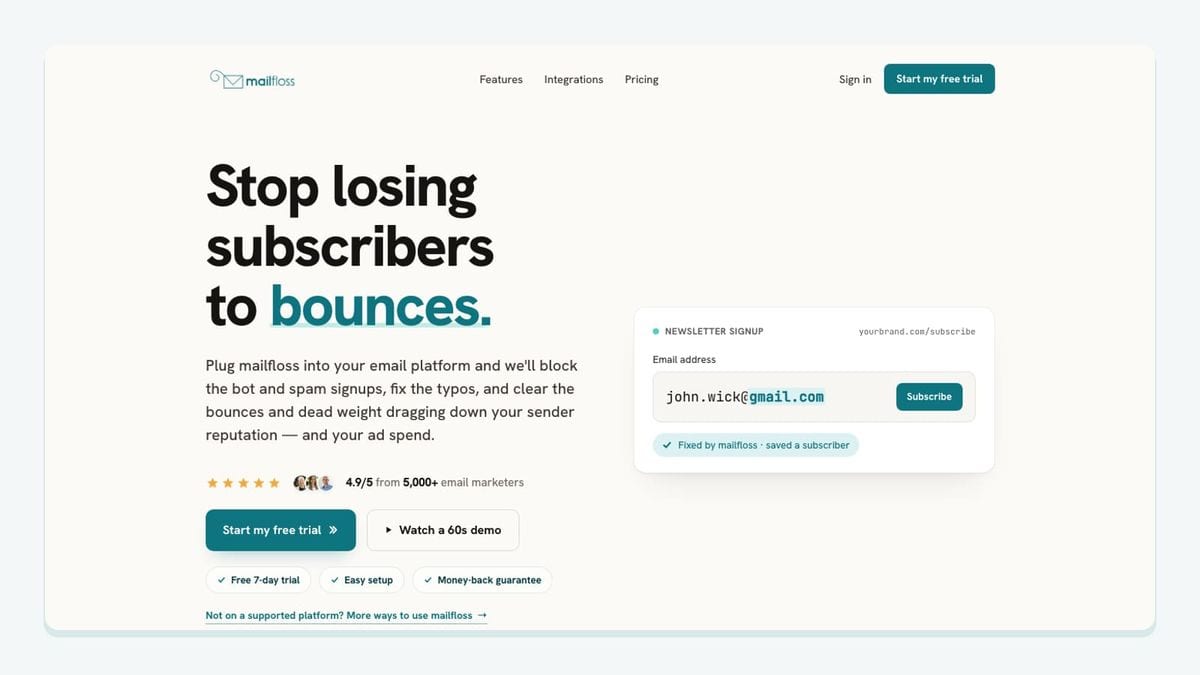
mailfloss is an email verification and automated list-cleaning tool for marketers, product teams, developers, and AI agents. In a Drip stack, it owns the list-hygiene job rather than commerce data or message creation.
The Drip email verification integration has a concrete workflow. Authorize Drip from mailfloss, choose the Drip stores you want watched, and let the first sync begin. Teams can scope the connection further by choosing watched connections or lists, and each connection can use its own cleanup rules. Most teams can begin with Typo Fixer and scheduled daily cleanup, then add real-time protection where signups enter Drip.
Scheduled cleanup checks Drip contacts in the background. It can apply configured typo fixes or removals inside Drip instead of forcing the team through a repeated export, verification, and re-import cycle. Autofloss runs against new Drip contacts, while email decay protection can re-verify older contacts whose status changed after they joined.
The result action remains configurable. A team can keep an address for review, clean it automatically, update fields, or notify another tool. Connection-level rules can whitelist VIPs, blacklist domains, and tune removal behavior. That makes it possible to observe a small Drip scope before applying the same policy more broadly.
mailfloss also has a first-class email verification API for developers and AI agents. A custom signup, checkout, internal product, or agent workflow can request a real-time verification result before creating or updating a record. The API protects a custom entry point; the Drip connection maintains the contacts already arriving from stores, forms, imports, and other routes. Together, they cover prevention and recurring maintenance without positioning mailfloss as a sending platform.
Choose mailfloss when list quality is a recurring operational job. It helps catch risky addresses and recognized typo patterns, but it does not establish marketing consent, guarantee inbox placement, or replace Drip’s own segmentation and messaging logic.
2. Shopify: best when Shopify owns the storefront

Shopify is the logical commerce candidate when the business already runs its store there. Its job in a Drip stack is to provide useful customer and purchase context—not to become an undocumented second owner of consent or identity.
Before connecting Shopify and Drip, identify the exact campaign decision the store data should support. Then confirm the current connection path, supported events, historical synchronization, consent behavior, field mappings, and plan requirements in the vendors’ primary documentation.
Test one known shopper from storefront action to Drip record. Repeat the test with an email address that already exists in Drip. The duplicate case matters because a campaign needs one coherent customer history, not two incomplete profiles. Also confirm what happens when a shopper changes an address, requests deletion, or receives a refund.
Shopify is the best fit here only when it is already the authoritative store and its data changes a documented Drip decision. Adding a storefront connection without naming that decision merely creates another sync to monitor.
3. WooCommerce: best for a WordPress commerce stack

WooCommerce fits merchants whose store already runs on WordPress. Its value is architectural fit: commerce remains in the existing store while selected customer context can support Drip messaging through the currently supported connection route.
The operational risk differs from a hosted storefront. WordPress versions, plugins, checkout customizations, hosting behavior, and connector maintenance can all affect the path. Confirm current compatibility, sync direction, identity rules, consent handling, and custom-field behavior before building a Drip workflow around it.
Test a new buyer, an existing Drip contact, a refund, an email change, and a customized checkout field. If a particular event or field is essential, verify it directly rather than inferring support from a broad integration label.
Choose WooCommerce when it already owns commerce records and the team can maintain the integration boundary. WooCommerce should remain the source for store truth; Drip should remain the place where the selected signal becomes messaging logic.
4. BigCommerce: best for an existing BigCommerce store

BigCommerce is another best-fit store connection rather than a universal replacement for Shopify or WooCommerce. A merchant should choose it for Drip when BigCommerce already owns the catalog, checkout, customer, and order lifecycle.
The evaluation work is the same discipline applied to a different store architecture: confirm the current connector, supported customer and order data, identity matching, consent mapping, historical behavior, and recovery path. Pay particular attention to what happens when the same email appears in both systems before the connection begins.
Run a controlled customer journey and record the resulting Drip state. Do not build a segment or automation around an assumed event until the current integration produces it in a test account.
BigCommerce earns a place in this list because Drip merchants should select the authoritative commerce platform they already operate, not install multiple store connectors to collect overlapping versions of customer truth.
5. Typeform: best for structured capture

Typeform can be useful when a Drip journey begins with a quiz, assessment, application, or preference form rather than a single email field. Its job is to turn answers into structured context that changes how the contact should be treated.
Create a mapping sheet before connecting anything. For each question, name the intended Drip destination, allowed values, owner, retention rule, and workflow decision. Confirm the current connection route and update behavior for existing contacts. Blank, changed, or repeated answers need an explicit outcome.
Test two responses that should follow different Drip paths, plus a response from an existing contact. If all answers lead to the same campaign, the form is adding capture friction without improving the Drip decision.
Because the form can introduce new addresses, pair structured capture with verification. Real-time API protection can check a custom entry point, while the connected Drip workflow can maintain list quality after contacts arrive.
6. Gorgias: best for limited support context

Gorgias can fit an ecommerce team when a clearly defined support state should influence a Drip workflow. The useful outcome is coordination—for example, preventing marketing logic from ignoring an active service issue—not copying an entire help-desk record into a marketing profile.
Confirm the current connection route, supported state or event, identity matching, and deletion behavior. Transfer the minimum information needed for the documented Drip decision. Detailed ticket content may be sensitive and usually belongs in the support system that was designed to hold it.
Test open, closed, and reopened cases, along with shared or changed email identities. Decide which system owns customer attributes so a correction made by a support agent is not silently overwritten by another connection.
Choose Gorgias when a small, lawful support signal produces more appropriate Drip automation. If no workflow changes, the extra data does not belong in Drip.
7. Stripe: best for a documented payment signal

Stripe can be useful when payment or subscription state should affect a Drip lifecycle and the store platform does not already supply the required signal. The integration should transport a narrow event or status, not turn Drip into a payment-data store.
Write the intended rule first: a documented Stripe event occurs, the customer is matched safely, and a named Drip decision changes. Then confirm the current connection route, supported events, retry behavior, and identity mapping in primary documentation.
Test success, failure, refund, and identity-change paths. Keep sensitive financial data in the payment system and send only the minimum status needed by Drip.
Choose Stripe when a verified payment event fills a real gap. Do not duplicate commerce signals already supplied reliably by the authoritative store.
8. Zapier: best for a narrow unsupported path
Zapier is best treated as middleware for a specific gap, not the automatic default for every Drip integration. It can be appropriate when the source and Drip expose the required trigger and action but no suitable direct connection is available.
Write the workflow in one sentence before building it: “When this verified source event occurs, create or update this Drip data, then let this named Drip workflow decide what happens.” That sentence keeps business logic from becoming scattered across unnamed automations.
Confirm current triggers and actions, task usage, retry behavior, duplicate handling, and failure notifications. Test a partial failure: if the source step succeeds but the Drip step does not, determine who receives the alert and whether replaying the task creates a duplicate.
Choose Zapier when the path is observable, recoverable, and owned. Prefer a suitable direct integration when it performs the same required job with fewer failure points.
9. Segment: best for a governed product event pipeline

Segment is the most architecture-heavy option in this list. It fits product teams that already operate a governed event pipeline and want Drip to receive a deliberate subset of customer events.
Before using it, define identity resolution, event names, consent enforcement, destination behavior, and deletion handling. Confirm Drip’s current destination capabilities in primary documentation. Every event sent to Drip should support a named segment, workflow, or measurement decision.
Segment does not replace verification. A custom product can call the mailfloss API before accepting an address, while the event pipeline carries approved customer behavior and the Drip connection maintains list quality over time.
Choose Segment when event governance already exists. It is not a shortcut for a team that has not agreed on identity, consent, or its event schema.
What does a reliable Drip integration stack look like?
A reliable Drip stack gives each layer one primary job. Capture tools collect addresses and consent. The store or product owns behavioral truth. Drip owns segmentation and messaging automation. mailfloss owns recurring email verification and automated list cleaning, while its API protects custom entry points. Middleware transports data only when a suitable direct route is unavailable.
Build the stack in this order:
- Draw one customer path from signup to meaningful conversion.
- Mark every system that creates or changes a Drip contact.
- Assign ownership for identity, consent, commerce state, and messaging logic.
- Connect the smallest set of tools required for that path.
- Test new, existing, invalid, duplicated, refunded, and unsubscribed identities.
- Monitor failures and remove connections that no longer enable a useful decision.
Separate prevention from maintenance. A custom signup can call the mailfloss API before creating a record, but a point-in-time result cannot guarantee that the mailbox remains healthy later. Scheduled Drip verification covers contacts that arrive through other routes and older addresses whose status changes. See email verification and automated list cleaning for the broader operating model.
Which Drip integration should you add first?

Start with the weakest verified link in the lifecycle. Connect the authoritative store when Drip lacks purchase context. Map the form when answers should control segmentation. Add a narrow middleware route when no suitable direct path exists. Choose mailfloss when typos and risky addresses require recurring, connection-specific cleanup.
Do not install all nine tools by default. A smaller stack with explicit ownership is easier to test and recover. For mailfloss, marketers can automate recurring cleaning inside Drip while developers and AI agents use the first-class API at custom capture points. Review mailfloss pricing, then choose the smallest rollout that proves the workflow.
Frequently asked questions
Which Drip integration should I add first?
Start with the weakest verified link in your Drip lifecycle. Connect your store when purchase context is missing, a form tool when answers should drive segmentation, or mailfloss when risky addresses and typos need recurring cleanup. Developers and AI agents can also use the mailfloss real-time verification API at custom signup points.
Can mailfloss clean Drip contacts without CSV exports?
Yes. After you authorize Drip, you can choose the stores, connections, or lists mailfloss watches. Scheduled cleanup checks contacts in the background, applies configured typo fixes or removals inside Drip, and avoids a repeated export-and-reimport cycle. Each connection can use its own cleanup rules.
Can Drip signups be verified in real time?
mailfloss can add real-time protection where signups enter Drip while scheduled verification maintains existing contacts. For custom products, developers and AI agents can use the first-class mailfloss email verification API before creating or updating a record. The two workflows cover point-of-entry checks and recurring list hygiene.
What happens when mailfloss finds an invalid Drip address?
You choose the result action for the Drip connection. mailfloss can keep an address for review, clean it automatically, update fields, or notify another tool. Custom rules can whitelist VIPs, blacklist domains, and tune removal behavior, so a team can test a scoped connection before expanding cleanup.
How should I evaluate a Drip integration?
Use four tests: does the data change a real Drip decision, can identities be matched safely, are failures visible and recoverable, and does the connection solve a recurring job? Test with a small Drip scope, document field ownership, and check duplicate, consent, refund, unsubscribe, and retry paths before expanding it.
We write from the practical side of email list cleaning: what helps marketers keep real subscribers, reduce bounces, and avoid turning hygiene into another recurring chore.