
9 Best Campaigner Integrations for Cleaner Email Lists
Compare 9 Campaigner integrations for CRM, ecommerce, automation, analytics, and email verification. Choose a practical stack for cleaner campaigns.


What are the best Campaigner integrations?
The best Campaigner integrations close a specific handoff: customer data into Campaigner, campaign results back to the team, or bad addresses out of sending workflows. Start with one CRM, commerce, or automation connection, then add mailfloss for scheduled Campaigner cleaning and its real-time REST API for developer and AI-agent checks before signup data arrives.
The best Campaigner integrations close a specific handoff: customer data into Campaigner, campaign results back to the team, or bad addresses out of sending workflows. Start with one CRM, commerce, or automation connection, then add mailfloss for scheduled Campaigner cleaning and its real-time REST API for developer and AI-agent checks before signup data arrives.
A useful Campaigner integration should eliminate a repeated handoff around your email program. It might move current customer data into Campaigner, return campaign activity to the team that needs it, or stop questionable addresses from accumulating in Campaigner lists. An app logo alone is not a workflow.
This guide uses a three-boundary test to compare nine practical additions to a Campaigner stack:
- Data in: How does a contact reach the correct Campaigner list with the fields and permission context your team needs?
- Work out: Where should Campaigner activity go so sales, support, or marketing can act on it?
- Quality over time: What catches typos, invalid contacts, disposable addresses, and older addresses that later decay?
Connection availability, field support, and plan requirements can change. The direct mailfloss workflow below is documented for Campaigner; verify every other candidate against current Campaigner and vendor documentation before building around it. Use a test list and a record you can safely inspect.
Campaigner integrations at a glance
Tool | Job in a Campaigner stack | Best-fit signal | First test |
|---|---|---|---|
mailfloss | Recurring email verification and automated list cleaning | Bad or mistyped addresses keep reaching Campaigner lists | Connect one list and use conservative cleanup rules |
Salesforce | CRM-to-email data handoff | Sales and marketing copy fields between systems | Map one lifecycle field and one test contact |
Shopify | Store-to-email customer handoff | Campaigns depend on current commerce context | Test a new customer and an updated email address |
WordPress | Website signup handoff | Forms are a primary route into Campaigner | Submit one valid and one deliberately mistyped address |
Zapier | Short trigger-and-action workflow | A repetitive transfer lacks a direct path | Build one trigger and one Campaigner action |
Make | Branched or transformed automation | One event needs filtering or multiple destinations | Exercise every branch with sample records |
Google Analytics | Post-click measurement | Opens and clicks do not answer what happened onsite | Standardize one campaign-tagging pattern |
Slack | Operational alerts | Failures or priority events go unnoticed | Send one actionable alert to a named channel |
Microsoft Dynamics 365 | Governed CRM and process handoff | Dynamics is the operational customer record | Assign ownership for each synchronized field |
The list is intentionally mixed. A Campaigner user rarely needs all nine. The best-fit stack is the smallest one that closes a measurable gap without creating an invisible chain of dependencies.
How should you choose a Campaigner integration?

Start with the source of truth. If a CRM owns customer status, do not let Campaigner and the CRM edit the same field without a conflict rule. If Campaigner owns an email subscription state, test how the proposed workflow handles an unsubscribe before syncing a larger audience.
Then define timing. A reporting export may tolerate a delay. A signup check may need to happen before Campaigner accepts the address. A sales alert may only be useful while the lead is still active. “Automated” is not specific enough; write down when the event should move and how late is too late.
Finally, define failure behavior. Identify where errors appear, who receives the alert, and whether a retry creates a second contact. A useful integration exposes failures instead of silently losing them.
Use this acceptance test before expanding beyond a test list:
- One system owns each important field.
- The trigger and Campaigner action fit in one sentence.
- Consent, unsubscribe, duplicate, and retry behavior have been checked.
- A named person can see failures.
- One result can be measured after launch.
This framework is the page's original comparison logic. It also keeps a “best integrations” search from turning into a shopping list.
1. mailfloss: recurring list hygiene for Campaigner
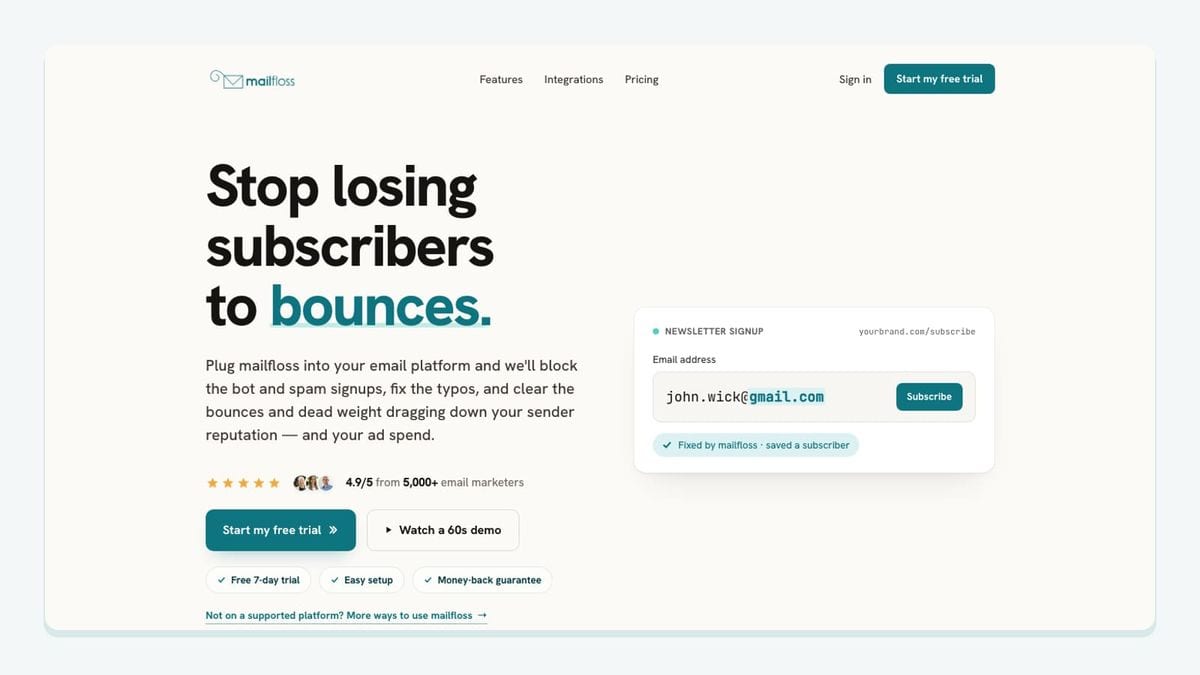
mailfloss is the Campaigner integration to add when the missing layer is email verification and automated list cleaning. It uses a direct connection rather than a recurring CSV routine.
The Campaigner workflow has three concrete steps:
- Authorize Campaigner from the mailfloss dashboard and choose the Campaigner connections and lists you want watched.
- Select features and cleanup behavior. Most teams begin with Typo Fixer and daily cleanup, then add real-time protection where signups enter.
- Let scheduled checks review new leads and contacts. mailfloss can write fixes and selected cleanup actions back to Campaigner without another export and re-import.
The list controls are important. Different Campaigner connections can use different cleanup rules. Available workflows include keeping an address for review, cleaning automatically, updating fields, or notifying another tool. That is more useful than forcing every Campaigner audience through the same rule.
The features also cover different moments. Typo Fixer recognizes safe typo patterns, Autofloss runs daily against new Campaigner contacts, Instafloss protects signup flows in real time, and email Decay Protection rechecks older contacts on a schedule. These capabilities help reduce risky addresses; they do not guarantee inbox placement.
mailfloss is also a first-class developer and AI-agent option. Its real-time REST email verification API can check an address at a form, product signup, or another system boundary before the record is passed to Campaigner. The direct integration then handles recurring hygiene after contacts arrive. Entry protection and scheduled cleaning solve different parts of the same problem.
Best fit: Campaigner teams that want selected lists checked on a schedule, safe typo correction, configurable follow-up actions, and a real-time API path for custom workflows.
2. Salesforce: connect Campaigner to the sales record
Evaluate Salesforce when it is already the system where sales owns the customer relationship. Its role beside Campaigner should be narrow: pass the fields marketing actually needs into the email workflow and return only the campaign context that helps a representative act.
Begin with one stable identifier and a small field map. Name the owner of each field, especially lifecycle and subscription-related values. Test what happens when the same email address appears twice, a representative changes an address, or a Campaigner contact unsubscribes.
Do not assume a particular native connection or field set from this article. Confirm the currently supported route in Campaigner and Salesforce documentation. If the only requirement is an occasional audience export, a continuous integration may add more monitoring work than it removes.
Best fit: sales-led teams that use Salesforce as their customer record and can govern the sync boundary.
3. Shopify: use commerce context without confusing it with consent

Evaluate Shopify when Campaigner messages depend on store activity. The useful workflow is not “copy the store.” It is a small set of defined events or customer states that support an email decision.
Start with one journey, such as a new-customer sequence. Test guest checkout, an updated customer email, a repeat purchase, and a refund before relying on a segment. Keep marketing permission separate from customer status; a completed transaction does not automatically define the email permission your process requires.
Verify the current Campaigner connection method, supported fields, and plan requirements before implementation. Commerce data can improve timing, but it does not prove that an address is deliverable. If store or signup records continually enter Campaigner, recurring verification remains a separate layer.
Best fit: stores that use Campaigner for lifecycle messages and can define a small, testable commerce-to-email handoff.
4. WordPress: protect the route from a form to a Campaigner list
WordPress is worth evaluating when website forms are a primary acquisition source. The Campaigner-specific question is what happens between a successful form submission and the selected Campaigner list.
Map only the fields that the Campaigner workflow uses. Preserve the source and permission context your process requires, decide whether an existing contact is created or updated, and make connector failures visible. Test whitespace, repeated submissions, and a familiar domain typo instead of checking only a perfect address.
For a custom form, a developer or AI agent can call the mailfloss API before sending the record to Campaigner. That provides an immediate boundary check. The direct Campaigner connection can then watch the relevant list on a schedule, so the form does not need to own recurring cleaning logic.
Best fit: Campaigner teams whose WordPress site is the main route into one or more email lists.
5. Zapier: replace one manual Campaigner handoff
Zapier is a candidate when the workflow can be described as one event followed by one Campaigner action. Use it to replace a specific copy-and-paste task, not as a vague automation layer.
Build the smallest version first. Use a test contact, retain the source record's stable identifier, and inspect the resulting Campaigner record. Then replay the source event to learn whether the workflow updates the record or creates a duplicate. Make sure someone owns authorization failures and task errors.
Confirm that the required Campaigner action and fields are currently available before committing to the workflow. If the data needs extensive transformation or several branches, a visual multi-step tool or a small API service may be clearer.
Best fit: lean teams with one repeatable, mostly unchanged data handoff into Campaigner.
6. Make: handle branching Campaigner workflows visibly
Make is worth evaluating when one event must be filtered, transformed, or routed to Campaigner and another destination. Its value is visibility: the team can see each step and branch instead of hiding the entire handoff inside one opaque task.
Label branches by business outcome, define the fallback for missing fields, and preserve a source identifier for retries. Test every branch, including the path that should not create or update a Campaigner contact. A visual workflow can still fail quietly if alerts and ownership are missing.
Check current Campaigner module availability and field behavior in the relevant documentation. Do not turn a direct connection into a long scenario merely because extra steps are available.
Best fit: operations teams with a genuinely branched workflow and someone responsible for monitoring it.
7. Google Analytics: measure what happens after a Campaigner click

Google Analytics belongs in the stack when Campaigner engagement metrics do not answer what visitors do after reaching the website. The integration work is mostly measurement discipline.
Choose a consistent campaign-tagging convention and define the onsite action that matters before the send. Keep values stable so reports do not split one campaign into several spelling variants. Treat analytics as directional evidence rather than proof that every observed action was caused by email.
Verify the current analytics setup, consent behavior, and Campaigner tagging controls in the target environment. This tool closes the “work out” boundary by making post-click behavior available to the team; it does not move customer records into Campaigner or clean addresses.
Best fit: teams that need a consistent view beyond opens and clicks.
8. Slack: make Campaigner workflow failures actionable
Slack can help when a Campaigner-related workflow fails or produces an event that needs human attention. The useful alert names the failed step, identifies the record safely, and links to the place where an owner can act. A channel full of undifferentiated notifications is just another ignored inbox.
Start with one exception, such as a failed handoff into Campaigner. Avoid placing unnecessary personal data in the message. Route the alert to a named operational channel and define who handles it. Test both the alert and the recovery path.
The actual connector may come from an automation tool or custom service, so verify the current route and permissions. Slack is the visibility layer, not the record owner.
Best fit: teams whose automated Campaigner handoffs need clear human escalation.
9. Microsoft Dynamics 365: govern the Campaigner data boundary
Evaluate Microsoft Dynamics 365 when it is already the operational customer record. Decide which Dynamics values Campaigner needs and which Campaigner events are useful to the wider business process.
Assign one owner to every synchronized field. Bidirectional editing can create loops or stale overwrites when both systems change the same value. Test duplicate, unsubscribe, deletion, and reactivation cases with a controlled record. Limit permissions to the fields and actions the workflow needs.
Confirm current Campaigner compatibility, connection method, and field support before planning around them. If the requirement is an occasional export, the governance and monitoring cost of a continuous workflow may outweigh the benefit.
Best fit: organizations with established Dynamics processes and clear data ownership.
Which Campaigner integration should you install first?
Install the tool that closes the clearest measurable gap. CRM-led teams may begin with Salesforce or Dynamics. Stores may evaluate Shopify. Website-led acquisition teams should make the WordPress-to-Campaigner route reliable. Zapier or Make can bridge a missing workflow, Google Analytics can clarify post-click behavior, and Slack can expose operational failures.
Address quality crosses every inbound route. mailfloss connects directly to Campaigner, lets teams choose watched lists and per-connection rules, and runs scheduled cleanup without repeated CSV handling. Developers and AI agents can add real-time API checks before a record arrives.
Begin with one test audience. If you first need a baseline, verify an existing email list, then decide which ongoing connection prevents the same work from returning. Review email verification integrations and mailfloss pricing before committing to the operating model.
Frequently asked questions
Which Campaigner integration should I add first?
Start with the handoff creating the most repeated work. Add a CRM or commerce connection when customer data is fragmented, an automation tool when records are copied manually, or mailfloss when Campaigner lists need recurring verification. Give the first integration one owner, one measurable outcome, and a small test audience before expanding it.
How does mailfloss integrate with Campaigner?
mailfloss connects directly to Campaigner. You authorize the account, select the Campaigner connections and lists to watch, choose cleanup rules, and enable scheduled checks. mailfloss then checks new contacts, applies safe typo fixes and selected cleanup actions, and writes the results back to Campaigner without a recurring CSV export-and-import routine.
Can developers verify addresses before they enter Campaigner?
Yes. Developers and AI agents can use the mailfloss real-time REST API to check an address at signup or another system boundary before passing it to Campaigner. The direct Campaigner connection handles recurring list hygiene after contacts arrive, so real-time entry checks and scheduled cleaning cover different parts of the same workflow.
Can I clean only selected Campaigner lists?
Yes. In mailfloss, you choose which Campaigner connections and lists are watched, and each connection can use its own cleanup rules. That lets separate Campaigner audiences follow different review, automatic-cleaning, field-update, or notification workflows instead of forcing one rule across every contact.
We write from the practical side of email list cleaning: what helps marketers keep real subscribers, reduce bounces, and avoid turning hygiene into another recurring chore.