
How to Reduce Spam Signups in Braze
Reduce spam signups in Braze across SDK, REST, import, and partner-sync paths. Verify risky addresses before campaigns with a practical workflow.


How do I reduce spam signups in Braze?
Reduce spam signups in Braze by auditing SDK registrations, REST-created users, imports, and partner syncs separately. Verify addresses before email-dependent campaign or Canvas use, preserve subscription-group consent, and route risky results to review, cleaning, field updates, or workflow notification. mailfloss adds recurring Braze cleaning plus a real-time API for developers and AI agents.
Reduce spam signups in Braze by auditing SDK registrations, REST-created users, imports, and partner syncs separately. Verify addresses before email-dependent campaign or Canvas use, preserve subscription-group consent, and route risky results to review, cleaning, field updates, or workflow notification. mailfloss adds recurring Braze cleaning plus a real-time API for developers and AI agents.
A Braze workspace can receive user profiles from several systems. A profile created after an app registration has a different trail from one written by a server, uploaded in a file, or copied from a partner platform. Treating all four as one generic “list” hides the source of a spam spike and makes cleanup rules unnecessarily blunt.
The practical fix is to map each profile-entry lane, record its source, verify the email at the appropriate boundary, and keep uncertain records out of email-dependent targeting until a deliberate action occurs. The Braze email verification integration supports real-time signup verification, scheduled contact checks, typo correction, and configured actions inside Braze. Product teams and AI agents can also use the email verification API when verification belongs in an application or server workflow.
Verification is one layer of the defense. It does not replace form security, authenticated API access, bot detection, consent records, or Braze subscription groups.
Where can spam signups enter Braze?
Spam does not enter Braze through one universal door. It enters through whichever product, service, import, or partner process creates or updates a user profile. Inventory the lanes your implementation actually uses before choosing any cleaning action.
App registrations passed through a Braze SDK
A web or mobile registration flow may identify a new user through a Braze SDK after the product accepts the signup. The form and abuse controls live at the product boundary; Braze receives the resulting identity, attributes, or events according to your implementation.
That separation gives the product team a clean decision point. Verify the email before treating it as campaign-ready, and preserve a source signal that distinguishes web, iOS, Android, or another app surface. Use an existing Braze attribute or event taxonomy if one already records the source. A universal field name would be misleading because each Braze implementation defines its own data model.
If suspicious addresses rise only in the web-registration lane, investigate the web form, traffic source, release history, and bot controls. If the mobile lanes remain stable, a workspace-wide cleaning change would target the wrong problem.
Server-side REST user writes

A backend service, ingestion process, or AI agent may write user data through a Braze REST workflow. This lane lets the engineering team place verification before the Braze write or immediately afterward, depending on which system must receive the first record.
Use one operational rule: an unknown verification result should not silently become an approved email-targeting signal. If the verification service is temporarily unavailable, hold the address outside email-dependent campaign or Canvas criteria, retry according to the service’s normal policy, or notify an operator. Do not reinterpret a timeout as a valid address.
The mailfloss real-time REST API uses JSON input and output. It complements the direct Braze connection: the API handles developer-controlled intake decisions, while the connection handles real-time signup verification and scheduled checks of contacts already flowing through Braze.
File imports and historical migrations
An imported audience lacks the live context of an app signup. It may contain old addresses, obvious domain typos, disposable addresses, or records whose current consent and source need review. Give each import a batch label and date, then verify it before using it in an email campaign.
Retain enough source information to investigate unexpected changes. An email is only one field on a Braze profile, so avoid applying an irreversible blanket rule to valuable historical records. Start with review, protect VIP records as needed, and confirm which system owns the email before allowing automatic cleaning or a field update.
Teams preparing a historical audience can also review the verify an email list workflow, but the result still needs to be reconciled with the profile, consent, and source rules used in Braze.
Partner and warehouse syncs

Braze profiles can also be created or updated through partner-controlled paths. A customer-data platform, warehouse activation flow, or reverse-ETL process may replay the same field later. If Braze is not the system of record for the email, an automatic correction inside Braze can be overwritten by the next upstream sync.
For every partner lane, record the authoritative system, sync direction, and conflict rule. When an upstream system owns the address, update that source or notify its owning workflow. This prevents a bad value from bouncing between systems and makes the cleanup durable.
What is the four-lane Braze control map?
The control map pairs each entry lane with a verification moment, a Braze-side signal, and a safe first response. It is intentionally not a promise that mailfloss intercepts every Braze write. SDK and REST boundaries belong to the customer’s application architecture; the direct Braze connection handles verification and recurring hygiene in the connected platform.
Braze profile-entry lane | Where verification fits | Signal to preserve in Braze | Safe first response |
|---|---|---|---|
Web or mobile registration passed through an SDK | At the product signup boundary | Existing source attribute or registration event | Keep the address out of email targeting until its result is known |
Server-side REST user write | Before the write or immediately afterward | Verification status and checked-at value defined by your data model | Proceed on an approved result; otherwise review or notify |
File import or migration | Before campaign use | Import source and batch date | Review the rules, then clean or update fields where approved |
Partner or warehouse sync | At the authoritative source or after the sync | Partner or source identifier | Notify the owning workflow and prevent overwrite loops |
Build the map in eight steps:
- List every active SDK, REST, import, and partner path that can write an email to a Braze profile.
- Assign an owner to each path.
- Reuse an existing source attribute or event where possible.
- Identify the authoritative system for the email field.
- Choose real-time verification, recurring Braze cleaning, or both.
- Preserve Braze subscription-group state separately from the verification result.
- Add the acceptable verification state to email-dependent campaign or Canvas criteria.
- Compare risky-result counts and rates by entry lane.
The seventh step is particularly important in Braze. A profile’s existence does not mean it belongs in every campaign or Canvas. Eligibility should combine the appropriate subscription state, business rules, and an acceptable address-quality signal.
How should Braze subscription groups interact with verification?

Braze subscription groups and email verification answer different questions. Verification evaluates whether an address appears usable. A subscription group represents the profile’s messaging permission for that group. A successful verification result does not create consent, and a risky result does not erase an unsubscribe or rewrite another permission state.
Preserve the subscription state created by the actual consent workflow. Use the verification result only as an additional condition in the segment, campaign, or Canvas criteria that governs an email-dependent action.
For example, a campaign audience might require the appropriate subscription-group state and a recent acceptable verification result. A risky profile can remain outside that audience while it is reviewed without changing its consent record. That separation makes later analysis much clearer: operators can see whether the person was excluded because of permission, address quality, or another business rule.
This is also why “suppress every bad signup” is too vague. Suppression could mean a Braze targeting choice, a consent change, or an action in another system. It is not one of the mailfloss Auto-Actions named on the live Braze integration page. Describe the mailfloss outcome precisely: review first, clean automatically, update fields, or notify another workflow. If the Braze team excludes a profile through segment or Canvas criteria, call that a Braze targeting rule rather than a mailfloss suppression action.
What does mailfloss automate inside the Braze workflow?
The direct Braze connection turns verification into recurring list hygiene instead of a repeated export-and-reimport chore. The live integration page says mailfloss checks Braze contacts in the background, runs Autofloss daily against new Braze contacts, and performs scheduled re-checks of older contacts through Decay Protection.
Instafloss verifies new signups in real time where they enter the marketing system. It identifies invalid, disposable, and risky addresses early. Typo Fixer recognizes common typo patterns and can safely correct recognized patterns such as gmial.com. These controls address two different timing problems: bad data arriving now and previously good data becoming risky later.
Custom Keep & Remove Rules let the team whitelist VIPs, blacklist domains, and tune removal behavior for each Braze connection. That per-connection control matters when the same workspace receives profiles from sources with different risk and record-value profiles.
Auto-Actions should be stated exactly as the source states them. mailfloss can keep addresses for review, clean automatically, update fields, or notify another workflow when attention is needed. Suppression appears on the live comparison page only as an example of a manual DIY action in Braze; it is not presented as a mailfloss Auto-Action.
A sensible rule set therefore considers three inputs:
- The verification result.
- The profile’s entry lane and authoritative system.
- The value or sensitivity of the record.
A disposable address from a new anonymous signup and an uncertain result on a long-standing customer profile should not receive the same automatic treatment. Put the first into the approved cleanup path and keep the second for review if that matches the team’s policy.
This recurring model is the difference between one-time verification and automated list hygiene. Email decay protection rechecks older contacts, while Instafloss or the API handles new-address intake.
How should a Braze team gate campaigns and Canvas entry?

Before launch, confirm that email eligibility reflects permission, business rules, and address quality. This is a Braze campaign and Canvas control, not merely a list-cleaning task.
Use this preflight:
- Confirm that the campaign or Canvas uses the intended subscription-group logic.
- Check that every active profile-entry lane preserves a usable source signal.
- Decide how an unknown or unavailable verification result behaves.
- Compare recent risky-result counts and rates across SDK, REST, import, and partner lanes.
- Confirm that an automatic field update will not be overwritten by the next partner sync.
- Verify that VIP or sensitive profiles follow the approved review rule.
- Test the journey with internal profiles representing approved, risky, and unavailable outcomes.
Do not make “verified” the only eligibility condition. A verified address may still lack the required permission, and a subscribed profile may still contain a risky address. Combine the relevant conditions rather than letting one overwrite the others.
Canvas needs extra attention because it can automate several downstream actions after entry. If an email step assumes the address is usable, place the verification decision before Canvas entry or before that email-dependent step. If another channel remains usable, the business may keep the profile in the journey while skipping the email action. That is a Braze journey decision, not something an email verifier should silently make.
How do you identify the Braze lane causing the spike?
A workspace-wide health number can hide the origin of spam. Group new profiles by entry lane and compare four signals: volume, risky-result count, risky-result rate, and the share that later becomes eligible for email messaging. This uses the team’s own Braze data instead of an invented universal benchmark.
Establish a normal range for each lane. If web registrations suddenly show a higher risky-result rate than the mobile SDK lanes, inspect the web form, bot controls, traffic source, and recent release. If one REST client changes abruptly, inspect that client’s authentication, retry behavior, and input validation. If an import is the outlier, pause campaign use and review the source file. If a partner lane changes, check its upstream mapping and system owner.
Track both count and rate. A large import can contribute the greatest number of risky profiles while still having a lower rate than a small compromised form. Looking only at one measure can send the team toward the wrong fix.
The decision rule is straightforward: diagnose by Braze entry lane first, then select the action using source ownership and record value. That framework is materially different from replacing the word “Braze” in a generic list-cleaning checklist. It ties the verification decision to Braze profile creation, subscription groups, campaign and Canvas eligibility, and partner update behavior.
When should you use the API, the Braze connection, or both?
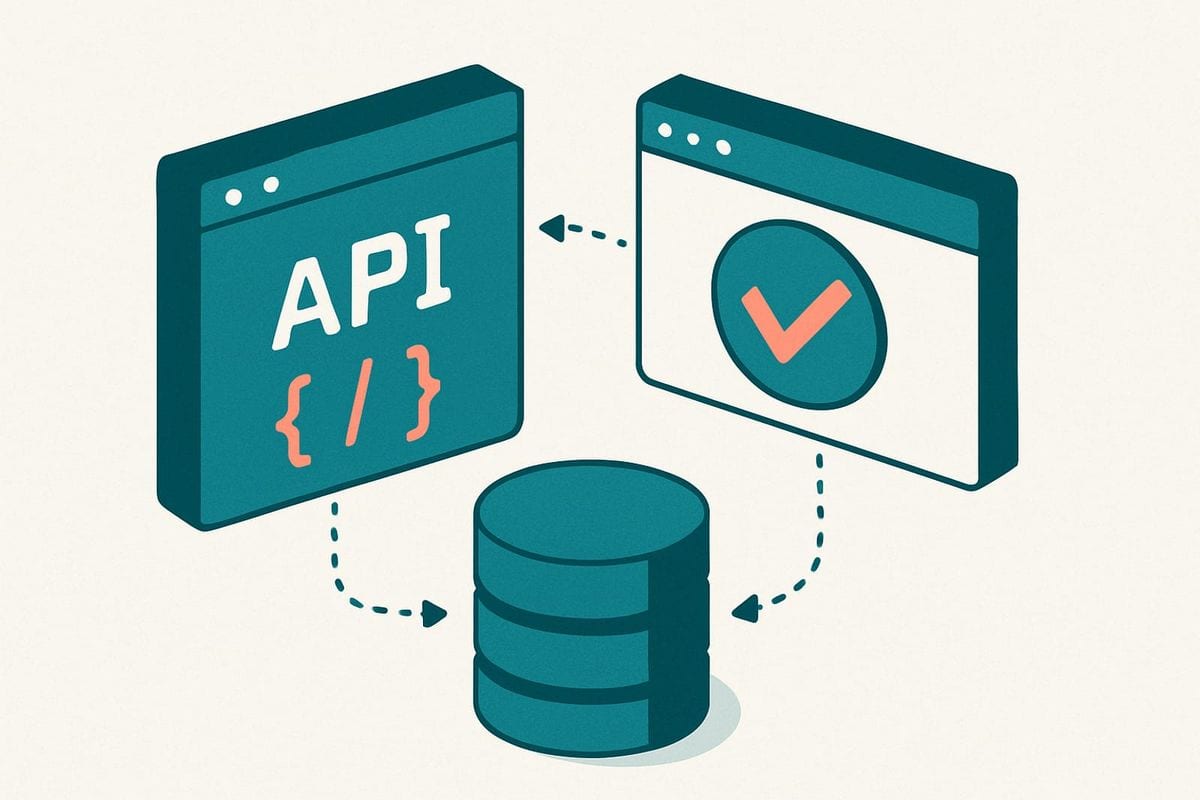
Use the mailfloss API when a product, backend service, or AI agent needs a real-time JSON response near the moment it accepts an address. This is the developer-controlled route for an SDK-backed registration flow or a server process preparing a REST user write. See the canonical email verification API page for the developer path.
Use the direct Braze connection when contacts already exist in Braze or the marketing team needs ongoing automation. The live integration page supports real-time signup verification, daily Autofloss checks against new contacts, scheduled re-verification of older contacts, typo correction, per-connection rules, and configured actions without recurring CSV exports.
Use both when the organization needs an intake control and a maintenance control. The API checks addresses at product or service boundaries. The Braze connection handles contacts that arrive through other paths and protects list quality over time.
Neither option replaces form rate limits, authentication, abuse monitoring, CAPTCHA where appropriate, consent capture, or subscription-group management. mailfloss is both an automated Braze list-cleaning tool and a first-class real-time API for developers and AI agents—not an automation-only or API-inferior product.
Frequently asked questions
What should I do with risky Braze signups?
Choose the action by risk and source. Review uncertain results, automatically clean addresses covered by approved rules, update a Braze field for downstream targeting, or notify a workflow for manual handling. Keep high-value profiles on a review path instead of applying one blanket action.
Where can spam signups enter Braze?
Audit each profile-creation lane separately: an app registration passed through a Braze SDK, a server-side REST user write, a file import, or a partner sync. Label the source, verify the address before email-dependent campaign or Canvas use, and compare risky-result rates by lane.
Does email verification replace Braze subscription groups?
No. Verification and consent answer different questions. Verification assesses whether an address is usable; a Braze subscription group records the profile’s messaging permission for that group. Preserve subscription state and use verification only as another targeting and cleanup signal.
Can developers verify Braze signups in real time?
Yes. Product teams and AI agents can use the mailfloss real-time REST API for JSON-in/JSON-out verification around Braze profile creation. Marketing teams can also use the direct Braze connection for real-time signup verification and scheduled contact checks, combining intake controls with recurring list hygiene.
We write from the practical side of email list cleaning: what helps marketers keep real subscribers, reduce bounces, and avoid turning hygiene into another recurring chore.