
How to Reduce Spam Signups in Benchmark Email
Reduce spam signups in Benchmark with real-time verification, newsletter-level cleanup rules, typo repair, and automated rechecks. See the workflow.


How do you reduce spam signups in Benchmark?
To reduce spam signups in Benchmark, protect each watched newsletter at entry, verify new subscribers in real time, route invalid or disposable addresses by rule, and recheck older contacts daily. mailfloss connects to selected Benchmark newsletters, writes fixes or removals back, and offers a first-class real-time API for developer and AI-agent signup flows.
To reduce spam signups in Benchmark, protect each watched newsletter at entry, verify new subscribers in real time, route invalid or disposable addresses by rule, and recheck older contacts daily. mailfloss connects to selected Benchmark newsletters, writes fixes or removals back, and offers a first-class real-time API for developer and AI-agent signup flows.
A suspicious signup is not one single problem. It may be an address with a recognized typo, a disposable mailbox, an invalid address, a risky address that needs review, or a real address entered without useful intent. The practical response is therefore a layered Benchmark workflow: screen the address when it enters a watched newsletter, decide what each result should trigger, and continue checking the contacts that remain.
mailfloss is an email verification and automated list-cleaning tool for marketers. With Benchmark, it can watch selected newsletters, check new subscribers, apply your cleanup rules, and write supported fixes or removals back without recurring CSV exports. Developers and AI agents can also use the first-class real-time email verification API when they need to evaluate an address inside a custom signup path before sending an accepted contact into Benchmark.
What should a Benchmark team treat as a spam-signup problem?
For a Benchmark operator, “spam signup” is a useful alarm bell but a poor routing category. The phrase can hide several different address conditions, and each condition calls for a different response.
Signup result | What it means operationally | Sensible first action |
|---|---|---|
Recognized typo | The address resembles a common, safely repairable domain typo | Correct it with Typo Fixer when the pattern is recognized |
Invalid address | The address should not remain in the active campaign path | Apply the chosen review or cleanup rule |
Disposable address | The mailbox may be temporary and inappropriate for the newsletter’s purpose | Review or remove it according to that Benchmark connection’s policy |
Risky address | The result needs more caution than an automatic good-or-bad decision | Keep it for review or route it to another workflow |
Valid but questionable signup | The address may be deliverable, but verification alone does not prove human intent | Use appropriate form, consent, or source controls in addition to verification |
Older contact that has decayed | The address may have been usable when it joined but has since gone bad | Recheck it on a schedule with Decay Protection |
This distinction matters because deleting every questionable contact is not a strategy. A typoed subscriber may be worth repairing. A risky result may deserve review. A disposable address may require a stricter rule on a lead-generation newsletter than on a low-stakes download list. A valid mailbox can still come from an unwanted submission. Email verification supplies address evidence; your Benchmark newsletter policy decides what happens next.
That leads to a simple decision rule: automate only the results for which your team already has a clear policy. Send ambiguous cases to review. This keeps the workflow useful without pretending that one address check can establish identity, consent, or human intent.
How does the four-stage Benchmark signup-control loop work?
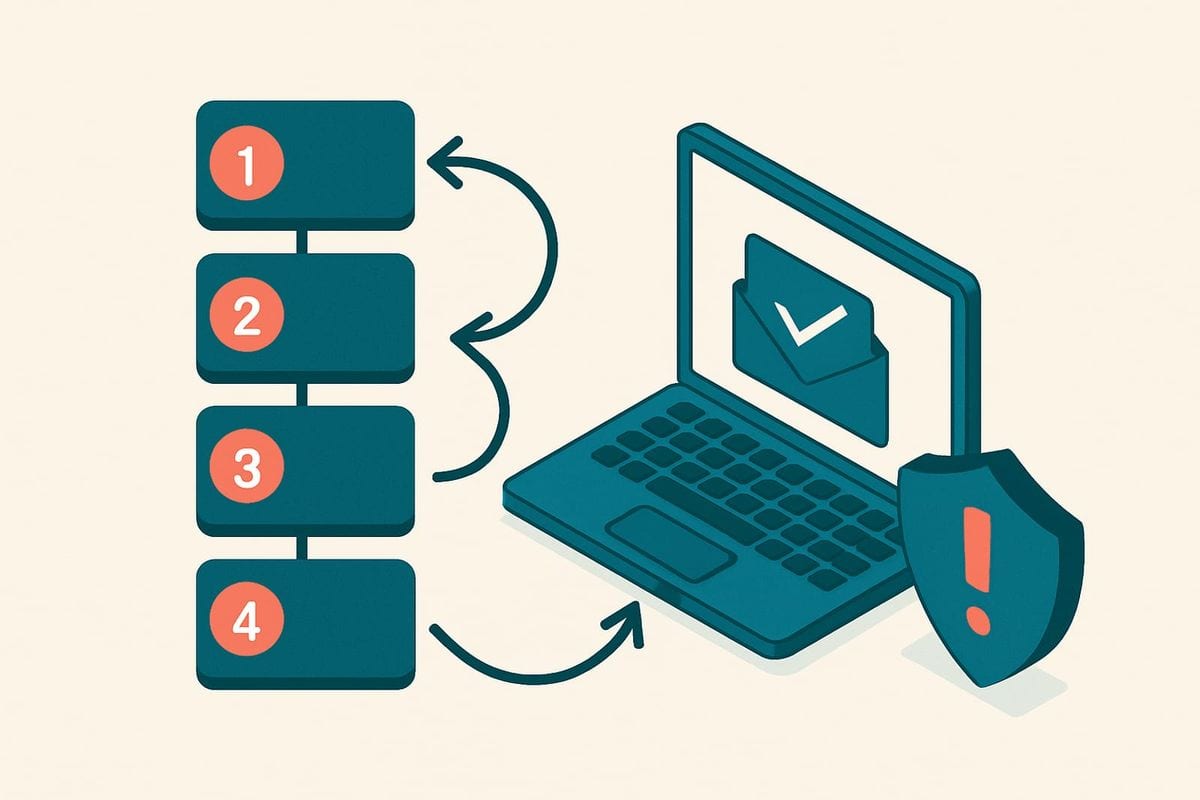
The most useful way to reduce bad signups in Benchmark is to manage four stages: entry, verification, routing, and rechecking. This framework is specific to the supplied Benchmark connection because the setup begins by choosing which Benchmark newsletters mailfloss should watch and ends by writing actions back to that connection.
1. Choose the Benchmark newsletters that receive signups

Authorize Benchmark from mailfloss, then select the newsletters you want watched. The first sync starts automatically. Do not turn every connection into one undifferentiated policy on day one. Start with the newsletter receiving the most suspicious or expensive signups, confirm that the categories and actions match your expectations, and then extend the setup.
Newsletter-level selection gives you a useful boundary. A public content newsletter, a customer-only newsletter, and a partner list may not need identical keep and remove rules. The supplied Benchmark email verification integration supports choosing watched newsletters and tuning removal behavior for each connection.
If the newsletter already contains older contacts, clean that existing population as part of setup rather than protecting only future entries. Signup-time screening cannot repair historical list quality by itself. Teams with a backlog can also review the workflow for how to verify an existing email list.
2. Verify new subscribers where they enter

Enable Instafloss where new signups enter the marketing system. This is the real-time layer: it checks new addresses early so invalid, disposable, and risky entries do not quietly accumulate before the next campaign. Typo Fixer can recover a subscriber when a safe, recognized typo pattern is found instead of treating every mistake as a lost contact.
The operational goal is not to make a grand promise that no bot will ever pass. It is to prevent known address-quality problems from becoming ordinary Benchmark contacts that someone must export, inspect, and import later. Early verification shortens the time between entry and action.
For a custom form, application, or agent-controlled workflow, developers and AI agents can call mailfloss’s first-class real-time email verification API before passing an accepted address into Benchmark. That path gives the product team control at the application boundary. The direct Benchmark connection remains valuable for scheduled checks, newsletter-level cleanup, and writing fixes or removals back.
3. Route each result with a Benchmark connection rule

Choose what a flagged contact should trigger. mailfloss can keep an address for review, clean it automatically, update fields, or notify another workflow. Custom Keep & Remove Rules can whitelist VIPs, blacklist domains, and tune removal behavior for each Benchmark connection.
A cautious starting policy looks like this:
- Automatically apply only recognized, safe typo fixes.
- Route invalid or disposable results according to the newsletter’s documented policy.
- Keep ambiguous or risky results for review until the team understands their volume and source.
- Whitelist known VIPs when a blanket rule would create an unacceptable false removal.
- Blacklist domains only when there is a clear business reason, not as a substitute for reviewing the signup source.
This is where the Benchmark workflow becomes more than a generic “clean your list” article. The rule belongs to the connection receiving the contact. The result then becomes an action inside the watched Benchmark workflow rather than another spreadsheet waiting for an owner.
4. Recheck the contacts that remain

Signup protection handles the moment of entry. It does not freeze an address in time. Autofloss runs daily against new Benchmark contacts, while email decay protection re-verifies older contacts on a schedule. Together, those layers address two different questions: “Was this address acceptable when it entered?” and “Is this older contact still suitable for the active list?”
The practical benefit is continuity. Without a connected workflow, a team has to remember to export Benchmark contacts, verify them elsewhere, and import the results again. With the connection configured, scheduled checks and chosen actions continue in the background. That is automated list hygiene rather than a one-time CSV cleanup.
What can mailfloss automate inside the Benchmark workflow?
mailfloss can support the recurring address-quality work around selected Benchmark newsletters. The supplied integration page describes six relevant controls:
- Typo Fixer recognizes common safe typo patterns and helps recover contacts that might otherwise be deleted or ignored.
- Instafloss verifies new signups in real time where they enter the marketing system.
- Autofloss runs daily against new Benchmark contacts and applies the selected cleanup rules without another export.
- Decay Protection rechecks older Benchmark contacts to find addresses that went bad after joining.
- Custom Keep & Remove Rules let the operator whitelist VIPs, blacklist domains, and tune removal behavior for a Benchmark connection.
- Auto-Actions let the operator review first, clean automatically, update fields, or notify another workflow.
These controls should be treated as a sequence, not a bag of features. Instafloss screens new entries. Typo Fixer repairs recognized mistakes. Keep and remove rules decide what the evidence means for that newsletter. Autofloss and Decay Protection maintain the list after the signup moment. Auto-Actions carry the decision into the connected workflow.
That sequence is the page’s decision framework: entry control prevents accumulation; routing prevents reckless deletion; recurring checks prevent yesterday’s valid list from becoming tomorrow’s cleanup emergency.
Explore the broader automated list-cleaning features for the product-level view, or use the email verification guide for more context on address-quality categories.
Where does email verification stop?

Email verification helps identify address risk. It should not be described as proof that a signup is human, consented, valuable, or likely to engage. A valid mailbox and a wanted subscriber are related questions, but they are not the same question.
That limitation changes how a Benchmark team should investigate persistent signup trouble. If verification catches disposable or invalid addresses, the address-quality layer is doing useful work. If a large number of technically valid but unwanted contacts still enter, inspect the source and consent path rather than making cleanup rules increasingly aggressive. The remedy may sit before the contact reaches the watched newsletter.
Similarly, deliverability language needs discipline. Removing invalid or risky addresses can help reduce avoidable bounce exposure and protect list quality, but it does not guarantee inbox placement. Campaign content, sending behavior, authentication, complaints, and recipient engagement sit outside what an address-verification result alone can establish.
Use this boundary as a troubleshooting rule:
- If the problem is a bad or temporary address, verification and routing are the primary controls.
- If the address is valid but the submission is unwanted, investigate the signup source and consent controls.
- If the address was once good but has aged, scheduled rechecking is the control.
- If the result is ambiguous, review it instead of forcing an automatic deletion.
What should you monitor after turning the workflow on?
A useful rollout compares the signup stream before and after each rule change without inventing a universal threshold. Benchmark newsletters differ in source, audience, volume, and tolerance for questionable entries. Your own baseline is more useful than a borrowed percentage.
Track at least these operational signals by watched newsletter:
- How many recognized typos were repaired rather than lost.
- How many invalid, disposable, and risky results appeared.
- Which signup source produced the flagged contacts.
- How many contacts were automatically cleaned versus held for review.
- Whether a whitelist or blacklist rule caught unexpected contacts.
- How many older contacts were flagged during scheduled rechecks.
- Whether the team still performs manual exports or imports for routine cleanup.
Review the first batch before widening automation. If a rule behaves as intended, apply it to the next suitable Benchmark connection. If it catches valuable contacts or produces too many ambiguous cases, narrow the rule or keep that category in review. This measured expansion is safer than applying the strictest action everywhere at once.
The success condition is not “zero signups.” It is a cleaner flow in which recognized address problems receive a predictable action, ambiguous cases remain reviewable, and routine maintenance no longer depends on someone remembering a CSV task.
For the rest of your stack, see the best Benchmark Email integrations by workflow.
A practical Benchmark rollout checklist

- Identify the Benchmark newsletter receiving the problematic signups.
- Connect Benchmark to mailfloss and select that newsletter for the first sync.
- Turn on Typo Fixer and daily Autofloss cleanup.
- Add Instafloss where new signups enter.
- Define keep, remove, review, field-update, or notification actions for each result category.
- Review the first batch before expanding automatic actions.
- Add scheduled rechecks for older Benchmark contacts.
- Use the real-time API when a custom application or AI agent controls the entry point.
- Compare results by newsletter and signup source.
- Extend the proven policy to additional Benchmark connections.
Ready to replace recurring exports with a connected cleanup workflow? Start my free trial →
Frequently asked questions
How can I reduce spam signups in Benchmark?
Connect mailfloss to the Benchmark newsletters that receive signups, enable real-time verification where contacts enter, and choose what happens to invalid, disposable, risky, or safely repairable addresses. mailfloss can then write fixes or removals back to Benchmark and recheck older contacts on a schedule.
Can I protect only certain Benchmark newsletters?
Yes. When authorizing Benchmark in mailfloss, choose the connections and newsletters you want watched. That lets you start with the newsletter receiving the most questionable signups, review the results, and then apply suitable keep, remove, or automatic-cleanup rules to other Benchmark connections.
Does email verification prove that every Benchmark signup is human?
No. Email verification evaluates the address entering the workflow; it should not be presented as proof of human intent. Use it to catch invalid, disposable, risky, and recognized typo addresses, then pair it with any form-level or consent controls appropriate to your signup source.
What happens after mailfloss flags a Benchmark signup?
You choose the outcome for that Benchmark connection. Keep the contact for review, clean it automatically, update fields, or notify another workflow. Custom keep and remove rules can protect VIPs, blacklist unwanted domains, and tune how the connected newsletter is handled.
Can developers and AI agents verify signups before they reach Benchmark?
Yes. Use the direct Benchmark connection for scheduled checks, real-time signup protection, and writing fixes or removals back to Benchmark. For a developer-controlled entry point, use mailfloss’s first-class real-time email verification API so applications and AI agents can evaluate an address before passing an accepted contact into the Benchmark workflow.
We write from the practical side of email list cleaning: what helps marketers keep real subscribers, reduce bounces, and avoid turning hygiene into another recurring chore.