
How to Reduce Spam Signups in beehiiv
Reduce spam signups in beehiiv with real-time checks, newsletter-level cleanup, typo fixes, and daily automation. Follow the practical five-step guide.

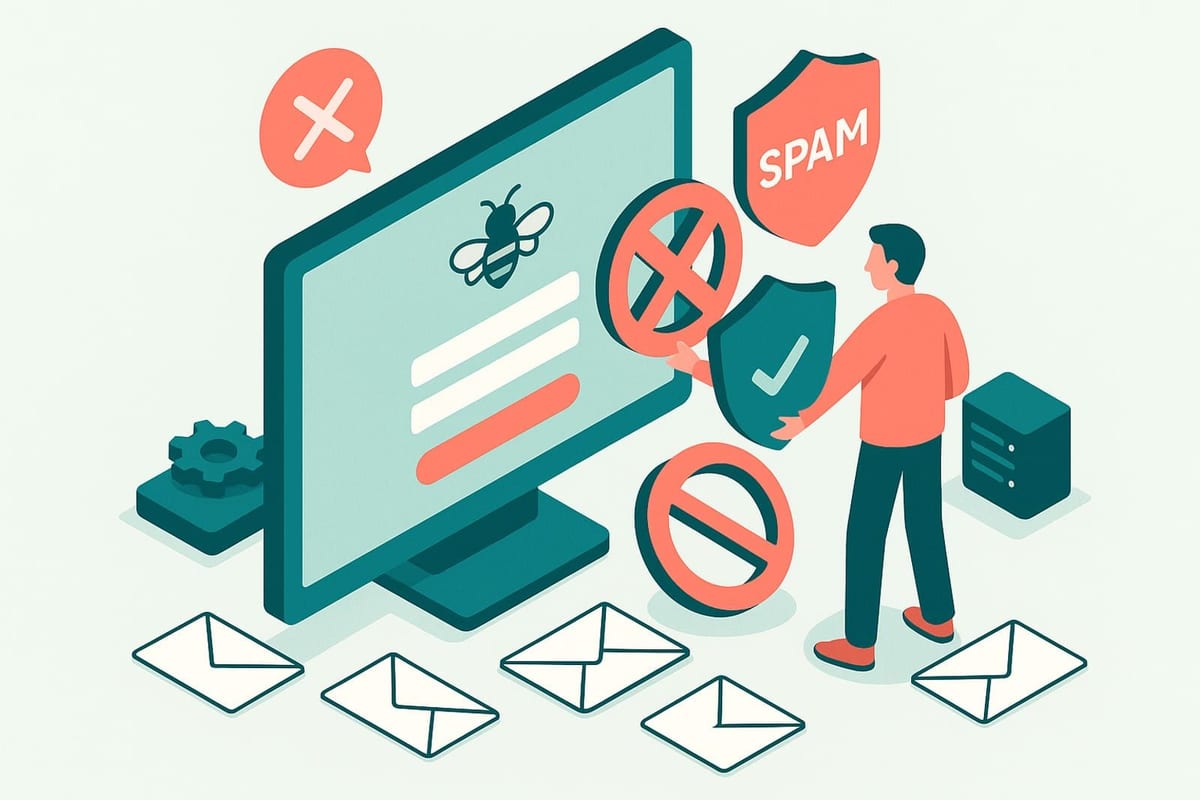
How do I reduce spam signups in beehiiv?
Reduce spam signups in beehiiv by using Instafloss where new subscribers enter, then run Autofloss daily on the newsletters you choose. mailfloss can fix safe typos, flag invalid, disposable, or risky addresses, and write configured actions back to beehiiv. Developers and AI agents can use its real-time REST API for custom signup flows.
Reduce spam signups in beehiiv by using Instafloss where new subscribers enter, then run Autofloss daily on the newsletters you choose. mailfloss can fix safe typos, flag invalid, disposable, or risky addresses, and write configured actions back to beehiiv. Developers and AI agents can use its real-time REST API for custom signup flows.
A suspicious beehiiv subscriber is not always a malicious bot. The address may be fake, disposable, mistyped, risky, role-based, or simply old enough to have stopped working. Those cases can look similar in a subscriber count, but they call for different actions. The useful operating model is therefore two-layered: check new signups where they enter, then keep checking the selected beehiiv newsletters after subscribers join.
mailfloss supplies both layers. Instafloss protects signup flows in real time, while Autofloss checks new beehiiv contacts daily. Typo Fixer recovers safe, recognizable mistakes, and Decay Protection re-verifies older contacts. The connected workflow avoids turning every cleanup into an export, verification job, and re-import.
What counts as a spam signup in beehiiv?
For list-quality work, “spam signup” is a practical umbrella rather than a perfect identity label. It can include an invalid mailbox, a disposable address, a risky address, an obvious domain typo, or a submission that should be reviewed before it reaches a campaign. Address verification can evaluate those email-quality signals, but it cannot prove that every valid mailbox belongs to a sincere human reader.
That distinction prevents an easy mistake: treating “valid address” and “wanted subscriber” as the same thing. A bot can submit a working mailbox, while a real reader can mistype gmail.com. The first record may pass an address check but still require upstream abuse controls. The second may look invalid until Typo Fixer recognizes a safe typo pattern.
Use three separate questions when deciding what to do:
- Can this email address receive mail?
- Does the signup appear appropriate for this beehiiv newsletter?
- What action should the connected cleanup rule take?
mailfloss primarily helps with the first question and automates the configured outcome. Your acquisition policy answers the second. The per-connection rules tie both decisions to an action such as review, automatic cleaning, a field update, or a workflow notification.
This framework is safer than declaring every unfamiliar address “spam.” It also makes the result easier to audit: the verification signal, acquisition decision, and beehiiv action remain distinct.
Why use both real-time and daily beehiiv verification?

Real-time and scheduled verification solve different timing problems. Instafloss checks a new signup where it enters the marketing system, helping catch invalid, disposable, and risky addresses before they accumulate. Autofloss runs daily against new beehiiv contacts and applies the cleanup rules chosen for the connection.
Use real-time protection when a questionable address should be stopped, corrected, or routed for review immediately. This is especially useful for a custom signup experience that sends subscribers into beehiiv. Developers and AI agents can call the mailfloss email verification API, evaluate the JSON response under a documented policy, and pass the accepted subscriber into beehiiv. The API is a first-class real-time REST interface, not a fallback for teams unable to use an ESP connection.
Keep scheduled verification active even when the entry check is working. Not every subscriber necessarily arrives through the same flow, and an address that was valid when it joined can become risky later. A scheduled check also gives the connected workflow a chance to apply the appropriate beehiiv action without another CSV round-trip.
The decision rule is straightforward: use Instafloss for entry-time decisions and Autofloss for recurring coverage. Add Decay Protection for older contacts. None of these controls guarantees that a valid subscriber will engage or that a campaign will reach the inbox; they help reduce address-level risk.
How do you connect mailfloss to the right beehiiv newsletters?
The beehiiv setup is newsletter-aware rather than a blind account-wide upload. Authorize beehiiv from the mailfloss dashboard, choose the newsletters you want watched, and let the first sync begin automatically. The live beehiiv email verification integration also allows teams to choose the relevant connections and lists or segments, with separate cleanup rules for each connection.
That scope matters when one newsletter or acquisition stream is attracting more questionable subscribers than another. You do not need to begin with one irreversible policy across every beehiiv audience. Start with the affected newsletter, inspect the first sync, and confirm that the selected cleanup behavior matches the list’s purpose.
A practical scope review asks:
- Which beehiiv newsletter is receiving the suspect signups?
- Which connection or list should mailfloss watch?
- Should invalid results be reviewed first or cleaned automatically?
- Should a result update a field or notify another workflow?
- Are there VIP addresses to whitelist or domains that should be blacklisted?
- Does this connection need real-time protection, daily cleanup, or both?
The supplied integration workflow supports custom keep-and-remove rules per beehiiv connection. That makes the connection boundary useful for risk control: a high-volume public newsletter can use a different review policy from a smaller newsletter containing important partners or customers.
What is the five-step beehiiv cleanup workflow?

The following walkthrough turns the live integration mechanics into a repeatable response for suspicious signup traffic.
1. Choose the affected beehiiv newsletter

Identify the newsletter or connected list receiving the questionable addresses. Authorize beehiiv from mailfloss and select the newsletters you want watched. The first sync starts automatically, so confirm the scope before applying aggressive actions.
2. Begin with Typo Fixer and daily cleanup

The beehiiv integration recommends Typo Fixer plus daily cleanup as a common starting point. Typo Fixer recognizes safe, common typo patterns instead of automatically throwing away a potentially legitimate subscriber. Autofloss checks new beehiiv contacts daily without requiring another export.
3. Add Instafloss where new signups enter

Turn on real-time protection at the signup boundary that feeds the affected newsletter. Instafloss checks new addresses early, before invalid, disposable, or risky records have time to accumulate. If the signup path is custom, call the REST API before creating or forwarding the beehiiv subscriber.
4. Choose the outcome for each connection

Decide whether mailfloss should keep questionable addresses for review, clean automatically, update fields, or notify another workflow. Whitelist VIPs, blacklist domains when justified, and tune removal behavior for the specific beehiiv connection. Review-first is the safer opening policy when the evidence is uncertain.
5. Let mailfloss write the result back

mailfloss checks new subscribers on schedule and writes configured fixes and removals back to beehiiv. This closes the loop inside the connected workflow and removes the repeated export-check-import routine.
Which action should you take for each verification result?
The best action depends on both the verification signal and your confidence. The following decision table is an original operating framework for a connected beehiiv cleanup policy.
Signal in the beehiiv workflow | First action | Reason |
|---|---|---|
Safe, recognizable domain typo | Apply or review the Typo Fixer correction | A real reader should not be lost because of a repairable mistake |
Invalid address | Remove or suppress under the connection policy | Repeated sending cannot repair an unusable destination |
Disposable or risky address | Review, clean, or route to another workflow | Risk does not always justify the same action for every newsletter |
Valid address from a questionable signup flow | Keep address quality and signup intent as separate decisions | A working mailbox does not prove human intent |
Older address that has gone bad | Apply Decay Protection and the recurring cleanup rule | This is list decay rather than necessarily a bad original signup |
VIP or protected contact | Use a whitelist and review-first handling | High-value contacts deserve a deliberate exception path |
This matrix avoids two extremes: deleting everything that looks unusual and keeping everything that technically passes. It also uses the beehiiv connection as the policy boundary. Each connection can have its own cleanup rules, so the same result can be reviewed in one newsletter and automatically cleaned in another when the business context warrants it.
Keep the rule explainable. If a teammate cannot tell why an address was corrected, reviewed, or removed, the automation is too opaque.
How does mailfloss write cleanup actions back to beehiiv?

mailfloss runs from its own dashboard and manages beehiiv contacts in the background. After the connection is authorized and the newsletters are selected, scheduled checks evaluate new subscribers. The integration then writes configured fixes and removals back to beehiiv, so teams do not have to export contacts, verify them elsewhere, and import the results repeatedly.
The exact outcome remains under your control. The connected workflow can keep addresses for review, clean automatically, update fields, or notify another tool. Custom keep-and-remove rules can whitelist VIPs, blacklist domains, and tune removal behavior for each beehiiv connection.
This is the practical difference between recurring automated list hygiene and a one-time file cleanup. A CSV verification job creates a snapshot. The beehiiv connection keeps watching the selected newsletter, checks new contacts on a schedule, and applies the chosen action as the list changes.
That automation should still start with a deliberate policy. Review the initial sync, verify which newsletter is in scope, and confirm the action settings before expanding coverage. Automation saves recurring work because the decision is configured once; it should not make an unclear decision harder to reverse.
What can mailfloss fix, and what still needs another control?
mailfloss can verify beehiiv contacts, recognize safe typo patterns, identify invalid, disposable, and risky addresses, re-check older contacts, and automate the resulting list action. Those capabilities address email quality and recurring list hygiene.
They do not establish every aspect of signup legitimacy. A bot may submit a valid mailbox. A valid subscriber may lack appropriate consent. An address may be deliverable but unsuitable for a particular newsletter. Those questions require controls and policies at the acquisition boundary, outside the address-quality result itself.
Use this responsibility split:
- Signup-flow controls evaluate submission behavior and permission.
- Instafloss evaluates an address when it enters the marketing system.
- beehiiv stores and operates the newsletter subscriber.
- Autofloss checks new beehiiv contacts daily.
- Decay Protection re-verifies older contacts.
- Per-connection rules determine review, cleaning, field updates, or notifications.
The split is useful because it shows where to investigate a miss. If a valid mailbox belongs to abusive traffic, strengthen the signup boundary. If invalid or disposable addresses are accumulating, strengthen real-time verification and review the connected action. If older subscribers are deteriorating, use email decay protection rather than blaming the original signup source.
How should you monitor the beehiiv workflow after setup?

Monitor the selected newsletter and the configured actions, not just the total number of subscribers. After activating real-time or daily verification, review how many addresses were corrected, marked invalid, identified as disposable or risky, kept for review, cleaned automatically, or sent to another workflow.
Compare those outcomes by beehiiv connection. A newsletter with a broad public acquisition stream may produce a different pattern from a smaller invitation-based list. Separate rules let you respond to those differences without forcing one cleanup policy across both.
Check three things after the first sync:
- Scope: Did mailfloss watch the intended beehiiv newsletter, list, or segment?
- Classification: Do sampled results match the address-quality signals you expected?
- Action: Did the connection review, clean, update, or notify according to the selected rule?
Then confirm that scheduled checks continue handling new beehiiv contacts and that real-time protection covers the intended signup entry point. Review whitelist and blacklist rules periodically; an old exception can become an invisible source of poor decisions.
Success is not “zero subscribers removed.” It is a clear, repeatable flow in which good typoed contacts can be recovered, risky contacts receive the intended treatment, and new or decayed addresses do not sit unnoticed until the next manual export.
Which beehiiv anti-spam setup should you choose?
Choose Instafloss when questionable addresses should be evaluated as they enter a signup flow. Choose Autofloss for daily checks on new contacts in selected beehiiv newsletters. Add Typo Fixer to recover safe mistakes and Decay Protection to re-check older contacts. Use separate connection rules when different newsletters need different levels of review or automation.
For a custom product flow, developer service, or AI agent, use the real-time email verification API before passing an accepted subscriber into beehiiv. For ongoing newsletter hygiene, connect beehiiv directly so mailfloss can apply scheduled checks and write configured actions back without another CSV cycle.
Review mailfloss pricing when you are ready to expand recurring coverage, or Start my free trial » to test the connection.
Frequently asked questions
How can I reduce spam signups in beehiiv?
Use Instafloss where new subscribers enter, then run daily cleanup on the beehiiv newsletters you choose. Real-time verification catches invalid, disposable, and risky addresses early; scheduled checks handle anything that reaches the list. Configure whether mailfloss should review, clean, update, or notify for each beehiiv connection.
Can mailfloss check new beehiiv subscribers in real time?
Yes. Instafloss can verify new signups where they enter your marketing system, helping catch invalid, disposable, and risky addresses before they accumulate in beehiiv. For custom signup flows, developers and AI agents can use the mailfloss real-time REST API and then pass the accepted subscriber into beehiiv.
Can I choose which beehiiv newsletters mailfloss watches?
Yes. When you authorize beehiiv from mailfloss, choose the newsletters you want watched and the first sync starts automatically. You can also select which beehiiv connections, lists, or segments are cleaned and give each connection its own cleanup rules, so a risky acquisition stream does not require one blanket policy.
What happens when mailfloss finds an invalid beehiiv address?
You choose the outcome for the beehiiv connection. mailfloss can keep an address for review, clean it automatically, update fields, or notify another workflow. It checks new subscribers on schedule and writes configured fixes and removals back to beehiiv, avoiding another export-and-import cycle.
Is there a free way to verify beehiiv subscribers?
mailfloss has a permanent free plan of 500 verification credits a month, refreshed every month, and a trial of the paid plans lets you test the beehiiv connection. Start with one newsletter or the signup flow attracting the most questionable addresses. Publications that exceed the allowance will need a paid plan for broader recurring cleanup.
We write from the practical side of email list cleaning: what helps marketers keep real subscribers, reduce bounces, and avoid turning hygiene into another recurring chore.