
Email Security Auditing: Annual Checklist
Run a thorough annual email security audit: review SPF, DKIM, and DMARC, access controls, and incident response with this step-by-step checklist for teams.

What should an email security audit include?
An email security audit reviews your authentication, access, and response readiness on a fixed cadence. Confirm SPF, DKIM, and DMARC are valid and enforced; audit mailbox access, MFA, and admin permissions; test phishing response; and review list hygiene and sending reputation. Run it at least annually, and after any major tooling or domain change.
- Validate that SPF, DKIM, and DMARC records exist and are enforced.
- Review mailbox access, MFA, forwarding rules, and admin roles.
- Test incident response and phishing-report workflows.
- Audit list hygiene and sender reputation — mailfloss keeps lists verified automatically.
Email Security Auditing: Annual Checklist
An email security audit is a structured review of your organization's email systems, authentication settings, access controls, encryption configurations, and user behaviors to identify vulnerabilities before attackers do.
A thorough email security audit covers SPF, DKIM, and DMARC authentication records, multi-factor authentication enforcement, email encryption in transit and at rest, spam filtering and malware detection rules, compliance alignment with HIPAA, GDPR, and PCI DSS, and employee phishing awareness.
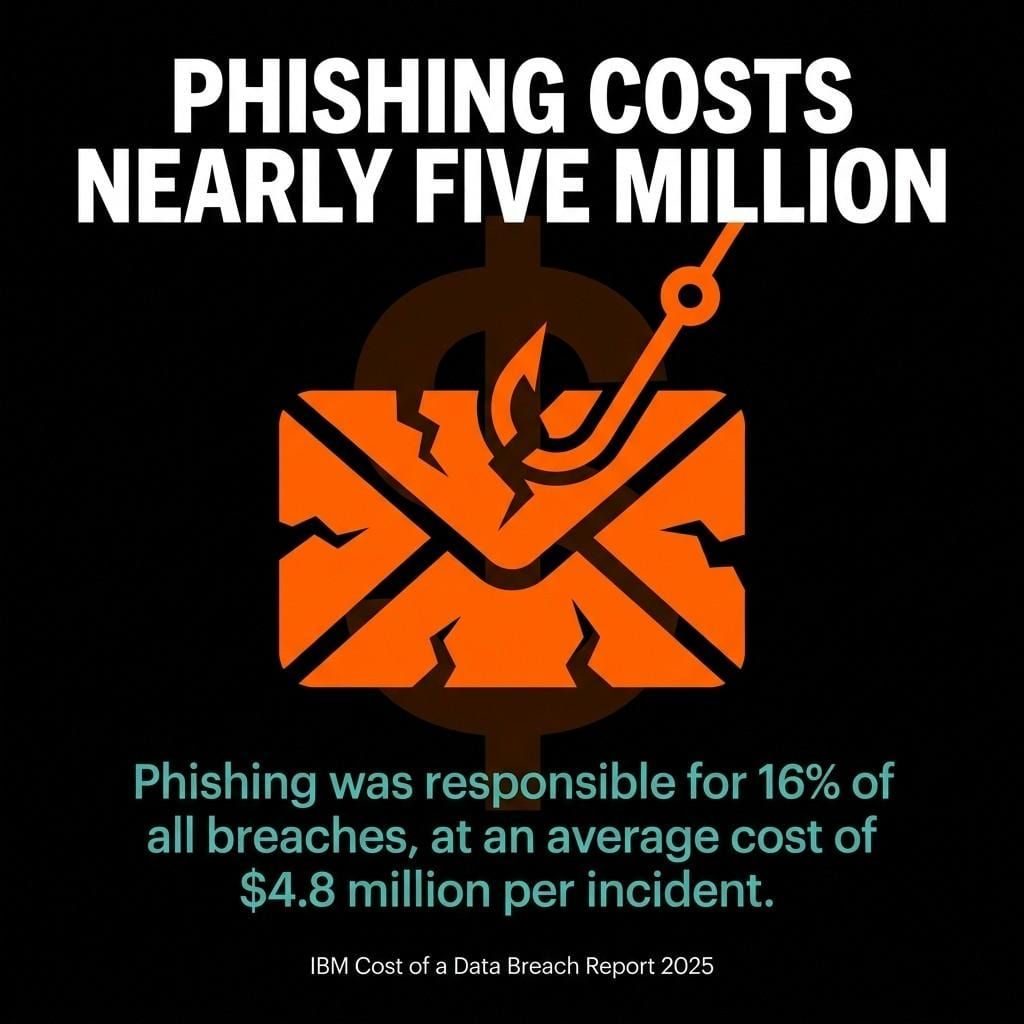
The IBM Cost of a Data Breach Report 2025 found phishing was responsible for 16% of all breaches, at an average cost of $4.8 million per incident. That number alone should make every business owner sit up straight.
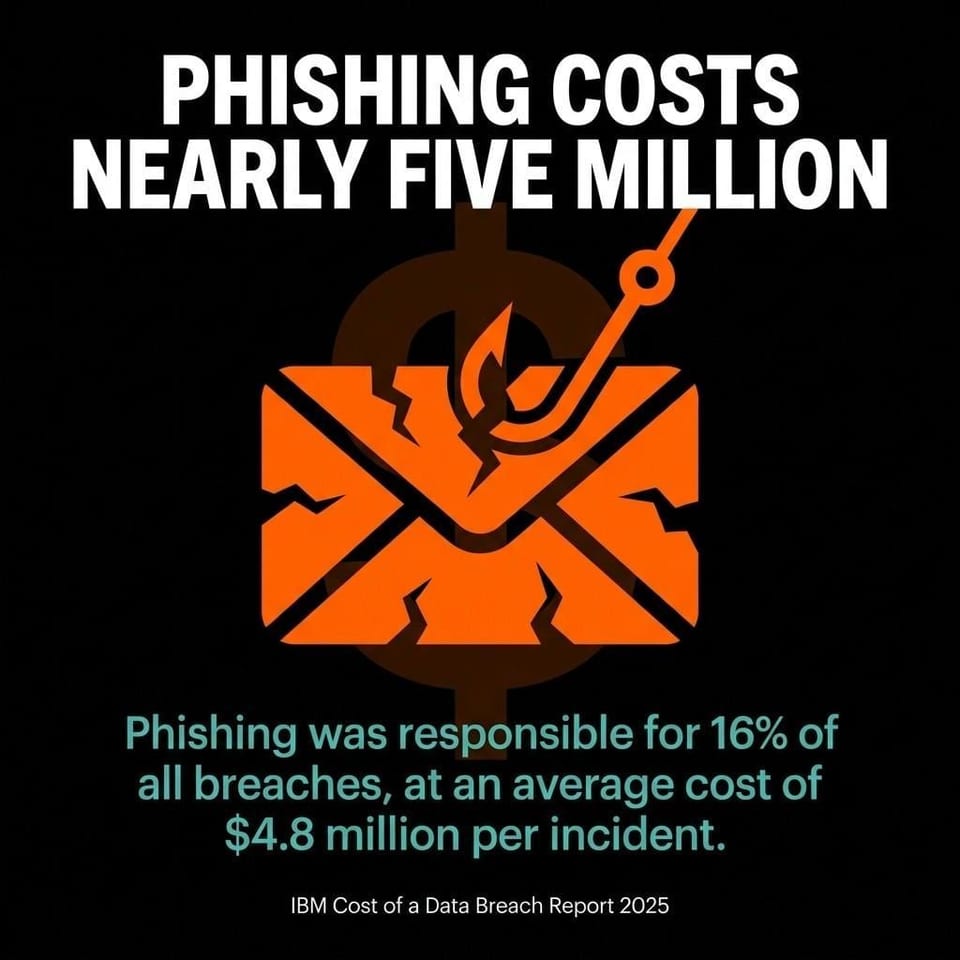 Phishing drives costly breaches: 16% of incidents at an average $4.8M per breach (IBM Cost of a Data Breach Report 2025).
We get it. Security audits sound like something you schedule once, promptly forget, and then remember after something goes wrong. We're not here to lecture you. We're here to walk through exactly what a proper email security audit looks like, what to check, and how to build a rhythm around it so it actually gets done.
What Is an Email Security Audit?
An email security audit is a systematic examination of every layer of your email infrastructure to identify configuration gaps, access vulnerabilities, and policy failures that could expose your organization to data breaches, phishing attacks, or compliance penalties.
Most people assume email security is a set-it-and-forget-it situation. You configure your spam filter, add an SSL certificate, and move on. The reality is that email threats evolve constantly, and what passed a security check 18 months ago may have open gaps today.
An email security audit covers four broad domains:
- Authentication infrastructure: SPF, DKIM, and DMARC records that verify your sending domain
- Access controls: who can log in, from where, using what credentials, and whether multi-factor authentication is enforced
- Data protection: encryption standards for email in transit and at rest, plus data loss prevention rules
- Human factors: employee phishing awareness, training completion rates, and internal policy compliance
Think of it like a health check for your inbox. Not just the filter at the front door, but the locks on the windows, the people inside, and the paperwork trail that proves you took it seriously.
Why Email Security Audits Are Important
Email security audits are important because email remains the single most exploited attack surface in most organizations, and reported cybercrime losses keep climbing year over year.
The FBI's Internet Crime Complaint Center 2025 annual report recorded 1,008,597 complaints in 2025, the first time the figure exceeded one million, with total reported losses of $20.877 billion. That's a 26% increase over 2024's $16.6 billion. Not a small uptick. A steep climb.
 IC3 2025: 1,008,597 complaints and $20.877B in reported losses—up 26% year over year.
And it's not just external attackers. The Verizon 2026 Data Breach Investigations Report found the human element was involved in 62% of breaches, up from 60% the prior year. Employees clicking on phishing links, using weak passwords, or forwarding sensitive data to personal accounts account for a large share of those incidents. A regular email security audit catches these patterns before they become incidents.
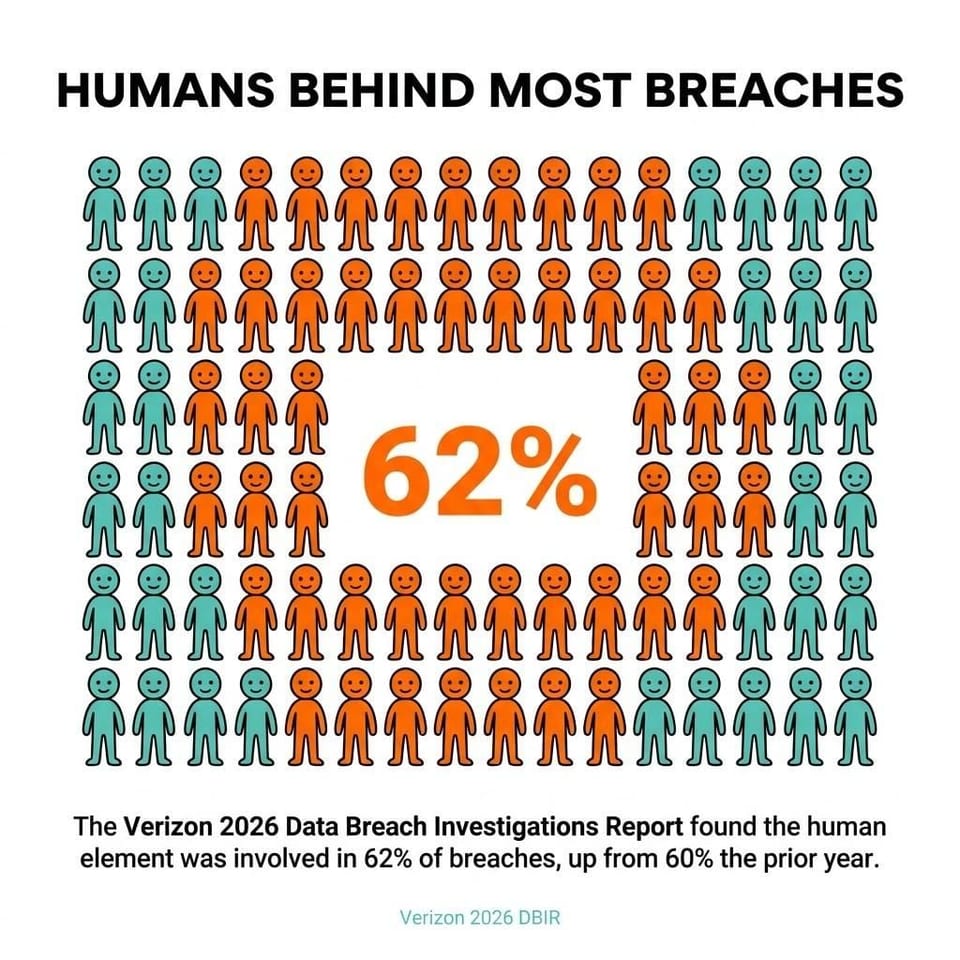 Verizon DBIR 2026: 62% of breaches involve the human element—reinforcing the need for audits and training.
Beyond risk reduction, email security audits matter for three practical reasons:
- Compliance: HIPAA, GDPR, PCI DSS, CMMC, and NIST frameworks all require documented security controls around email. An audit produces that documentation.
- Deliverability: Misconfigured SPF, DKIM, or DMARC records don't just create security vulnerabilities. They cause your legitimate emails to land in spam folders.
- Incident response: Organizations that audit regularly know their baseline. When something goes wrong, they can identify what changed and when.
Common Email Security Threats to Audit For
The most damaging email security threats fall into five categories: phishing and spear-phishing, business email compromise, malware delivery, domain spoofing, and unauthorized account access.
Phishing sits at the top of every threat list, and for good reason. The APWG's 2025 trends report observed approximately 3.8 million phishing attacks across the year, slightly up from 3.76 million in 2024. That is more than 10,000 new phishing sites a day, on average. Your employees will see them.
Phishing and Business Email Compromise
Phishing is the broad category. Business email compromise (BEC) is the targeted, expensive version. In a BEC attack, a threat actor impersonates an executive, vendor, or trusted contact to trick an employee into transferring money, sharing credentials, or changing payment details.
BEC attacks rarely use malware. They rely entirely on convincing email formatting and social engineering, which makes them harder for spam filters to catch and easier for employees to fall for. Your email security audit needs to specifically check whether your DMARC policy would block spoofed versions of your own domain, and whether employees know how to verify unusual payment requests out of band.
Malware, Ransomware, and Spoofing
Malware delivered by email typically arrives as an attachment or a link to a compromised site. Ransomware is the worst-case outcome: files encrypted, operations stopped, ransom demanded. Your email security audit should confirm that your secure email gateway scans attachments, blocks executable file types, and sandboxes suspicious links before they reach the inbox.
Domain spoofing is a separate problem. An attacker registers a domain that looks like yours (think c0mpany.com instead of company.com) and sends phishing emails that appear to come from a trusted source. SPF and DKIM records, enforced by a DMARC policy set to reject or quarantine, are your primary defense against this.
Key Components of an Email Security Audit
A complete email security audit evaluates six core components: email authentication records, access and identity controls, encryption settings, email filtering and gateway configuration, compliance documentation, and employee security awareness.
Email Authentication: SPF, DKIM, and DMARC
SPF (Sender Policy Framework) tells receiving mail servers which IP addresses are authorized to send email on behalf of your domain. DKIM (DomainKeys Identified Mail) attaches a cryptographic signature to outgoing emails so receivers can verify the message wasn't altered in transit. DMARC (Domain-based Message Authentication, Reporting, and Conformance) ties SPF and DKIM together and tells receiving servers what to do when a message fails those checks.
All three records live in your DNS settings. During your email security audit, check that all three exist, that SPF covers every service you use to send email (your CRM, your email service provider, your helpdesk tool), that your DKIM keys are rotated regularly, and that your DMARC policy is set to at least p=quarantine rather than the permissive p=none.
DMARC adoption is growing, but slowly. EasyDMARC's 2025 adoption report found that DMARC adoption among top-tier business domains rose from 27.2% to 47.7% between 2023 and 2025, a 75% surge. That sounds like progress. But it also means more than half of major business domains still haven't fully configured DMARC. If your domain is in that half, fixing it is the single highest-priority item on your email security audit checklist.
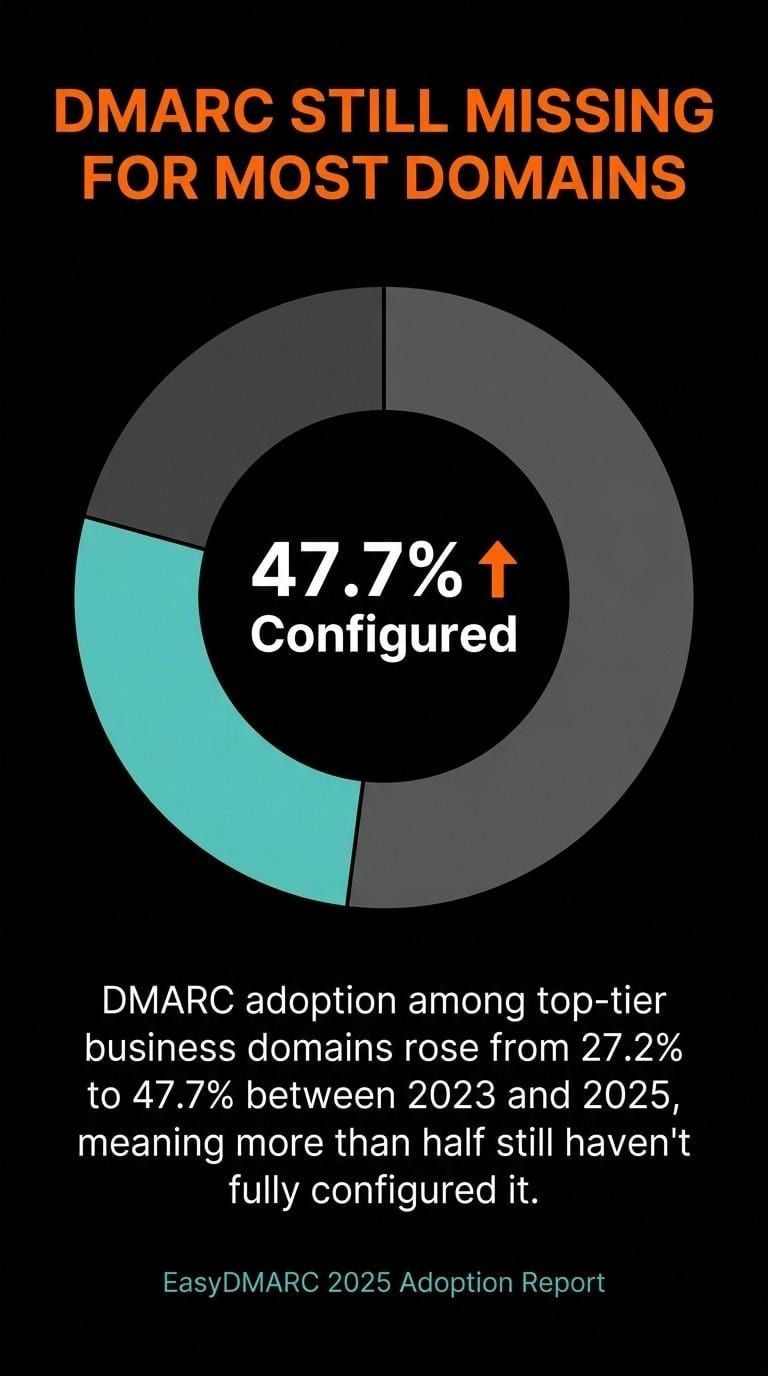 DMARC adoption rose to 47.7% by 2025—yet most major domains still lack full DMARC enforcement.
Access Controls and Multi-Factor Authentication
Access control review covers who has active email accounts, what permissions those accounts hold, and how users authenticate. Check for dormant accounts belonging to former employees. Check for shared mailboxes with no accountability. Check whether privileged accounts (IT admins, finance leads, executives) enforce multi-factor authentication.
MFA is the most effective single control against credential-based attacks. An attacker who obtains a password through phishing still cannot access the account if MFA is enforced. Your email security audit should confirm MFA is active for all users, not just administrators.
Encryption and Data Loss Prevention
Encryption in transit means your email server requires TLS when communicating with other servers. Check your MX records and server configuration to confirm TLS is enforced, not just opportunistic. Encryption at rest means stored email data is encrypted on disk. Both matter for HIPAA and GDPR compliance.
Data loss prevention (DLP) rules flag or block outbound emails containing sensitive data patterns: credit card numbers, Social Security numbers, patient health information. If your organization handles any of these categories, your email security audit should verify DLP rules are active and current.
Types of Email Security Audits
Organizations typically run three types of email security audits, each with a distinct scope and purpose: technical configuration audits, compliance audits, and penetration testing or phishing simulations.
A technical configuration audit focuses on your infrastructure settings. It checks DNS records (SPF, DKIM, DMARC), server configuration, encryption standards, spam filter rules, and access control settings. This is the most common type and the foundation of any email security program.
A compliance audit maps your email security controls against a specific regulatory framework. For healthcare organizations, that means HIPAA's requirements around protected health information in email. For businesses processing payment cards, PCI DSS v4.0.1 Requirement 5.4.1 requires automated mechanisms to detect and protect personnel against phishing attacks, with DMARC, SPF, and DKIM among the recommended controls to help meet it, effective March 31, 2025. For businesses operating in the EU or serving EU residents, GDPR requires documented security measures around personal data transmitted by email. For federal contractors, CMMC and NIST 800-171 set additional requirements.
A phishing simulation and awareness audit tests the human layer. You send simulated phishing emails to your own employees and measure who clicks, who reports, and who does neither. Proofpoint's April 2025 analysis of a year of phishing simulations found an average phishing simulation failure rate of 4.93% across all organizations and campaigns. That is roughly 1 in 20 simulated phishing emails ending in a failure: a click, a credential entry, or an opened attachment. Simulation results tell you exactly where to focus your training budget.
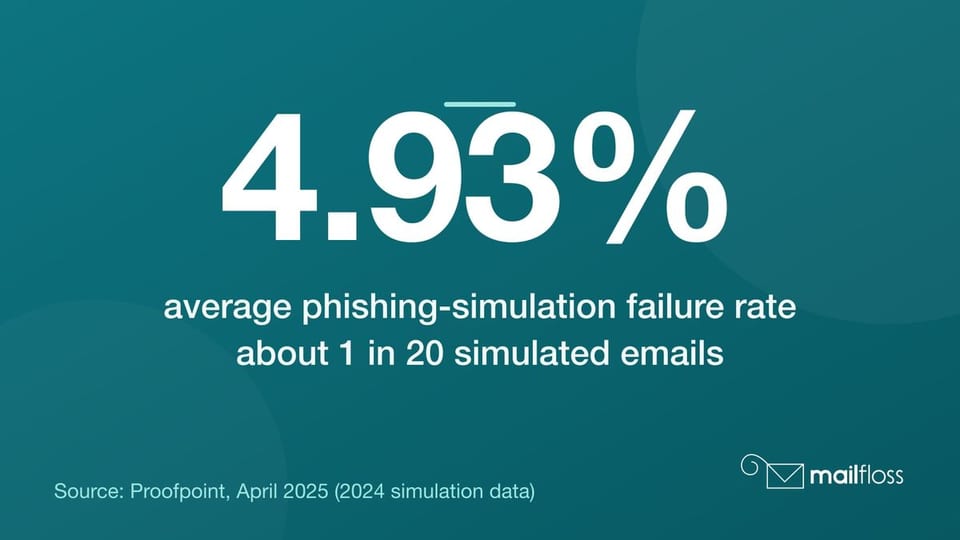 Phishing simulations still catch people: 4.93% average failure rate, about 1 in 20 simulated emails.
How to Conduct an Email Security Audit: Step-by-Step
A well-run email security audit follows six sequential steps: scope definition, information gathering, authentication and configuration testing, access control review, employee awareness assessment, and documented reporting with a remediation plan.
Step 1: Define Your Scope and Objectives
Before you audit anything, decide what you're auditing. List every domain your organization uses to send email. Include marketing domains, subsidiary domains, and any domains used for automated system notifications. List every email service provider and third-party tool that sends email on your behalf, whether that's Mailchimp, HubSpot, ActiveCampaign, or your helpdesk platform.
Define your compliance requirements. Are you subject to HIPAA? GDPR? PCI DSS? The answer changes what you're required to document and which controls you're required to have in place.
Step 2: Gather Your Current Configuration Data
Pull your current DNS records for every domain. Use a DNS lookup tool to check your SPF, DKIM, and DMARC records. Export your user directory and flag any accounts that haven't been active in 90 days or more. Pull your current spam filter and email gateway configuration settings. Document what you find, even the gaps. Especially the gaps.
Step 3: Test Authentication and Configuration
Send test emails from each of your authorized sending services and check whether they pass SPF, DKIM, and DMARC validation at the receiving end. Use tools like MXToolbox to check your DNS records for errors. Verify your DMARC reports are flowing to your reporting inbox. Check that your DMARC policy is set to quarantine or reject, not none.
Also check your email list hygiene at this stage. Sending to invalid or dormant addresses hurts your sender reputation and can trigger spam filters. Tools like mailfloss automatically clean your email list daily, removing invalid addresses and fixing typos before they cause deliverability problems. Clean list hygiene and strong authentication work together. Neither replaces the other.
Step 4: Review Access Controls
Pull a full list of active email accounts and cross-reference it against your current employee roster. Disable or delete accounts for anyone who has left the organization. Review shared mailboxes and confirm they have named owners. Verify that MFA is enforced for all accounts, not just admins. Check your password policy: minimum length, complexity requirements, and rotation schedule.
Check for any email forwarding rules that send copies of messages to external addresses. These are a common persistence mechanism for attackers who have already gained access to an account.
Step 5: Run a Phishing Simulation
Send a simulated phishing email to a representative sample of your employees. Use a template that mimics a realistic attack: a fake password reset, a spoofed invoice, a fake HR announcement. Measure your click rate, your credential submission rate, and your report rate. Compare results against your previous simulation.
Flag employees who clicked. Enroll them in targeted phishing awareness training immediately. Don't wait for the annual training cycle. The people who clicked are your highest-risk users right now.
Step 6: Document Findings and Build a Remediation Plan
Write up every finding with a severity rating: critical, high, medium, or low. Critical issues (DMARC set to none, MFA disabled for executives, active accounts for terminated employees) need to be fixed within 48 hours. High issues within two weeks. Medium and low issues go on a tracked backlog.
Your remediation plan is also your compliance documentation. For HIPAA, GDPR, PCI DSS, and CMMC audits, documented evidence that you identified a gap and fixed it is often as important as the fix itself.
Email Security Audit Checklist
The following email security audit checklist covers the core controls every organization should verify at least annually, with higher-risk organizations reviewing authentication and access controls quarterly.
Authentication Checklist
- SPF record exists and covers all authorized sending services
- SPF record uses -all (hard fail) rather than ~all (soft fail)
- DKIM is configured for all sending domains and keys are rotated within the last 12 months
- DMARC record exists with a policy of quarantine or reject
- DMARC aggregate reports are being received and reviewed
- No unauthorized sending services appear in DMARC reports
Access Control Checklist
- All active email accounts belong to current employees or active service accounts
- Dormant accounts (90+ days inactive) are disabled or deleted
- MFA is enforced for all users
- External email forwarding rules are reviewed and approved
- Privileged account access is documented and reviewed
- Password policy meets minimum length and complexity requirements
Encryption and Data Protection Checklist
- TLS is enforced for email in transit (not just opportunistic)
- Email data is encrypted at rest
- DLP rules are active for outbound sensitive data
- Encryption settings comply with applicable regulations (HIPAA, GDPR, PCI DSS)
Filtering and Gateway Checklist
- Spam filter is active and rules are current
- Attachment scanning and sandboxing are enabled
- Executable file types are blocked (.exe, .vbs, .js, .bat)
- URL rewriting or link scanning is active for inbound emails
- Phishing detection rules include BEC-specific indicators (display name spoofing, lookalike domains)
Compliance and Awareness Checklist
- Email retention policies meet regulatory requirements
- Audit logs are enabled and retained for the required period
- Employee phishing awareness training completed within the last 12 months
- Phishing simulation conducted within the last 12 months with results documented
- Incident response plan covers email-based attack scenarios
How Often Should You Conduct an Email Security Audit?
Most organizations should conduct a full email security audit at minimum once per year, with authentication records and access controls reviewed quarterly, and phishing simulations run two to four times per year.
Annual is the floor, not the ceiling. Annual audits satisfy most compliance frameworks, including HIPAA, GDPR, and PCI DSS baseline requirements. But threat actors don't work on annual cycles. Your email configuration changes every time you add a new sending tool, hire a new employee, or onboard a new email service provider. Each of those changes can introduce a new gap.
Quarterly authentication reviews take less than an hour. Pull your DNS records, check your DMARC reports for unauthorized senders, and confirm no new services are sending email outside your SPF record. Build it into your quarterly IT review cycle and it stops feeling like a special project.
Trigger an unscheduled email security audit any time you:
- Add a new email service provider or marketing platform
- Experience a suspected phishing incident or data breach
- Undergo a significant change to your domain or DNS infrastructure
- Onboard a new compliance requirement (new contract requiring CMMC, expansion into the EU triggering GDPR, etc.)
The organizations that get caught are usually the ones that treated their last audit as permanent. Email environments change. Your audit schedule should reflect that.
Frequently Asked Questions About Email Security Audits
What is the difference between an email security audit and a penetration test?
An email security audit reviews your configurations, policies, access controls, and documentation against a defined checklist. A penetration test actively attempts to exploit those configurations, simulating what an attacker would do. Penetration testing is more intensive and typically performed by a third party. An email security audit is something most IT teams can run internally and is a prerequisite for getting the most value from a penetration test.
Does a small business need an email security audit?
Yes. Small businesses are frequently targeted precisely because they often have weaker controls. Attackers automate their scans and attacks. Company size is not a protection. SPF, DKIM, and DMARC configuration, MFA enforcement, and basic phishing training are achievable for any organization regardless of team size or budget.
What compliance frameworks require email security audits?
HIPAA requires covered entities to implement security controls protecting electronic protected health information, which includes email. GDPR requires appropriate technical and organizational measures to secure personal data in transit and at rest. PCI DSS v4.0.1 Requirement 5.4.1 has required automated anti-phishing controls since March 31, 2025; DMARC, SPF, and DKIM are the recommended way to meet it, though the standard does not mandate DMARC by name. NIST 800-171 and CMMC require documented access controls, audit logging, and incident response capabilities that a regular email security audit supports.
How long does an email security audit take?
A focused technical configuration audit for a single domain takes two to four hours for an experienced IT professional. A full audit covering authentication, access controls, encryption, filtering, compliance documentation, and a phishing simulation takes one to two days. Factor in remediation time separately. Finding the gaps is the quick part. Fixing them takes longer.
What should I do first if I've never run an email security audit?
Start with authentication. Check whether SPF, DKIM, and DMARC records exist for every domain you use to send email. Fix any that are missing or misconfigured. Then run your DMARC policy up from none to quarantine. Those two steps address a large share of phishing and spoofing vulnerabilities immediately. Then work through the full checklist above.
And while you're in there, take a look at your email list health too. Invalid addresses and typos in your list hurt your sender reputation, which makes your authentication work less effective. That's something mailfloss handles automatically in the background, so your list stays clean without adding another task to your plate. If you're already reviewing your email deliverability settings, tackling list hygiene at the same time is a natural fit.
Email security audits aren't a one-time project. They're a practice. Build the checklist into your annual calendar, set up quarterly authentication reviews, run phishing simulations at least twice a year, and document everything. The organizations that get this right aren't doing anything complicated. They're doing the basics, consistently, and treating every audit result as something that gets fixed, not filed.
We write from the practical side of email list cleaning: what helps marketers keep real subscribers, reduce bounces, and avoid turning hygiene into another recurring chore.