
Brand Protection Through Email Authentication
Email brand protection in four layers — SPF, DKIM, DMARC, and BIMI. Stop domain spoofing, block brand phishing, and show your verified logo in the inbox.

How does email authentication protect your brand?
Email brand protection stops attackers from spoofing your domain by layering four standards: SPF authorizes your sending servers, DKIM signs each message, DMARC tells inboxes to reject anything that fails, and BIMI displays your verified logo. Align SPF and DKIM, move DMARC to p=reject, then add BIMI so your logo — and your reputation — show up in the inbox.
- SPF lists the servers allowed to send mail for your domain.
- DKIM cryptographically signs messages so tampering is detectable.
- DMARC at p=reject blocks spoofed mail and gives you reporting visibility.
- BIMI shows your verified logo once DMARC is enforced — and clean lists keep that sender reputation strong (mailfloss).
Email brand protection combines four technical protocols, SPF, DKIM, DMARC, and BIMI, to prevent domain spoofing, block phishing attacks that impersonate your brand, and display your verified logo directly in recipients' inboxes. A domain with DMARC at enforcement policy (quarantine or reject), a valid DKIM signature, a correctly configured SPF record, and a BIMI record backed by a Verified Mark Certificate gives attackers no usable surface to impersonate your brand in email. That full stack is what email brandmark protection means in practice.
We spend a lot of time thinking about what happens before email reaches the inbox, and phishing is the problem that keeps coming back. Scammers don't hack your servers. They just copy your logo, fake your domain, and send. Most recipients can't tell the difference. That's what makes brand impersonation so effective and what makes authentication protocols so necessary.
Why your brand is vulnerable in the inbox
Email domain spoofing requires no technical access to your systems, only knowledge of your brand name and a willingness to register a lookalike domain.
The scale of the problem is not abstract. The FBI's IC3 recorded 1,008,597 cybercrime complaints in 2025, with total reported losses reaching approximately $20.8 to $20.9 billion, according to the FBI's IC3 2025 Internet Crime Report. That figure captures only reported losses. The real number is higher.
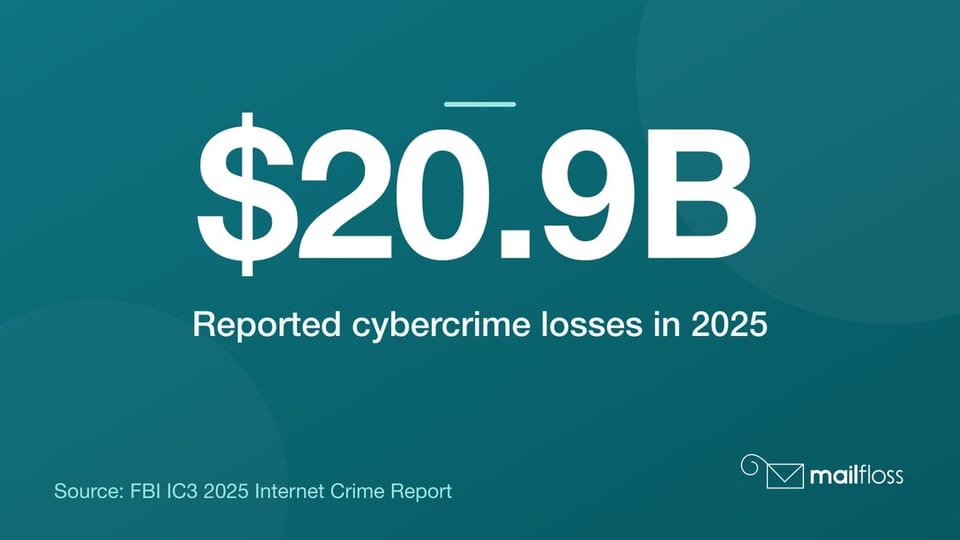
Cybercrime losses hit a record high. FBI IC3 2025: $20.8–$20.9B in reported cybercrime losses across 1,008,597 complaints.
Brand impersonation is the preferred delivery mechanism for most phishing attacks. Criminals pick recognizable names because trust is already built. According to Check Point Research's Brand Phishing Report for Q3 2025, Microsoft alone accounted for 40% of all brand impersonation attempts that quarter. That's not a Microsoft problem specifically. It's a demonstration that any brand with name recognition is a target.
Microsoft tops brand impersonation. Q3 2025: Microsoft was impersonated in 40% of brand phishing attempts (Check Point Research).
Your customers receive a spoofed email that looks exactly like yours. They click. They enter credentials or payment details. Then they come back to you wondering why your company scammed them. The reputational damage lands on you, not the attacker. And without proper email authentication, your domain gave that attack nowhere to be stopped.
The financial and reputational cost of email brand impersonation
Phishing attacks that use brand impersonation cause two distinct categories of damage: direct financial loss and erosion of customer trust that is much harder to quantify and nearly impossible to reverse quickly.
The human element keeps showing up as the weak link. The 2026 Verizon Data Breach Investigations Report found the human element present in 62% of confirmed breaches, up from 60% the previous year. Phishing is the primary delivery method for those human-element attacks. A convincing email impersonating your brand is often all it takes.
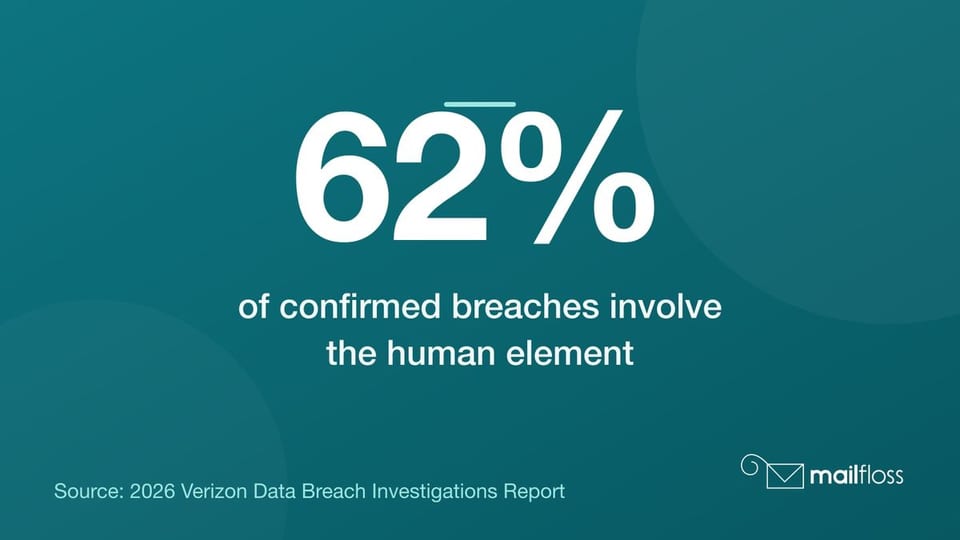
Humans are still the weakest link. 2026 Verizon DBIR: the human element appears in 62% of confirmed breaches.
For marketers, there's a second cost that rarely gets discussed: deliverability damage. When your domain gets associated with phishing campaigns because attackers are spoofing it freely, inbox providers notice. Your sender reputation takes the hit. Your legitimate email campaigns start landing in spam. You end up paying for the attacker's activity with your own engagement rates.
Email authentication protocols exist specifically to close this gap. When SPF, DKIM, and DMARC are properly configured and enforced, inbox providers can verify that an email claiming to come from your domain actually did. Attackers lose their ability to impersonate you convincingly, and your domain's sender reputation stays yours.
How SPF, DKIM, and DMARC form the foundation of email brand protection
SPF, DKIM, and DMARC are three separate email authentication protocols that work together as layers, each one catching what the others cannot.
SPF, or Sender Policy Framework, is a DNS record that lists the IP addresses authorized to send email on behalf of your domain. When a receiving mail server gets a message claiming to be from your domain, it checks your SPF record. If the sending IP isn't on the list, the check fails. SPF stops basic domain spoofing from unauthorized servers, but it has one important limitation: it breaks when email is forwarded, because forwarding changes the sending server without changing the "From" header.
DKIM, or DomainKeys Identified Mail, handles this differently. DKIM attaches a cryptographic signature to every outgoing message. The receiving server retrieves your public key from DNS and uses it to verify the signature. If the message was altered in transit, the signature fails. DKIM survives forwarding because the signature travels with the message content, not the sending IP.
DMARC ties SPF and DKIM together
DMARC, or Domain-based Message Authentication, Reporting and Conformance, is the protocol that gives SPF and DKIM actual enforcement power. Without DMARC, a failed SPF or DKIM check produces no defined action. The receiving server just shrugs.
DMARC adds two things. First, it requires that the domain in the "From" header aligns with the domain that passed SPF or DKIM. This alignment check stops the most common spoofing technique, where attackers pass SPF on a different domain while displaying a trusted brand name in the visible "From" field. Second, DMARC defines what to do with messages that fail: monitor only (p=none), send to spam (p=quarantine), or reject outright (p=reject).
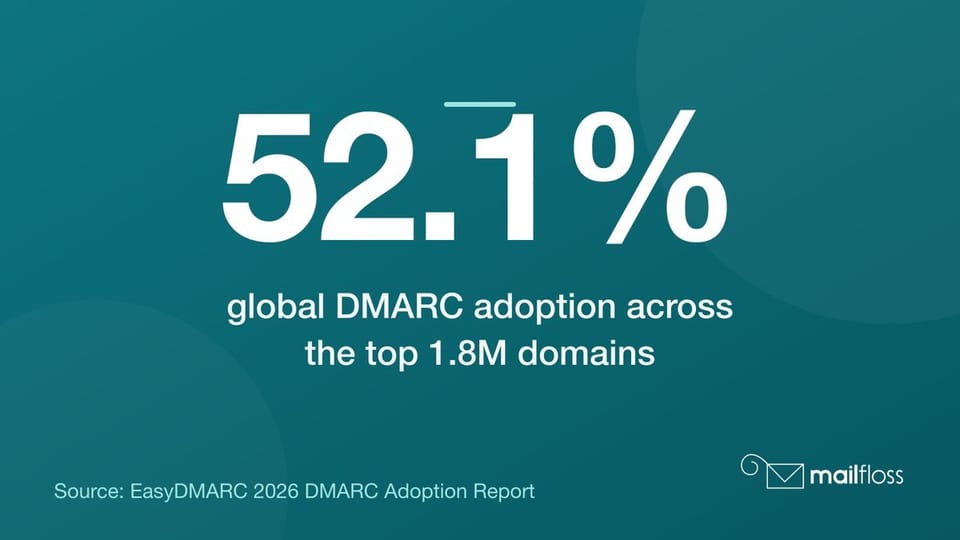
The enforcement policy is where most domains stall. Global DMARC adoption across the top 1.8 million domains reached 52.1% in early 2026, according to the EasyDMARC 2026 DMARC Adoption Report. But having a DMARC record at p=none provides no protection at all. It just reports. Real email brand protection requires moving to p=quarantine and ultimately p=reject.
DMARC reporting tells you what's happening
DMARC generates aggregate (RUA) and forensic (RUF) reports that show which servers are sending email claiming to be from your domain. Start at p=none, collect two to four weeks of reports, identify all legitimate sending sources, confirm each one passes SPF or DKIM, then move to quarantine. Once you're confident no legitimate mail is failing, move to reject.
Start DMARC before you do anything else. Rollout path: start at p=none, collect 2–4 weeks of reports, then move to quarantine and reject.
The U.S. leads globally in DMARC p=reject enforcement at 49.0%, according to PowerDMARC's analysis of U.S. DMARC adoption rates. That means the other 51% of U.S. domains at DMARC are still at monitor or quarantine. And the majority of domains globally don't have DMARC at all. Attackers know this. They target the gaps.
What BIMI does and how it displays your brand logo in the inbox
BIMI, or Brand Indicators for Message Identification, is an email authentication standard that displays your verified brand logo in the sender avatar slot of supporting inbox providers when your DMARC enforcement policy is active.
That visual signal matters more than it might seem. A study by Red Sift and Entrust found that displaying a registered logo in an email's avatar slot increased open rates by an average of 21% in the U.S., per the Red Sift and Entrust research on consumer interaction with visual brands in email. Your logo in the inbox is not just a branding exercise. It's a trust signal that recipients respond to directly with their behavior.
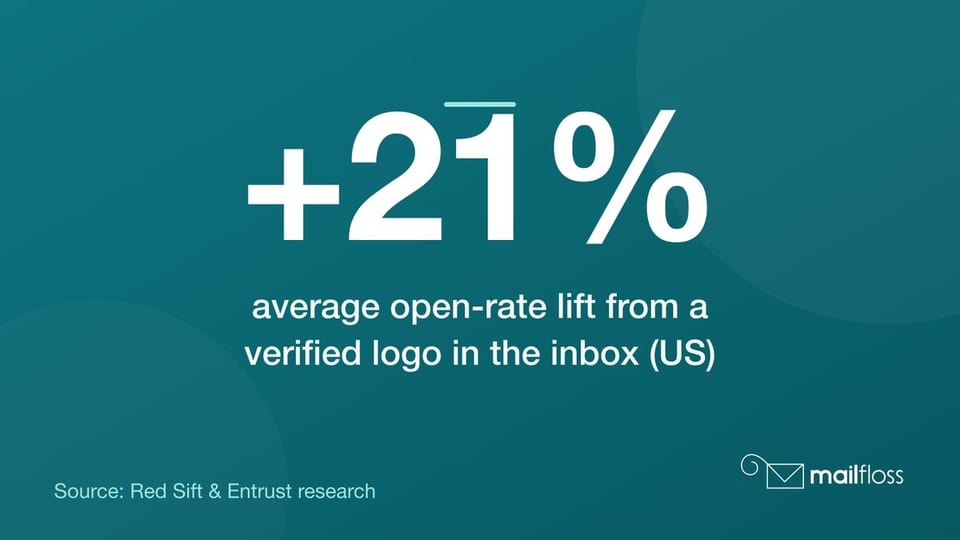
A logo in the inbox lifts open rates. BIMI impact: showing a verified logo in the inbox lifted open rates by ~21% in U.S. tests (Red Sift and Entrust).
BIMI works through a DNS TXT record that points to a hosted SVG file of your logo. Inbox providers retrieve that record and display the logo when they confirm your domain passes DMARC at enforcement. As of early 2025, BIMI had been adopted by more than a dozen email service providers, including Gmail, Yahoo Mail, and Apple Mail, according to JNR Management's BIMI mark certificate update report. That's a significant share of consumer and business inboxes.
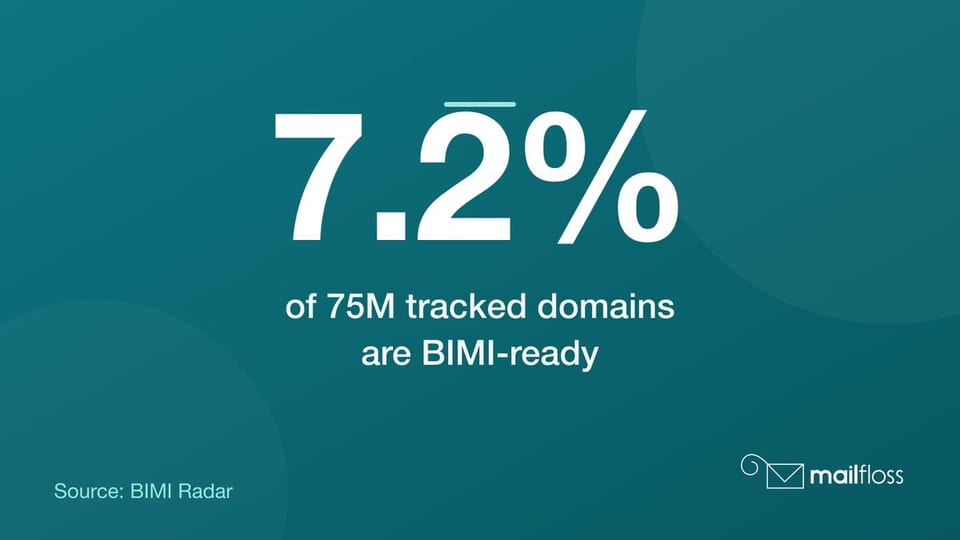
The gap between what's possible and what's actually deployed is striking. BIMI readiness stands at only 7.2% across a tracked universe of 75 million domains, according to data from BIMI Radar's domain tracking database. That means organizations currently implementing BIMI are getting a visible differentiation that most of their competitors haven't figured out yet. That window won't stay open forever.
The Verified Mark Certificate (VMC) in email brandmark protection
A Verified Mark Certificate (VMC) is a digital certificate issued by an approved Certificate Authority that cryptographically ties your registered trademark to the logo displayed via BIMI in the inbox.
Gmail and other major inbox providers require a VMC to display your brand logo. Without a Verified Mark Certificate, your BIMI record will be ignored by those providers, even if your DMARC enforcement is perfect. The VMC is what separates a BIMI record that actually shows your logo from one that sits in DNS doing nothing.
Getting a Verified Mark Certificate has two hard requirements. Your logo must be a registered trademark in the country where your business operates. And your logo file must be in SVG Tiny PS format, a specific SVG profile designed for scalability and consistent rendering across inbox displays.
The trademark requirement is not negotiable
This is the step most businesses underestimate. Trademark registration takes months, sometimes longer, depending on jurisdiction and whether there are conflicting marks. If you haven't started the trademark process, your BIMI implementation timeline depends entirely on how quickly you can complete it.
Certificate Authorities that issue VMCs include DigiCert and Entrust. Both verify trademark registration independently before issuing a certificate. The Verified Mark Certificate then gets referenced in your BIMI DNS record, telling inbox providers that your logo has been externally verified and is legitimately yours.
VMC setup in plain terms
Once your trademark is registered and your SVG Tiny PS logo file is ready, the VMC application process involves submitting your trademark documentation to a Certificate Authority, completing their verification, and receiving the certificate file. You then host the certificate alongside your SVG logo at a publicly accessible HTTPS URL and reference both in your BIMI DNS TXT record. The format looks like: default._bimi.yourdomain.com with a TXT value pointing to your logo URL and VMC URL.
How to implement email brandmark protection: step-by-step
Email brandmark protection follows a fixed sequence because each step depends on the previous one being correct before you move forward.
- Audit your current sending infrastructure. List every service that sends email from your domain: your ESP, CRM, transactional email providers, and any third-party tools. Each one needs to pass SPF and DKIM checks before DMARC enforcement will work cleanly.
- Configure SPF. Create or update a DNS TXT record at your root domain listing every authorized sending IP and service. Keep it under the 10 DNS lookup limit. Use your ESP's published SPF include directives.
- Enable DKIM on all sending services. Each service should generate a public/private key pair. You publish the public key as a DNS TXT record; the service signs outgoing mail with the private key. Confirm alignment with your From domain.
- Deploy DMARC at p=none. Create a DNS TXT record at _dmarc.yourdomain.com and point your RUA reporting address to an inbox you'll actually monitor. Collect reports for two to four weeks.
- Analyze DMARC reports and fix failures. Any legitimate source failing authentication gets fixed at this stage, not after. Move to p=quarantine once all legitimate sending sources pass. Move to p=reject when you're confident.
- Begin trademark registration if not already done. Don't wait on this. Start it in parallel with your DMARC work.
- Prepare your SVG Tiny PS logo file. Work with your design team. The file must validate against the SVG Tiny PS specification. Certificate Authorities will check this.
- Apply for a Verified Mark Certificate. Submit to DigiCert or Entrust with your trademark registration documentation. Complete their verification process.
- Publish your BIMI DNS record. Once your VMC is issued and your DMARC policy is at quarantine or reject, add your BIMI TXT record referencing your logo SVG and VMC file.
- Test across inbox providers. Use BIMI Group's inspection tools to confirm your record resolves correctly and your logo displays as expected in Gmail, Yahoo Mail, and Apple Mail.
Following the Google and Yahoo bulk sender mandate, more than 2.5 million domains newly implemented email authentication or DMARC policy records in the first 60 days of 2024, according to Valimail's DNS research. Most of those domains started at p=none. The organizations that had already done this work before the mandate had a real deliverability advantage during that window. Being early matters.
Best practices for ongoing email brand security and monitoring
Email brand protection is not a one-time configuration. Sending infrastructure changes, new services get added, and attackers adapt. Active monitoring keeps your email authentication stack working as intended.
DMARC reporting is your primary monitoring tool. Set up automated parsing of your RUA reports using a tool like EasyDMARC or dmarcian. Look for new unauthorized sources appearing in reports, SPF failures spiking on a legitimate service, and DKIM alignment failures after an ESP configuration change. Any of these signals needs investigation before it becomes a deliverability or spoofing problem.
Keep your sending infrastructure documented
Every time your team adds a new marketing tool, CRM integration, or transactional email provider, that service needs to be evaluated for SPF and DKIM configuration before it sends a single message. Undocumented sending sources are the most common reason DMARC enforcement breaks legitimate mail. Build a simple internal record: service name, sending IPs, SPF include, DKIM selector, and date added.
Also monitor for lookalike domain registrations. Attackers often register domains like yourcompany-billing.com or yourcompanysupport.net specifically for phishing campaigns targeting your customers. Domain monitoring services check new registrations daily and alert you when variants of your brand name appear. Early detection lets you report abuse before customer damage is done.
Clean email lists reinforce authentication gains
Here's something that often gets missed in the authentication conversation: a clean, deliverable list makes your authentication signals stronger. Inbox providers factor in engagement rates alongside authentication results when making spam filtering decisions. High bounce rates and low engagement tell providers that your domain sends to bad lists, which weakens your sender reputation even if your DMARC, SPF, and DKIM are perfect.
That's exactly the gap mailfloss closes. Our automated email verification runs continuously against your lists in Mailchimp, HubSpot, ActiveCampaign, Klaviyo, and 30+ other platforms, catching invalid addresses and fixing typos before they turn into bounces — on autopilot, in the background. Authentication protocols protect your domain identity; list hygiene protects your sender reputation. Both matter, and they reinforce each other, because strong email deliverability starts with list quality.
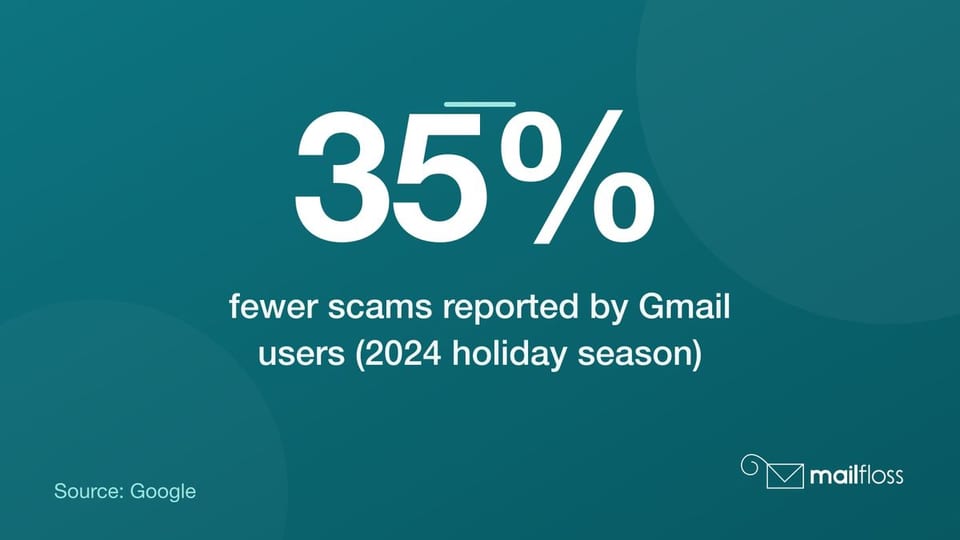
During the first month of the 2024 holiday season, Gmail users reported 35% fewer scams reaching their inboxes than a year earlier, according to Google — a drop Google credits to new AI-based security features working on top of the authentication requirements it now enforces on bulk senders. Layered defenses work. And they work best when the sending domain has a clean, well-maintained list behind it.
Email brandmark protection is a stack, not a single switch. Get SPF and DKIM right, enforce DMARC at p=reject, add BIMI with a Verified Mark Certificate, and keep your sending infrastructure documented and your lists clean. Each layer adds protection the others can't provide alone. Start with your DMARC deployment today if you haven't already, collect two weeks of reports, and identify every service sending on your behalf. That first step costs nothing and immediately tells you where you stand.
For more on keeping that list in shape while your authentication stack does its job, read our guide to cleaning your email list and why it matters for sender reputation.
We write from the practical side of email list cleaning: what helps marketers keep real subscribers, reduce bounces, and avoid turning hygiene into another recurring chore.