
7 Best Intercom Integrations for Better Support
Compare 7 Intercom integrations for support, product data, engineering handoffs, billing context, and email hygiene. Build a cleaner customer workflow.

What are the best Intercom integrations?
The best Intercom integrations fix a specific handoff: Slack brings customer threads into the Inbox, Linear turns conversations into engineering issues, Stripe adds billing context, and Vitally adds account context. Add mailfloss when email quality is weak: automate direct Intercom cleaning or verify contacts through its real-time API.
The best Intercom integrations fix a specific handoff: Slack brings customer threads into the Inbox, Linear turns conversations into engineering issues, Stripe adds billing context, and Vitally adds account context. Add mailfloss when email quality is weak: automate direct Intercom cleaning or verify contacts through its real-time API.
Intercom is where customer identity, support history, product behavior, billing context, and internal follow-up often collide. Choosing an integration is therefore less about collecting popular apps and more about deciding which system owns each action.
This guide uses a practical rule: install an integration only when it moves a useful signal into Intercom or moves an Intercom conversation into the system where the next teammate can finish the work. The seven picks below solve different Intercom jobs, so there is no universal winner.
Which Intercom integrations are best at a glance?
Integration | Best fit | Intercom-specific connection | Main risk to check |
|---|---|---|---|
Slack | Teams supporting customers in shared Slack channels | Turns customer Slack messages into Intercom Inbox conversations and posts replies back into the original thread | Confusing conversational channels with notification-only channels |
Linear | Product teams escalating bugs and requests | Creates or links Linear issues from an Intercom conversation sidebar and returns issue status to the conversation | Duplicate issues and inaccessible private teams |
Stripe | Billing-heavy support teams | Displays subscription and recent-payment data beside an Intercom conversation and syncs billing attributes | Incorrect email or user-ID matching |
Vitally | Customer-success teams | Imports Intercom companies, users, conversations, and events into account-level customer-success records | Mismatched |
Segment | Product teams standardizing behavioral data | Sends identified users and product events from web, mobile, or server sources into Intercom | Inconsistent identifiers and an uncontrolled event catalog |
Aircall | Voice-heavy support and sales teams | Logs selected Aircall number activity in Intercom and can create a user or lead for an unknown caller | Missed calls without an assignment rule |
mailfloss | Teams protecting email identity | Watches selected Intercom connections and lists, checks new contacts, and re-verifies older contacts | Applying one cleanup policy to every Intercom connection |
Our comparison framework uses four tests:
- Does the app solve a named Intercom handoff instead of merely copying data?
- Is there one source of truth for each field, status, and identifier?
- Can a teammate act without opening three systems?
- Can the team audit or reverse what the integration writes?
An app that fails two of those tests is usually another dashboard rather than an operational improvement.
1. Slack: best for customer support in shared channels
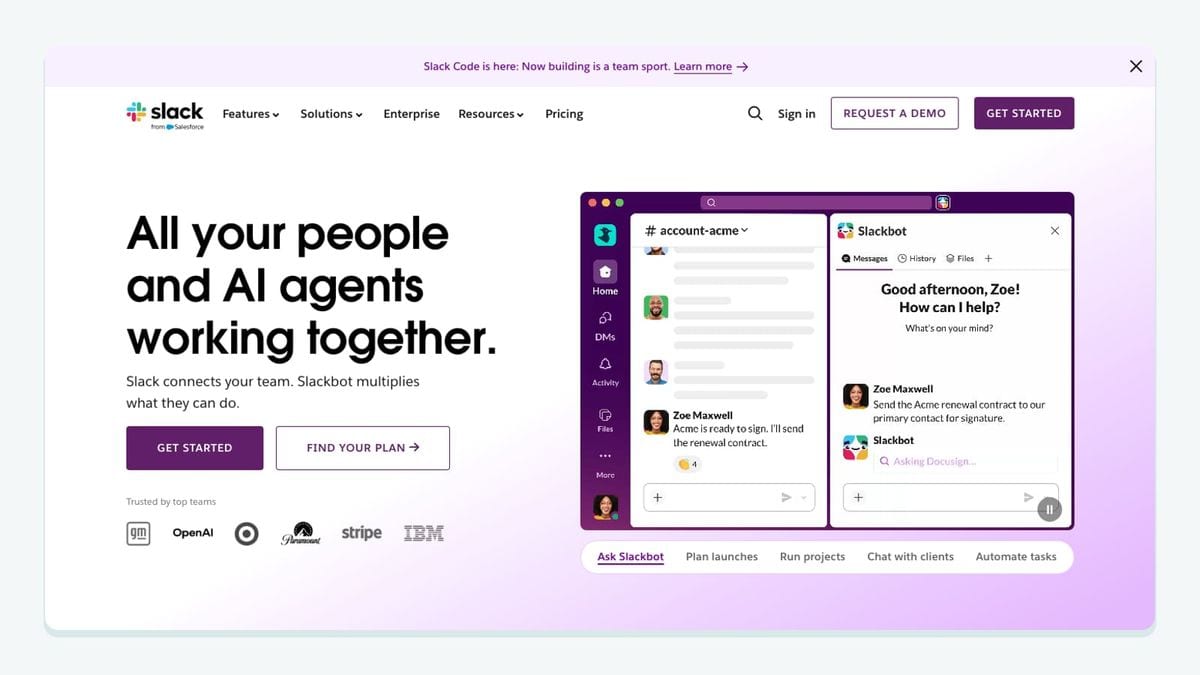
Slack is the best fit when customers already expect support inside shared Slack channels. Intercom’s conversational Slack connection turns a customer’s Slack message into an Inbox conversation. A teammate or Fin can reply from Intercom, and the response returns to the same Slack thread with the conversation context intact.
That is different from Intercom’s notification-only Slack setup. Notification channels receive selected conversation or ticket updates, but replies to those notification threads do not return to the Intercom conversation. A conversational channel is an active customer-support surface; a notification-only channel is an internal alert destination. Choose the purpose deliberately in Intercom’s Slack settings.
The useful pilot is one customer channel or one clearly defined group of channels. Confirm that attachments and formatting arrive as expected, decide whether teammates authenticate their individual Slack identities, and test what happens when a customer starts a new thread. If the team uses tickets, create the ticket from the Intercom Inbox after the Slack message has created a conversation. Intercom does not support creating a ticket directly in Slack without that Inbox step.
Slack is better suited to high-touch B2B support than to a business whose customers never use shared channels. It can also expose customer attributes in public channels, so enable data connectors only where the audience and permissions are appropriate. Intercom documents the channel behavior and limitations in its official Slack connection guide.
2. Linear: best for turning conversations into engineering work
Linear fits teams whose Intercom conversations regularly reveal reproducible bugs, feature requests, or technical tasks. Its Intercom app appears in the conversation-details sidebar, where a teammate can create a new Linear issue or link the conversation to an existing one.
The integration preserves a useful return path. Linked issues appear in the Intercom sidebar with their identifier, status, and assignee. Linear can also post an internal note and reopen an Intercom conversation when an issue is completed or canceled, depending on the integration settings. Support can therefore follow engineering progress without rebuilding the trail in a separate spreadsheet.
Start with an escalation checklist: affected account, expected behavior, actual behavior, reproduction steps, severity, and source-conversation link. Before creating anything, search Linear by title or issue ID. Several Intercom conversations can link to one Linear issue, so ten reports about the same outage can remain evidence for one engineering task rather than becoming ten duplicates.
One limitation is especially important: the Intercom integration cannot create or link issues in a private Linear team. Choose an accessible intake team or triage workflow instead of discovering the restriction during an urgent escalation. Also decide which status changes should create Intercom notes; copying every engineering comment would add noise and could expose internal discussion.
Linear is best when the team needs traceable escalation. Its official Intercom documentation describes issue creation, linking, sidebar details, internal notes, and conversation reopening.
3. Stripe: best for billing context beside a conversation
Stripe is useful when payment questions make agents leave Intercom to look up plans, balances, subscriptions, or recent charges. After the Stripe app is pinned in the Intercom Inbox sidebar, teammates can see the customer’s active subscription and three most recent payments beside the conversation.
The integration can sync Stripe data into Intercom custom attributes, including plan, price, subscription status, account balance, delinquency state, card brand, and card expiration. Intercom can then filter or segment contacts with those billing attributes. Stripe events such as a charge, failed charge, refund, or subscription change can also appear in Intercom.
Identity matching is the part to test carefully. By default, creating an Intercom user from a Stripe customer requires both an email address and a user ID stored in Stripe metadata. A workspace can allow creation from email alone, but that convenience increases the importance of clean and current email data. If the person in the conversation does not match an existing Stripe customer, the app can look up or create the customer; the team should decide who is authorized to do that.
Run the pilot with an internal live-mode customer, because Stripe test-mode events and customer data are not supported by the Intercom app. Confirm which connected Stripe account supplies Inbox data when the business has multiple accounts. The app can sync additional accounts to custom attributes, but its Inbox display does not show information from those additional accounts.
Stripe is best for billing-heavy support, not as a substitute for installing the Intercom Messenger or application code. The current behavior and plan requirements are documented in Intercom’s official Stripe app guide.
4. Vitally: best for customer-success account context

Vitally is a strong fit when Intercom owns customer conversations but customer-success managers work at the account level. Its integration can import Intercom companies, users, conversations, and product events into Vitally in real time. It also supports sending account data back into Intercom and initiating Intercom conversations from Vitally for appropriately licensed teammates.
The most important mechanic is identity mapping. Vitally imports an Intercom company as a Vitally Account, not as a parent Organization. By default, Intercom’s company_id becomes the external ID of that Vitally Account, although another company attribute can be selected. The same principle applies to users: Intercom’s user_id, or another chosen contact attribute, must match the identifier used by the rest of the customer-data stack.
If those IDs do not match, Vitally can create duplicate accounts or users. Email can serve as a fallback for attaching conversation messages, but it is weaker than a stable product identifier. Teams using both Segment and Intercom should also avoid importing the same product events twice. Vitally’s documentation specifically recommends checking whether Segment already sends those events before enabling Intercom event import.
A focused setup imports companies, users, and conversations only after testing five known accounts with their exact company_id and user_id values. Then decide whether Vitally should write health scores, indicators, or other account traits back into Intercom for use in segments and messages. Keep the health model in Vitally and expose only the decision-ready result.
Vitally is best for teams with named accounts and a real customer-success motion. Its official Intercom integration guide documents the supported objects, identifiers, event behavior, and current limitations.
5. Segment: best for consistent product data in Intercom
Segment fits teams that already collect user and event data from web, mobile, or server applications and want that same identity stream available in Intercom. Connecting Segment can sync user data from those instrumented sources and install the Intercom Messenger on websites where Segment is present.
The Intercom-specific value is consistency. A product team can identify a user once through its Segment implementation and deliver the corresponding attributes and meaningful product events to Intercom. Agents can then see behavior in the contact timeline, while Intercom segments and messages can use the same events as filters or triggers.
The workflow fails when identity calls use one identifier and the Intercom application uses another. Pick a stable application user ID, use it consistently, and treat email as a changeable attribute. If Identity Verification is enabled, follow the documented Segment setup rather than assuming that installing the destination alone completes the security configuration.
Keep the event catalog small and operational. “Completed onboarding,” “invited teammate,” or “payment failed” can change a support response. Raw clicks and page-view noise usually cannot. Intercom supports event metadata and uses events for filters, segments, and triggered messages, but the names and metadata should be understandable to an agent without a tracking-plan dictionary.
Segment is best when it already serves as the collection layer. It is unnecessary if a small application can send the few required attributes and events directly. Intercom explains the setup in its official Segment installation guide and documents event use in its event-tracking guide.
6. Aircall: best for logging phone activity in Intercom
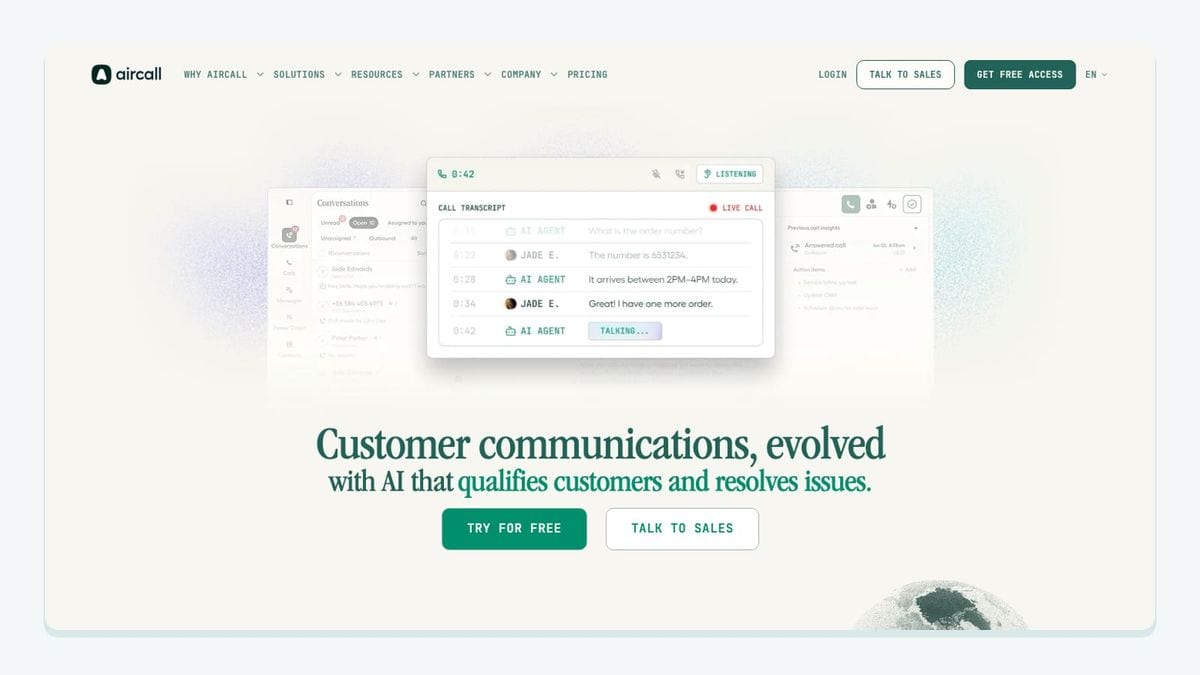
Aircall is useful for teams that handle meaningful customer conversations by phone but rely on Intercom for shared context. The integration logs activity from selected Aircall numbers in Intercom. Calls to or from an unselected number are not logged, so choosing numbers is an operational configuration step rather than housekeeping.
The app lets administrators define how different call types and SMS or WhatsApp text messages are logged. It can also create a new Intercom User, create a Lead, or do nothing when a call involves a number not already saved in Intercom. For saved Intercom contacts missing from Aircall, the integration can create an Aircall contact.
Test matching with three cases: a known customer, an unknown caller, and a shared company switchboard. Normalize country codes and decide whether a shared number should attach to a person or require manual review. Choose one record of truth for call notes rather than keeping two editable copies that can diverge.
Missed calls need an explicit owner. Aircall’s documentation notes that missed calls are not assigned to a teammate in Intercom by default. A team can create an Intercom rule that looks for a missed-call conversation and assigns it to a chosen teammate. Without that rule, a logged event may still produce no callback.
Aircall is best for voice-heavy support or sales-assist teams. Its official Intercom setup guide documents number selection, workspace authorization, logging rules, contact creation, and missed-call assignment.
7. mailfloss: best for protecting Intercom email identity
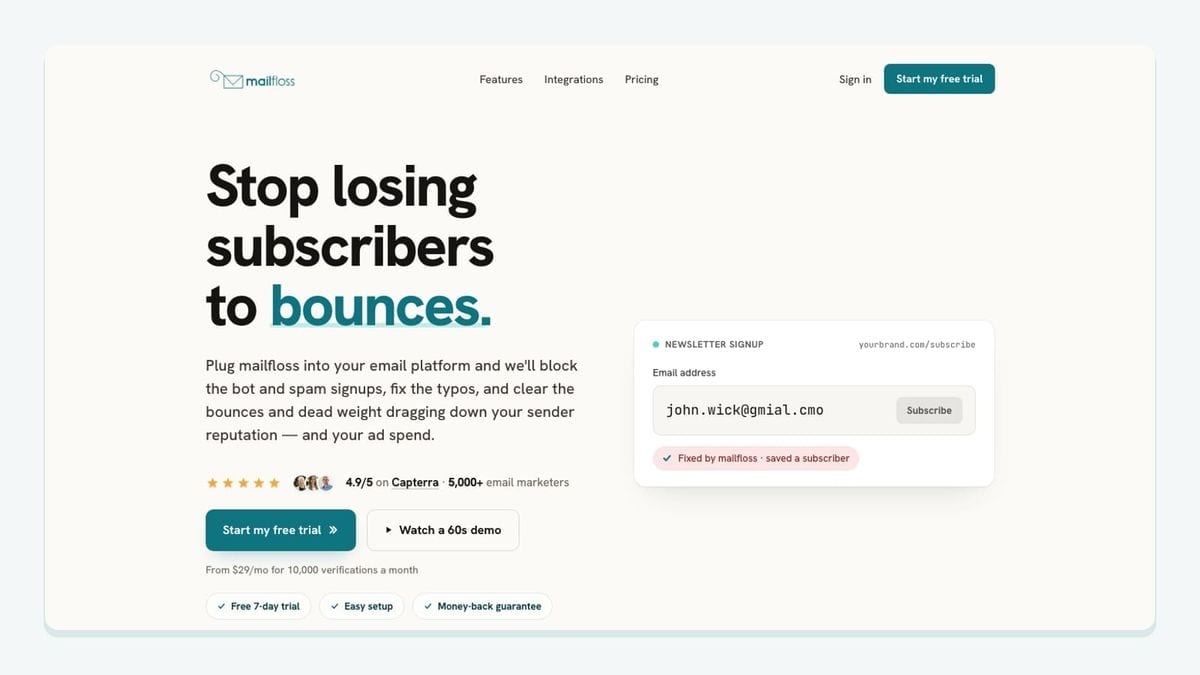
mailfloss is an email verification and automated list-cleaning tool for marketers. It connects directly to Intercom to catch typos, reduce bounces, clean risky contacts, and protect list quality over time. It also provides a first-class real-time API for developers and AI agents.
The direct connection supports three distinct time horizons. Instafloss can protect new Intercom signups in real time. Autofloss runs daily against new Intercom contacts. Decay Protection re-verifies older contacts on a schedule, addressing the fact that a previously usable address can become risky later.
Setup should begin with the specific Intercom connection and list to watch. A team can create different cleanup rules for different connections instead of forcing a new-signup list and an established-customer list through the same policy. Results can be held for review, cleaned automatically, used to update fields, or sent as a notification to another tool. Review the Intercom email verification integration before choosing the actions.
The developer path handles prevention before the contact exists. A product or AI agent can call the real-time email verification API before creating or updating an Intercom contact. The REST endpoint uses JSON input and output, publishes an OpenAPI 3.0 specification, supports webhooks and batch work, runs more than 20 verification checks, and has a default rate limit of 10,000 requests per minute. Use the result in a documented policy: accept the address, show a likely typo for confirmation, hold it for review, or retain it with a flag.
The direct connection and API are complementary. The API checks an address at the product boundary; Autofloss and email decay protection protect the Intercom data after signup. mailfloss does not replace the Inbox, tickets, billing context, product events, or engineering workflow. It is the hygiene layer underneath them.
How should you choose the first Intercom integration?
Choose the bottleneck, not the most famous app. Review twenty recent Intercom conversations and label where work slowed: customer-channel handoff, engineering escalation, missing billing context, missing account context, incomplete product behavior, phone follow-up, or unreliable email identity.
The most frequent expensive label determines the first pilot. Then write a one-sentence ownership contract. Examples include “Intercom owns the customer conversation; Linear owns engineering execution” and “Stripe owns billing status; Intercom displays it.”
Test the smallest complete loop with internal records. Confirm the trigger, matching identifier, written fields, granted permissions, returned status, and failure path. A notification is not a complete workflow if the receiving teammate cannot act or the outcome never returns to Intercom.
Measure a signal belonging to the bottleneck: fewer duplicate engineering issues, fewer billing lookups, clearer callback ownership, or fewer mistyped contacts reaching an Intercom list. These are evaluation criteria, not promised vendor outcomes. Keep the app only if the handoff becomes easier to explain and audit.
What Intercom data should integrations be allowed to change?
Use least privilege and single ownership. An app may need to read a contact, company, conversation, ticket, event, or custom attribute, but that does not mean it should write all of them.
Create a short ownership matrix before installation:
Intercom data | Source of truth question | Safe pilot check |
|---|---|---|
Contact ID | Which product identifier remains stable when email changes? | Match five known contacts by ID |
Email address | Which system accepts corrections? | Test review and correction behavior |
Company ID | Which account system creates the value? | Check subsidiaries and shared domains |
Conversation | Which system keeps the customer-facing record? | Confirm links and status notes |
Ticket or issue | Which system owns execution? | Prevent duplicate creation |
Custom attribute | Which app may overwrite it? | Test null and rollback behavior |
Event | Which pipeline emits it once? | Check naming and duplicate delivery |
Define rollback for every write. Start custom attributes with a clear namespace, route notifications to an internal channel, and create engineering issues in a controlled intake team. Log enough context to answer what changed a record and why. If an integration cannot provide a useful audit trail, narrow its permissions or workflow.
Frequently asked questions
What is the best Intercom integration for email hygiene?
mailfloss is the best fit when unreliable addresses enter Intercom through product signups. Its direct Intercom connection can watch selected connections and lists: Instafloss protects new signups in real time, Autofloss checks new contacts daily, and Decay Protection rechecks older contacts. Developers and AI agents can also verify addresses through its real-time API.
Which Intercom integrations should a support team install first?
Install the integration that fixes your largest handoff: Slack for customer conversations in shared channels, Linear for engineering issues, Stripe for billing context, or Vitally for account-level customer success. Add mailfloss when unreliable email addresses weaken contact data or follow-up.
How do you choose an Intercom integration safely?
Choose one workflow, name its source of truth, and list what the app reads or writes in Intercom: contacts, companies, conversations, tickets, events, or custom attributes. Test with internal records, document duplicate handling, and remove permissions the workflow does not need.
Can mailfloss review Intercom verification results before cleanup?
Yes. You can keep Intercom addresses for review or configure mailfloss to clean them automatically, update fields, or notify another tool. Each Intercom connection can use its own cleanup rules, so a signup list and an established-customer list do not need identical treatment.
We write from the practical side of email list cleaning: what helps marketers keep real subscribers, reduce bounces, and avoid turning hygiene into another recurring chore.