
7 Best Emma Integrations for Cleaner Subscriber Workflows
Compare 7 of the best Emma integrations for forms, events, CRM leads, automation, and automated list cleaning. Build a cleaner workflow. Start here.


Which Emma integrations are best for a clean subscriber workflow?
The best Emma integrations match each source to an Emma group, preserve the signup form or member fields needed for follow-up, and keep risky addresses from entering automations. Use event and form apps for acquisition, Zapier for routing, and mailfloss for recurring in-Emma cleaning plus a real-time email verification API for developers and AI agents.
The best Emma integrations match each source to an Emma group, preserve the signup form or member fields needed for follow-up, and keep risky addresses from entering automations. Use event and form apps for acquisition, Zapier for routing, and mailfloss for recurring in-Emma cleaning plus a real-time email verification API for developers and AI agents.
Emma integrations are most useful when they do more than copy an email address from one system to another. A sound workflow should answer four questions: Which Emma group receives the contact? Which member fields travel with it? Which signup or field-change automation should fire? What happens when the address is invalid, disposable, or simply typed badly?
That is the decision framework behind this list. The seven apps below cover list hygiene, flexible routing, event registration, website forms, WordPress forms, and CRM leads. They are not interchangeable. Each solves a different point in an Emma subscriber journey, and each recommendation includes the connection mechanic that makes it useful specifically with Emma.
How should you choose an Emma integration?
Start with the point where a subscriber enters your system. Event registrants, website inquiries, WordPress leads, and CRM contacts usually need different follow-up, so pouring them into one undifferentiated audience makes targeting and troubleshooting harder.
A better pattern is to create a named Emma group for each source and campaign purpose. Examples include Eventbrite — August Workshop, Jotform — Partnership Inquiry, and Follow Up Boss — Buyer Leads. Map only the member fields the campaign will use, preserve consent information, and retain the signup form ID when the connector exposes it. Emma's member API notes that the signup form ID matters when custom mailings or signup-based triggers depend on that form.
Then decide where verification belongs. Source apps bring people in; email verification and automated list cleaning protects the resulting audience. The live Emma email verification integration can watch selected newsletters, check new subscribers on a schedule, write fixes and removals back to Emma, and add real-time protection where signups enter. This distinction matters because a connector can successfully move a record while still moving a bad address.
Use this four-part scorecard for every candidate:
Decision criterion | What to inspect in Emma | Passing signal |
|---|---|---|
Source identity | Group assignment | The test contact lands in one clearly named source group |
Campaign context | Signup form ID and member fields | The intended signup or field-change automation fires |
Permission | Consent fields and opt-in behavior | Consent survives the transfer without being guessed or overwritten |
List quality | Verification action | Invalid and typoed addresses take the configured review, correction, or removal path |
1. mailfloss: best for automated Emma list hygiene
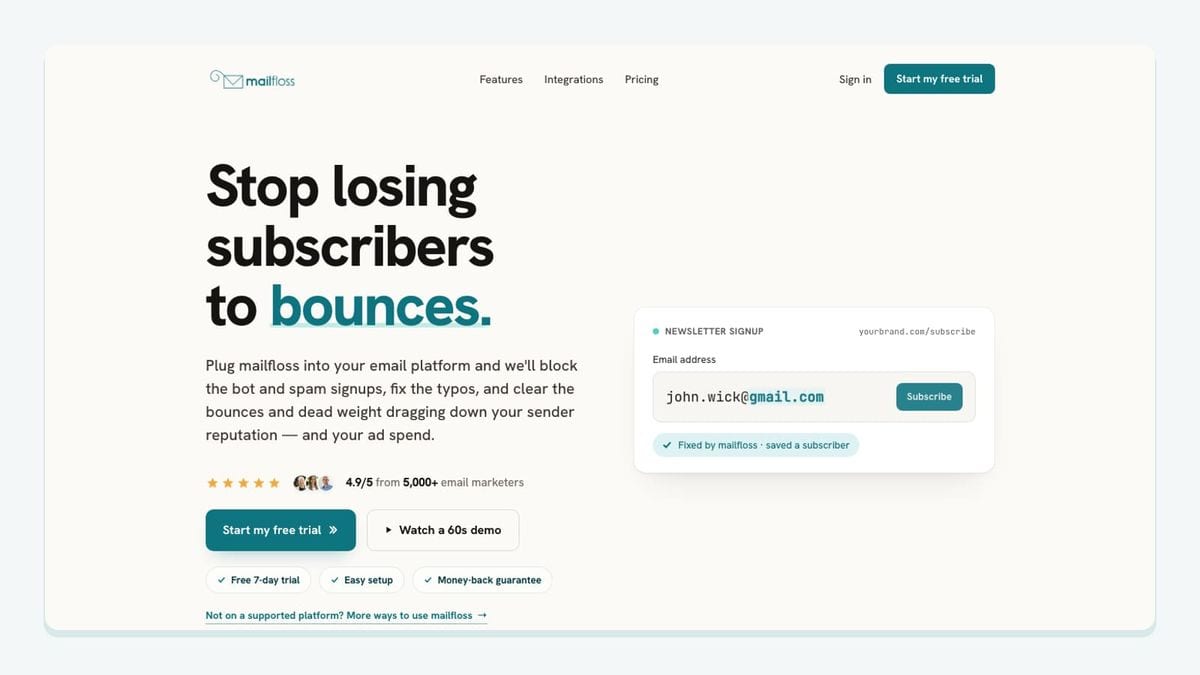
mailfloss is the hygiene layer for teams that already have forms, events, and CRMs feeding Emma. Authorize Emma from mailfloss, select the newsletters to watch, and the first sync starts automatically. From there, mailfloss checks new Emma subscribers on a schedule and writes configured fixes or removals back to Emma, avoiding the repeated export, verify, and re-import loop.
The Emma-specific fit is broader than a one-time list upload. Typo Fixer recognizes common typo patterns, Autofloss runs daily against new Emma contacts, Instafloss adds protection where signups enter, and Decay Protection for aging email lists re-verifies older contacts after they have been on the list for a while. Rules can keep questionable addresses for review, update fields, notify another tool, whitelist VIPs, blacklist domains, or tune removal behavior for an individual Emma connection.
mailfloss is also not limited to a no-code workflow. Its first-class email verification API is a real-time REST endpoint with JSON input and output, an OpenAPI specification, webhooks, and batch support for developers, product teams, and AI agents. That makes mailfloss useful on both sides of Emma: inside the connected newsletter-cleaning workflow and upstream in a custom signup or application flow.
Best fit: an Emma team with multiple acquisition sources that wants one recurring verification policy after contacts arrive, plus an API option for custom products or agent-run workflows.
2. Zapier: best for routing records into Emma groups
Zapier is the flexible routing layer in this roster. Its Emma connector can react to Emma events such as a new member, a member added to a group, a member update, a mailing click, or a mailing finish. On the write side, it can create a member, add or remove a member from a group, update member fields, create an Emma event, and opt out a member by email address.
Those Emma actions make Zapier useful when the source app lacks a dedicated connection. A practical workflow is: trigger on a qualified lead in the source system, find or create the Emma member by email, add the resulting member ID to a named Emma group, and map the fields needed by the campaign. Where available, pass group IDs, consent tracking, field-trigger behavior, and the signup form ID deliberately rather than relying on defaults.
Zapier's Emma directory also exposes a useful warning for implementers: Emma uses distinct member and group operations. Creating the contact and assigning the contact to the correct group may therefore be separate steps. Test both. A green automation run is not enough if the member exists in Emma but misses the group that powers the intended mailing.
Best fit: operations teams that need conditional routing, enrichment, or a bridge between Emma and an app without a purpose-built integration. See the current trigger and action inventory in Zapier's Emma integration directory.
3. Eventbrite: best for attendee follow-up in Emma
Eventbrite is a strong fit when an event registration should start an Emma follow-up sequence. Emma maintains an Eventbrite entry in its technology partner directory, and Zapier documents a workflow that adds new Eventbrite attendees as Emma subscribers. The important configuration choice is not merely “send attendees to Emma.” It is which event maps to which Emma group.
Create a group whose name includes the event and date, then map the attendee email and only the registration fields needed for the campaign. That separation lets an Emma mailing distinguish registered attendees from the rest of the audience and prevents next month's workshop from silently mixing with this month's list. If different ticket types need different content, route them to separate groups or map ticket type to a member field that Emma can use for targeting.
The acceptance test should include a real test registration: confirm the member is created, confirm the event group is attached, and confirm the expected Emma automation or mailing rule fires. After that, test the cancellation or opt-out path rather than assuming the two systems will resolve it automatically.
Best fit: conferences, venues, workshops, and membership teams that want event registration to become a clearly labeled Emma follow-up audience. Sources: Emma's Eventbrite partner entry and Zapier's documented Emma workflows.
4. Jotform: best for structured application forms
Jotform suits workflows in which the form collects more than an email address: partnership applications, scholarship forms, intake questionnaires, or detailed lead requests. Zapier lists a ready-made pattern for adding new Jotform submissions to Emma, but the value comes from mapping the submission into Emma's member model rather than dumping every answer into one note.
Choose the Emma group before building the field map. For example, a partner application can enter Jotform — Partner Applicants, while a demo form can enter Jotform — Demo Requests. Map stable data such as first name, organization, role, and declared interest to corresponding Emma member fields. Leave sensitive or campaign-irrelevant answers in the source system rather than copying them into email marketing.
If the Jotform has branching questions, use the answers to choose between Emma groups, not to create a swarm of nearly identical groups. Then verify that the correct field-change or signup automation fires. Emma's API supports user-defined fields, group IDs, field triggers, and signup form IDs; however, the exact fields exposed by a connector must be checked in its setup screen.
Best fit: teams collecting structured applications that need predictable Emma segmentation and follow-up. The documented connection begins with Jotform submissions becoming Emma subscribers.
5. Squarespace Forms: best for site leads entering Emma
Squarespace Forms is a practical choice for organizations whose website already runs on Squarespace. Zapier documents a workflow that creates new Emma members from new Squarespace form submissions. The Emma-specific implementation should keep the form's purpose visible after the transfer.
Do not route a newsletter signup, contact request, and gated-download form into one generic group. Create an Emma group for each intent, such as Squarespace — Newsletter, Squarespace — Contact, or Squarespace — Guide Download. Map the Squarespace email field to the Emma member email, then map the name and relevant preference fields. If a form should begin an Emma welcome sequence, preserve the form context or route to the group that triggers that sequence.
This workflow also benefits from verification at entry. A successful Squarespace submission only proves that a value was accepted by the form; it does not prove the mailbox is safe to mail. Instafloss can protect the signup flow in real time where it enters the marketing system, while scheduled mailfloss cleaning can catch new Emma subscribers after synchronization.
Best fit: Squarespace sites with multiple forms that need source-aware Emma groups rather than one catch-all audience. The pairing is documented in Zapier's Emma integration directory.
6. Gravity Forms: best for WordPress form routing
Gravity Forms fits WordPress sites that need more control than a simple newsletter box. Zapier lists Gravity Forms among popular Emma pairings, while Emma's connector supports the member and group actions needed to turn a WordPress submission into a routed subscriber.
Build the workflow around the Gravity Forms form ID and the destination Emma group. A webinar form can feed Gravity Forms — Webinar, while a quote request can feed Gravity Forms — Sales Inquiry. Use a find-or-create step keyed by email before adding the Emma member to the destination group; that reduces the chance of treating an existing subscriber as a completely unrelated record. Map only the fields used for email follow-up, and preserve the form's consent choice.
WordPress forms attract automated submissions, so include an invalid-address test before launch. Confirm whether the workflow holds, corrects, or removes the record according to the selected mailfloss rules. For a deeper form-level protection workflow, see how to reduce spam signups in Emma.
Best fit: WordPress teams with several lead forms that require conditional Emma group assignment and explicit field mapping. Confirm the current pairing in Zapier's Emma integration directory.
7. Follow Up Boss: best for real-estate leads entering Emma
Follow Up Boss is the specialist choice in this list. Zapier documents a workflow that creates new Emma subscribers from new Follow Up Boss contacts. That gives real-estate teams a way to move eligible CRM leads into Emma without using the CRM itself as an undifferentiated newsletter list.
Use qualification and permission as the gate. When a contact reaches the chosen Follow Up Boss stage and has the required email permission, find or create the Emma member, map stable fields such as first name and lead type, and add the member to a group such as Follow Up Boss — Buyer Leads or Follow Up Boss — Seller Leads. Those group names remain meaningful inside Emma when a marketer builds a mailing months later.
Avoid routing every CRM contact automatically. A lead being present in Follow Up Boss is not itself proof that the person should receive a marketing campaign. Test the permission rule, duplicate handling, group assignment, and the downstream Emma automation with a controlled contact before enabling the workflow broadly.
Best fit: real-estate teams that want qualified, permissioned CRM contacts to enter an appropriate Emma nurture group. The documented connection appears in Zapier's Emma integration directory.
The Emma integration acceptance test
The highest-value part of an integration review is a repeatable test, not a long feature checklist. Use one controlled contact and verify the whole chain:
- Submit or create the contact in the source app.
- Confirm that the email reaches the intended Emma account.
- Confirm that the member is attached to the intended Emma group.
- Check the mapped member fields and consent value.
- Confirm that the expected signup or field-change automation fires.
- Repeat the test with an existing Emma member to inspect duplicate handling.
- Repeat it with a deliberately invalid test address and confirm the selected mailfloss review, correction, notification, or removal path.
Emma's webhook documentation makes this workflow observable at a deeper level. It lists events for member signup, member add, member update, import finish, member deletion, and group changes. A custom integration can subscribe to the events it needs rather than repeatedly polling every Emma entity. Emma also exposes APIs for members, groups, signup forms, automations, and webhooks, making a custom route viable when an off-the-shelf connector cannot preserve the necessary context.
The decision rule is simple: do not approve an integration merely because a contact appears in Emma. Approve it when the right contact appears in the right group, carries the right fields and permission, triggers the right follow-up, and takes the right verification path.
Which Emma integration should you choose?
Choose mailfloss when the job is recurring Emma list hygiene. Choose Zapier when the job is cross-app routing or conditional logic. Choose Eventbrite for attendee follow-up, Jotform for structured applications, Squarespace Forms for site-native lead capture, Gravity Forms for WordPress workflows, and Follow Up Boss for qualified real-estate contacts.
Most teams will use more than one. A source integration captures context, Emma groups preserve that context for campaigns, and mailfloss protects list quality after contacts arrive. That layered design is more resilient than expecting one connector to handle acquisition, permission, segmentation, automation, and verification by itself.
Review mailfloss pricing when you are ready to add automated Emma list cleaning, or Start my free trial →.
Frequently asked questions
What are the best Emma integrations?
The best-fit Emma integrations depend on where subscribers begin. Eventbrite works for attendee follow-up; Jotform, Squarespace Forms, and Gravity Forms capture form leads; Follow Up Boss handles real-estate contacts; Zapier routes records into the right Emma groups; and mailfloss verifies new and existing subscribers automatically.
How should integrations add contacts to Emma?
Send each source into a named Emma group, such as Eventbrite Attendees or Website Demo Requests, and map only the fields needed for that follow-up. When the connector supports it, preserve the Emma signup form ID so form-based triggers still fire. Test one record, its group membership, and its consent fields before switching the workflow on.
Can mailfloss clean contacts added by other Emma integrations?
Yes. After an integration adds subscribers to Emma, mailfloss can check new contacts on a schedule, write fixes and removals back to Emma, and apply the rules selected for that connection. Instafloss can add real-time protection where signups enter, while Decay Protection re-verifies older Emma contacts over time.
Can developers build a custom Emma integration?
Yes. Emma exposes APIs for members, groups, signup forms, automations, and webhooks. Developers can use Emma webhooks for events such as member signup, member add, import finish, and group changes. For verification, mailfloss also provides a real-time REST API with JSON, an OpenAPI specification, webhooks, and batch workflows for product teams and AI agents.
What should I test before enabling an Emma integration?
Use one test contact and confirm five things: the email reaches Emma, the intended group is assigned, required member fields are mapped, consent data is preserved, and the expected signup or field-change automation fires. Then test an invalid address to confirm the verification workflow takes the configured review, correction, or removal action.
We write from the practical side of email list cleaning: what helps marketers keep real subscribers, reduce bounces, and avoid turning hygiene into another recurring chore.