
7 Best DailyStory Integrations for Cleaner Email Lists
Compare the best DailyStory integrations for lead capture, CRM handoffs, messaging, and automated email verification. Build a cleaner email stack today.


What are the best DailyStory integrations?
The best DailyStory integrations fix a specific handoff: capture the lead, enrich the contact, alert the team, or protect the email address. Prioritize tools that write useful changes back to DailyStory. mailfloss stands out for scheduled and real-time verification, per-connection cleanup rules, and a first-class API for developers and AI agents.
The best DailyStory integrations fix a specific handoff: capture the lead, enrich the contact, alert the team, or protect the email address. Prioritize tools that write useful changes back to DailyStory. mailfloss stands out for scheduled and real-time verification, per-connection cleanup rules, and a first-class API for developers and AI agents.
DailyStory can sit at the center of a surprisingly busy customer journey. A contact might begin on a WordPress form or a Facebook lead ad, book a meeting through Calendly, appear in a CRM, trigger an internal alert, and enter a DailyStory campaign. Every connection saves work when it passes the right data. Every connection also creates another place for incomplete fields, stale records, duplicate activity, or a mistyped email address to slip through.
This guide is an editorial shortlist, not a claim that every app below is a native DailyStory connector in every account. Connector availability, plan requirements, supported fields, and write-back behavior can change. Confirm the current method inside DailyStory or the app before enabling it. Depending on the pair, that method may be a native connector, an automation bridge such as Zapier, or a webhook/API workflow.
The useful question is not “How many apps can I connect?” It is “Which handoff should this integration own?” The seven options below cover email quality, automation, CRM ownership, commerce context, lead capture, meeting intent, and team visibility.
How did we choose the best DailyStory integrations?
We used a five-part DailyStory integration scorecard. It is a decision framework, not a vendor rating or a report of laboratory testing. Give a prospective integration zero, one, or two points for each criterion, then investigate anything below seven out of ten before adding it to a production journey.
Criterion | 0 points | 1 point | 2 points |
|---|---|---|---|
DailyStory write-back | Data leaves DailyStory with no return path | Status returns, but useful fields do not | Useful changes appear on the DailyStory contact or workflow |
Timing | Manual batch only | Scheduled sync | Event-driven or real-time when the job needs it |
Field control | Fixed opaque payload | Limited mapping | Clear control over the fields and actions involved |
Failure visibility | Failures disappear | Basic logs | Actionable errors, retries, or notifications |
Maintenance | Recurring exports or repairs | Occasional supervision | Rules run with little routine intervention |
The score is deliberately weighted toward operations, not novelty. A flashy connection that creates leads but hides failures can be worse than a quiet one that reliably writes a useful status back. This matters in DailyStory because the contact record is where segmentation, campaign decisions, and follow-up work converge.
Use the scorecard once before launch and again after the first real campaign. Look at a contact that completed the journey. Can you tell where it came from, what happened, whether the email is usable, and what the next automation will do? If not, the stack needs a clearer owner for that handoff.
1. mailfloss: best fit for automated DailyStory email verification
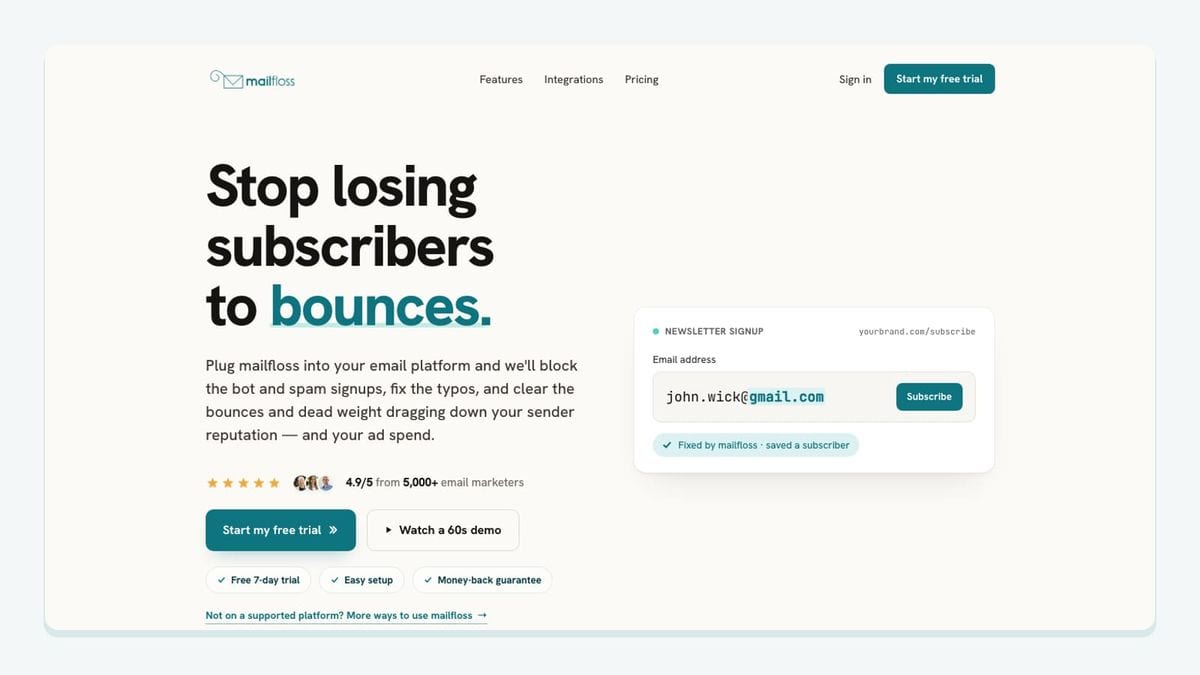
mailfloss is the hygiene layer in this shortlist. It is an email verification and automated list-cleaning tool for marketers, and its DailyStory connection is designed to work inside the contact workflow rather than depend on recurring CSV jobs.
The concrete DailyStory setup is straightforward. Authorize DailyStory from mailfloss, choose the DailyStory connections and lists you want watched, and let the first sync begin. Most teams can start with Typo Fixer plus daily cleanup, then add real-time protection where new signups enter. mailfloss checks new DailyStory leads and contacts on a schedule, can verify new signups in real time, and writes selected fixes or removals back to DailyStory.
That write-back is the important distinction. A one-time verifier can tell you what was true about an exported file at one moment. The DailyStory connection can apply the action you selected inside DailyStory, avoiding the export, process, and re-import loop. It can catch hard bounces, correct safe typo patterns such as gmial.com, and handle disposable or risky addresses according to your cleanup rules.
The rules do not have to be identical across the account. Each watched DailyStory connection can use its own cleanup behavior. You can whitelist VIPs, blacklist domains, or keep selected addresses for review. Autofloss runs daily against new DailyStory contacts, while Decay Protection re-verifies older contacts on a schedule to find addresses that became invalid after joining.
mailfloss is not a no-code-only product. Product teams, developers, and AI agents can use its first-class real-time email verification API when verification needs to happen in a custom form, agent workflow, or product boundary. The practical pattern is to use the API at capture time and the DailyStory email verification integration for scheduled, in-platform list hygiene afterward.
Best fit: teams that want email quality checked at signup and protected over time without treating list cleaning as a monthly spreadsheet chore.
Watchout: decide what should be corrected, removed, retained for review, or passed to another workflow before turning on automatic actions.
2. Zapier: best fit for filling a missing handoff
Zapier is the automation bridge to consider when two parts of your DailyStory stack do not have the direct connection or field behavior you need. Its job is orchestration: detect an event in one app, transform or filter the data, and ask another app to take an action.
For a DailyStory workflow, start with one narrow event. A new form submission might create or update a DailyStory contact. A status change might notify an account owner. A verified contact might continue into a campaign while a record needing review takes another path. Narrow automations are easier to inspect than one giant chain with a dozen branches.
Score a proposed Zapier workflow by looking beyond the happy path. Which field identifies the contact? Does an update create a second record? What happens if DailyStory or the source app rejects a request? Is there a retry, and can a person see the failure? The answers matter more than the number of actions advertised by the bridge.
Zapier should not become an invisible database between systems. Keep DailyStory as the readable campaign record and write back the smallest useful result: source, status, owner, or next-step flag. Avoid copying every available field simply because it exists.
Best fit: a team with one clearly defined gap between DailyStory and another app.
Watchout: multi-step automations can create loops, duplicate updates, or silent partial failures unless each trigger and write-back action has an owner.
3. Salesforce: best fit for sales-owned CRM handoffs
Salesforce belongs on the shortlist when the sales team owns qualification and opportunity history while DailyStory owns marketing communication. The integration decision is less about moving every CRM field and more about agreeing on which system is authoritative for each fact.
A practical handoff might send a qualified DailyStory contact toward Salesforce, then return a compact lifecycle or ownership signal for DailyStory segmentation. That lets marketing avoid sending a generic nurture message to someone already in an active sales conversation. The exact connector, eligible objects, and field directions must be verified in the current setup before implementation.
Create a field contract before connecting the systems. Write down the identifier used to match a person, which system owns consent, which system owns lifecycle stage, and what happens when the values disagree. If the workflow cannot answer those questions, automation will make the ambiguity faster rather than remove it.
Email verification should happen before an unusable address is copied into multiple systems. When mailfloss watches the relevant DailyStory connection, it can check contacts and write selected cleanup actions back. That gives the CRM handoff a cleaner starting record without claiming that verification replaces consent, identity resolution, or a sales qualification process.
Best fit: organizations with a real division between marketing operations in DailyStory and sales operations in Salesforce.
Watchout: bidirectional sync without explicit field ownership can bounce stale values back and forth.
4. Shopify: best fit for purchase-aware DailyStory journeys

Shopify is worth evaluating when purchase behavior should change the messages a contact receives through DailyStory. The useful integration is not a raw firehose of store data. It is a small set of commerce events or attributes that make a campaign more relevant, such as customer status, a completed purchase, or a meaningful product relationship.
Before connecting anything, choose the marketing decision the data will support. Should a buyer leave a prospect sequence? Should a recent customer receive onboarding rather than another acquisition offer? Should an existing customer enter a replenishment or education journey? Only then decide which fields or events need to reach DailyStory.
Use the five-part scorecard carefully here. Commerce workflows need visible failures because a missed event can leave someone in the wrong sequence. They also need a stable contact key. An email address can help route communication, but it should not be treated as an infallible customer identity. Typo correction and verification reduce avoidable email-quality problems; they do not replace order IDs or the store’s own customer records.
Best fit: ecommerce teams that want DailyStory campaigns to respond to meaningful purchase context.
Watchout: syncing excessive catalog or order detail increases maintenance without necessarily improving segmentation.
5. WordPress: best fit for owned-site lead capture
WordPress is often the first boundary in a DailyStory journey because it hosts the page where a visitor submits a form. The integration therefore needs to do more than move an email address. It should preserve the context required to understand the signup: which form was used, what the visitor requested, and which consent language was shown.
Design the workflow from the DailyStory contact backward. Decide which list, segment, connection, or campaign path should receive the signup. Map only the fields that support that decision. Then test the awkward cases: a returning contact, a blank optional field, a corrected email domain, a rejected request, and a submission that arrives twice.
The strongest hygiene pattern checks the address where it enters and continues to protect it afterward. mailfloss can verify new signups in real time and can also run scheduled checks against watched DailyStory contacts. Typo Fixer can correct safe mistakes such as gmial.com, while the selected DailyStory cleanup rules determine what happens to risky or invalid results.
Best fit: teams whose website forms are a primary source of DailyStory contacts.
Watchout: do not let a success message appear to the visitor if the contact never reached the intended DailyStory workflow; surface and monitor delivery failures.
6. Facebook Lead Ads: best fit for paid-social lead routing
Facebook Lead Ads is a sensible candidate when paid-social submissions need to reach DailyStory quickly enough for a timely follow-up. The important work is not simply copying the lead. It is preserving campaign context while preventing a fast automation from turning weak or malformed input into a larger data problem.
Start with a dedicated DailyStory destination or clear source field for these leads. That makes it possible to compare the journey with website, event, or referral signups without guessing later. Map only the fields that the form actually collects and the follow-up genuinely uses.
Add an explicit email-quality decision. A real-time verification check can catch an obvious typo or risky address before the lead enters a long sequence. Scheduled DailyStory cleaning remains useful because a contact that was valid when captured can become invalid later. This capture-time plus recurring-cleanup pattern is stronger than assuming one check protects the record indefinitely.
Best fit: acquisition teams that need fast, source-aware routing from a paid-social form into DailyStory.
Watchout: confirm the current connector method, field support, consent handling, and error visibility before spending against the workflow.
7. Slack: best fit for visible exceptions and human follow-up
Slack earns a place on this list when a DailyStory event needs a person rather than another silent automation. Good examples include a high-value signup that needs an owner, a failed handoff that needs investigation, or a record held for review under a cleanup rule.
Keep alerts selective. Sending every new contact into a channel creates noise and teaches the team to ignore the integration. Define the exception, name the owner, include the minimum context needed to act, and link back to the system where the work should be completed.
This pairs well with DailyStory cleanup rules that retain selected addresses for review or notify another workflow. The alert should explain the state without exposing unnecessary personal data. It should also avoid pretending that a message in Slack is the system of record; the final status belongs in DailyStory or the authoritative business system.
Best fit: small teams that need human judgment at specific DailyStory workflow boundaries.
Watchout: alerts without ownership or a resolution path merely move the backlog into chat.
What is the best DailyStory integration stack for your team?
A useful DailyStory stack usually has four jobs, even if one tool covers more than one:
- Capture the lead with its source and consent context.
- Route the contact to the correct sales, commerce, or campaign workflow.
- verify the email at entry and protect list quality over time.
- Expose exceptions so a person can resolve them.
Start with the broken handoff, not the longest app list. A newsletter team may need WordPress, DailyStory, and mailfloss. A sales-led team may add Salesforce. An ecommerce team may prioritize Shopify. Zapier can bridge a narrow gap, while Slack can make important exceptions visible.
For email quality, the DailyStory-specific workflow is concrete: authorize DailyStory, select the connections and lists to watch, choose cleanup rules, start with Typo Fixer and daily cleanup, and add real-time protection where signups enter. Review the automated email-cleaning features and email decay protection before deciding which actions should run automatically.
If your team owns a custom form, product, or AI-agent workflow, use the API as a first-class part of the architecture rather than an afterthought. Then use scheduled DailyStory cleaning to cover records already inside the platform.
If bots or fake addresses are getting through your forms, here is how to reduce spam signups in DailyStory before they reach your list.
Frequently asked questions
Which DailyStory integration is best for email verification?
mailfloss is the best-fit DailyStory integration when you want scheduled and real-time email verification with results written back to DailyStory. It can fix safe typos, apply per-connection cleanup rules, and re-check older contacts. Developers and AI agents can also use the first-class real-time API.
How should I choose integrations for DailyStory?
Start with the handoff that is failing: lead capture, CRM ownership, purchase context, team alerts, or email quality. Then score each option for write-back, timing, field control, failure visibility, and maintenance. Favor a smaller stack whose data changes remain visible inside DailyStory.
Can DailyStory contacts be cleaned without CSV exports?
Yes. After you authorize DailyStory, mailfloss can watch selected connections and lists, check new contacts on a schedule or at signup, and write the chosen fixes or cleanup actions back to DailyStory. That replaces the recurring export, verify, and re-import loop.
Can different DailyStory connections use different cleanup rules?
Yes. Each watched DailyStory connection can use its own cleanup rules. You can tune removal behavior, whitelist VIPs, blacklist domains, or keep selected addresses for review instead of forcing one policy across every list or segment.
We write from the practical side of email list cleaning: what helps marketers keep real subscribers, reduce bounces, and avoid turning hygiene into another recurring chore.