
10 Best beehiiv Integrations for Newsletter Growth
Compare the best beehiiv integrations for subscriber quality, CRM, ecommerce, automation, community, and publishing. Build a cleaner newsletter stack.


Which beehiiv integrations are best for a newsletter publisher?
The best beehiiv integration is the one that fixes a specific data handoff. Use mailfloss for recurring subscriber verification, HubSpot for CRM intake, Shopify or Stripe for commerce, ManyChat for social capture, Zapier or Make for automation, WordPress for syndication, Discord for community, and beehiiv’s API for custom workflows. Start where subscriber data enters or leaves beehiiv.
The best beehiiv integration is the one that fixes a specific data handoff. Use mailfloss for recurring subscriber verification, HubSpot for CRM intake, Shopify or Stripe for commerce, ManyChat for social capture, Zapier or Make for automation, WordPress for syndication, Discord for community, and beehiiv’s API for custom workflows. Start where subscriber data enters or leaves beehiiv.
A useful beehiiv stack does more than collect a handsome row of app logos. It moves the right data into the right publication, preserves consent and attribution, and gives somebody a clear way to notice when the workflow breaks.
That matters because beehiiv integrations can touch several distinct paths: a HubSpot form can create a subscriber, a Shopify checkout can send an opted-in customer to a publication, a ManyChat flow can capture an address from an Instagram conversation, and a webhook can move a newly sent post into an external CMS. Those are different jobs with different failure modes.
This list ranks integrations by the publishing problem they solve, not by who has the longest feature page. Some are native or marketplace-listed connections; others use Zapier, Make, beehiiv’s API, or webhooks. Check current availability and plan requirements before committing your workflow.
Which beehiiv integration should you choose first?
Choose the first integration by tracing one real object—usually a subscriber or a post—from its source to its destination. The best-fit tool should remove a manual handoff without hiding ownership of the data.
Integration | Best fit for beehiiv publishers | Concrete data path | Main check before launch |
|---|---|---|---|
mailfloss | Recurring email verification | Selected beehiiv newsletters → verification and cleanup rules → fixes or removals written back | Start conservatively and review cleanup actions |
HubSpot | CRM-to-newsletter intake | New HubSpot contact or form submission → mapped beehiiv subscriber | Match custom fields and consent state |
Shopify | Ecommerce audience growth | Opted-in Shopify customer → Make scenario → beehiiv subscriber | Transfer only contacts who requested marketing |
Stripe | Payment-triggered intake | Stripe event → Zapier → beehiiv subscriber | Separate payment status from marketing consent |
ManyChat | Social lead capture | Instagram, Messenger, or WhatsApp flow → captured email and UTMs → beehiiv | Map source fields and test the API credentials |
Zapier | Straightforward app automation | One trigger → beehiiv action | Decide how failures and duplicates are handled |
Make | Multi-step or transformed workflows | Trigger → filters or transformations → beehiiv or CMS | Inspect every mapped field and branch |
WordPress | External content publishing | beehiiv post.sent event → post retrieval → WordPress | Choose web, email, or RSS content deliberately |
Discord | Subscriber-linked community | beehiiv publication and membership workflow → Discord access | Define what happens when status changes |
beehiiv API and webhooks | Custom product workflows | beehiiv event or API request → your service → controlled action | Protect credentials, retry safely, and log outcomes |
Our decision rule is simple: score each candidate on four questions. Does it remove a recurring manual step? Does it preserve the publication, source, consent, and fields you need? Can your team see and recover from failures? Does it improve the quality of the audience or merely move more records around? An integration that passes all four is more valuable than three disconnected automations.
How do you connect an integration inside beehiiv?
beehiiv’s current setup path is specific. An Admin or Owner opens Settings, selects Integrations under Workspace Settings, and clicks Browse apps. The marketplace can be searched or filtered. A native listing uses Connect; another listing may send you to an app portal or a setup article. beehiiv documents that role and navigation in its App Marketplace guide.
Before enabling anything, write down five things: the source system, the destination publication, the event that starts the workflow, the fields that move, and the action taken when something fails. Then use a test record you can identify easily. Confirm the subscriber lands in the intended publication with the expected source data, opt-in behavior, and custom fields.
Do not treat a successful first run as permanent proof. Change a field, send a second sample, and inspect the automation history. If the workflow can reactivate, unsubscribe, delete, or suppress a person, test that branch separately. The dull five-minute check is cheaper than explaining a mystery segment before a campaign.
1. mailfloss: best for recurring beehiiv list hygiene
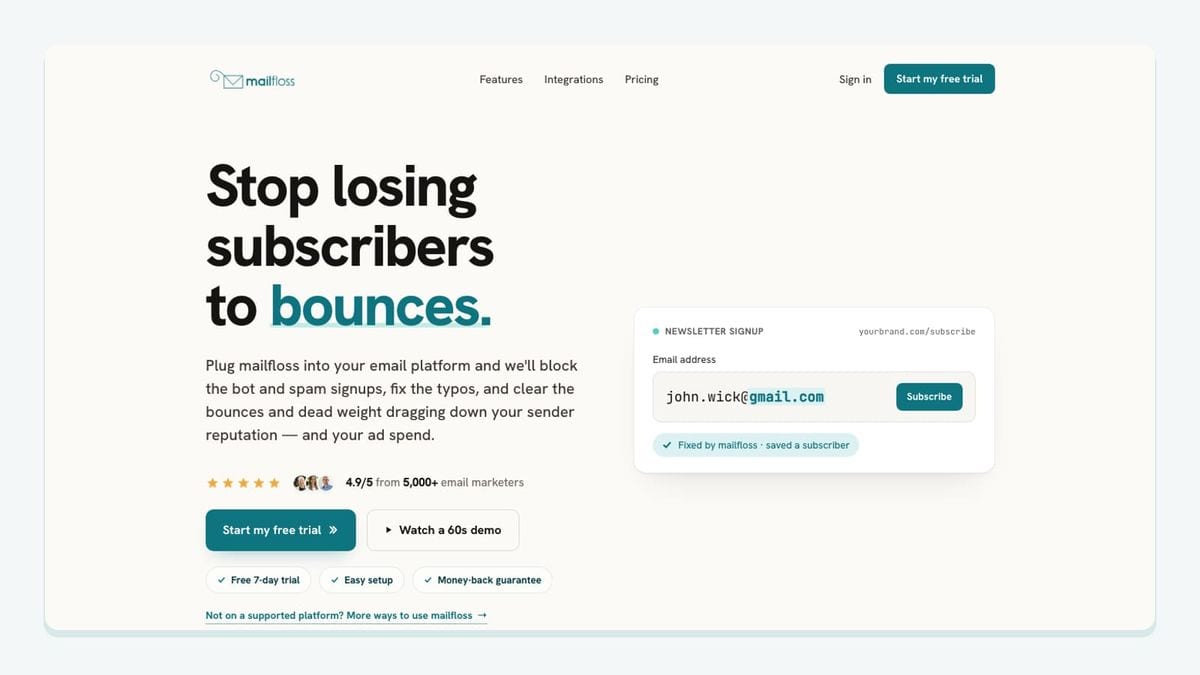
mailfloss is the best-fit integration when the problem is subscriber quality rather than subscriber movement. It connects to selected beehiiv newsletters, verifies contacts on a schedule, catches risky or invalid addresses, fixes common typos such as gmial.com, and applies the cleanup behavior you choose. The live beehiiv email verification integration explains that changes can be written back without repeated export, verification, and re-import cycles.
The useful beehiiv mechanic is connection-level control. You authorize beehiiv from mailfloss, select the newsletters to watch, and configure rules for that connection. Most teams can begin with Typo Fixer and daily cleanup, review the resulting actions, and add real-time protection where signups enter. Older contacts can be rechecked through email decay protection rather than assumed safe forever.
mailfloss is not only a no-code background cleaner. Product teams and AI agents can use the first-class email verification API for developers and AI agents when an address needs a real-time decision inside a custom signup, internal tool, or application. The integration and API solve related but distinct jobs: recurring hygiene inside beehiiv and immediate verification at a software boundary.
2. HubSpot: best for CRM contacts entering beehiiv

HubSpot is a strong fit when a CRM form or sales workflow is the source of newsletter subscribers. beehiiv’s current guide uses Zapier: a New Contact event in HubSpot triggers a beehiiv Create a Subscriber action. The workflow can pass email, first and last name, and other properties into the selected beehiiv publication.
The setup detail that deserves attention is field mapping. beehiiv instructs publishers to create matching custom fields for additional HubSpot properties while checking beehiiv’s reserved-field list first. The guide also exposes a consequential setting: double opt-in can be configured in Zapier, and that choice can override the publication setting for subscribers arriving through the Zap. Review the HubSpot-to-beehiiv instructions before activation.
Choose HubSpot when the CRM should remain the acquisition source and beehiiv should handle newsletter publishing. Do not copy every CRM contact by default. Define which form, lifecycle state, or explicit permission makes somebody eligible for the publication.
3. Shopify: best for opted-in ecommerce customers

Shopify fits publishers whose store is a meaningful acquisition channel. beehiiv’s documented workflow uses Make to watch Shopify customers and create a beehiiv subscriber when a buyer selected the checkout option to receive news and offers or when an eligible contact was created.
The concrete scenario is Watch Customers in Shopify followed by Create a Subscriber in beehiiv. The email is mapped into beehiiv, while the source can be recorded as Shopify; campaign and referring-site values can be added when useful. beehiiv’s Shopify integration guide recommends running the scenario once before enabling its schedule.
The critical distinction is purchase versus permission. An order gives you a customer record; it does not automatically establish newsletter consent. Build the trigger around the marketing choice and preserve the source so Shopify-acquired readers can be evaluated as a segment later.
4. Stripe: best for payment-triggered subscriber workflows

Stripe is useful when a successful payment, subscription, or customer event should initiate a controlled beehiiv workflow. beehiiv maintains a dedicated guide for adding subscribers from Stripe through Zapier, and its integration directory identifies Stripe as a supported payment connection.
Use Stripe when payment state is operationally relevant: for example, routing an eligible customer toward a publication or member communication. Keep billing state and marketing consent as separate fields and decisions. A successful charge does not answer every permission question, and a refund or cancellation may require a different community or lifecycle action than an email unsubscribe.
Before publishing the automation, test the exact Stripe event you selected, map the destination publication explicitly, and decide what repeated or delayed events should do. The best Stripe workflow is usually narrow and boring—which is exactly what you want near money and subscriber records.
5. ManyChat: best for social-to-newsletter capture

ManyChat is the most beehiiv-specific choice here for turning a conversation into a traceable subscriber. beehiiv documents flows across Instagram, Facebook Messenger, and WhatsApp. A flow can trigger from a message or comment, ask for an email address, deliver the promised resource, and run the beehiiv Add Subscribe action.
The standout mechanic is attribution. The ManyChat integration guide shows optional mappings for UTM source, medium, and campaign. Those values can support a beehiiv segment such as subscribers acquired from a particular Instagram lead magnet. Email is required; the tracking values appear only when you map them.
Use ManyChat when the conversation itself is the acquisition experience. Verify the beehiiv API key and API V2 publication ID, preview the flow, and confirm that an existing subscriber is handled as expected before setting it live.
6. Zapier: best for straightforward beehiiv automations

Zapier is a practical default for a linear workflow: one event happens in another app, then beehiiv creates a subscriber or retrieves a post. beehiiv uses it in the HubSpot guide and in its external-CMS workflow, where the New Post Sent trigger can begin a publishing sequence.
Choose Zapier when the steps are easy to explain in one sentence and the field transformation is light. Record the beehiiv publication ID, authentication owner, trigger, action, and fallback. Test with a real sample that includes every field you intend to map.
Zapier expands the available app surface, but it also introduces another execution history to monitor. The integration is not finished when the Zap is switched on; it is finished when somebody knows where failed runs appear and how to replay them safely.
7. Make: best for branching and content transformation

Make earns its place when the workflow requires filters, multiple modules, or content transformation. beehiiv’s Shopify guide uses a Make scenario to watch customers and create subscribers. Its external-CMS guide uses a webhook, beehiiv content retrieval, and a text parser before passing the result to WordPress or another destination.
That makes Make especially useful for publishers who need to shape data between beehiiv and another system. For a CMS workflow, beehiiv documents web, email, and RSS content variants; the selected form affects styling, headers, footers, and merge tags. Pick the variant deliberately rather than sending an opaque HTML blob downstream.
Use Make when the visual scenario helps the team understand the transformation. Name routes clearly, inspect sample bundles, and make the error path as visible as the happy path.
8. WordPress: best for keeping an external site in the publishing loop

WordPress fits teams that write and send in beehiiv but maintain a separate editorial website. beehiiv’s current external-CMS workflow listens for the post.sent webhook, captures the post ID, retrieves content through the beehiiv API, and passes the chosen content version to the CMS. Zapier and Make variants are documented.
The important decision is which system owns the canonical editing workflow. If beehiiv is the writing source, send the completed post outward and avoid creating a two-way loop that can overwrite edits unpredictably. Choose web content to retain beehiiv web presentation, email content when the full email structure is needed, or RSS content when the WordPress theme should do more of the styling.
WordPress is therefore not just another subscriber connector. It solves content syndication, with HTML handling and canonical ownership as the real design questions.
9. Discord: best for connecting a newsletter and community

Discord belongs in a beehiiv stack when the newsletter and community are parts of one membership experience. beehiiv lists Discord in its current native-integration support section and publishes separate guidance for creating a Discord community and assigning roles.
Before connecting them, define the lifecycle in plain language. Which beehiiv status grants access? Which publication or membership tier maps to which Discord role? What happens after cancellation, expiration, or an account mismatch? The integration is only useful if access remains understandable after the first invitation.
Discord is a better fit than a generic chat notification when readers are meant to interact with one another. If the goal is merely alerting an internal team about a new subscriber, a smaller Zapier or Make workflow may be easier to maintain.
10. beehiiv API and webhooks: best for custom publisher infrastructure
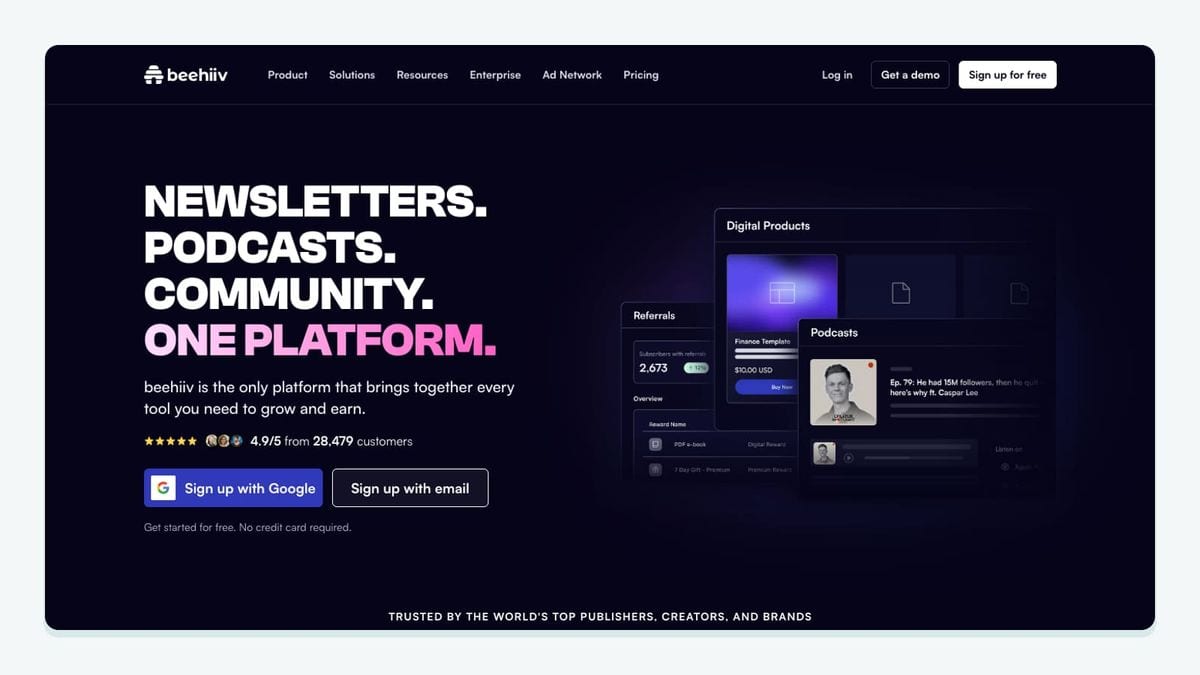
The beehiiv API and webhooks are the right choice when your workflow is product infrastructure rather than a convenience automation. beehiiv explicitly recommends its API and webhooks for tools not covered by listed integrations.
A concrete pattern is the external-CMS flow: register a webhook for post.sent, take the post ID from the event, retrieve the required post content through the API, and deliver it to the destination. Subscriber and internal-product workflows can use the same architectural principle: accept a specific event, validate it, perform one controlled action, and retain enough context to diagnose the result.
Custom code buys precision, not freedom from maintenance. Use scoped credentials, keep secrets out of client code and logs, account for retries and duplicate delivery, and alert on repeated failures. If the only requirement is a simple trigger and action, Zapier or Make may be the better-fit choice.
What is the best beehiiv integration stack for your workflow?
A solo newsletter with a beehiiv signup page may need only mailfloss: the publication remains simple while recurring verification handles new and aging contacts. A B2B publisher could pair HubSpot with mailfloss, using the CRM as the acquisition source and verification as the hygiene checkpoint before list problems accumulate.
An ecommerce publisher may combine Shopify, Make, and mailfloss. Shopify supplies opted-in customers, Make maps source information into the correct beehiiv publication, and mailfloss checks the resulting list on a schedule. A creator selling a membership might add Stripe and Discord, but should document consent and access changes separately.
A media team using WordPress can let beehiiv remain the newsletter publishing source, then use post.sent, the API, and Make or Zapier to syndicate content. The mailfloss API can verify addresses in a custom registration surface, while the beehiiv connection handles recurring cleanup after subscribers enter the publication.
Start with one path. Test it. Assign an owner. Add the next integration only when the first path is observable and recoverable. Newsletter stacks become fragile when every inconvenience produces another automation.
Frequently asked questions
What are the best beehiiv integrations?
The best beehiiv integrations depend on the job: mailfloss for recurring email verification, HubSpot for CRM intake, Shopify and Stripe for commerce, ManyChat for social lead capture, Zapier or Make for automation, WordPress for content syndication, Discord for community access, and the beehiiv API for custom workflows.
Does mailfloss integrate with beehiiv?
Yes. mailfloss connects to selected beehiiv newsletters, checks new and older contacts on a schedule, fixes common typos, and applies your chosen cleanup actions without repeated CSV exports. Developers and AI agents can also use mailfloss’s real-time REST API when verification belongs inside a custom signup or product workflow.
Where do I connect integrations in beehiiv?
An Admin or Owner can open Settings, choose Integrations under Workspace Settings, and select Browse apps. Native integrations use a Connect action; other listings may send you to an integration portal or setup guide. Confirm the connection’s publication, fields, consent behavior, and failure handling before switching it on.
Should I use Zapier or Make with beehiiv?
Use Zapier when a straightforward trigger-and-action workflow is enough, such as creating a beehiiv subscriber from a HubSpot contact. Choose Make when the workflow needs branching or transformations, such as watching Shopify customers or parsing beehiiv post HTML before sending it to a CMS. Test with a real sample before activation.
Can developers build custom beehiiv integrations?
Yes. beehiiv supports API and webhook workflows for tools that are not covered by a ready-made connection. A concrete publishing pattern is to listen for the post.sent webhook, retrieve the post through the API, and pass the appropriate content version to a CMS. Use scoped credentials and handle retries and duplicate events deliberately.
We write from the practical side of email list cleaning: what helps marketers keep real subscribers, reduce bounces, and avoid turning hygiene into another recurring chore.